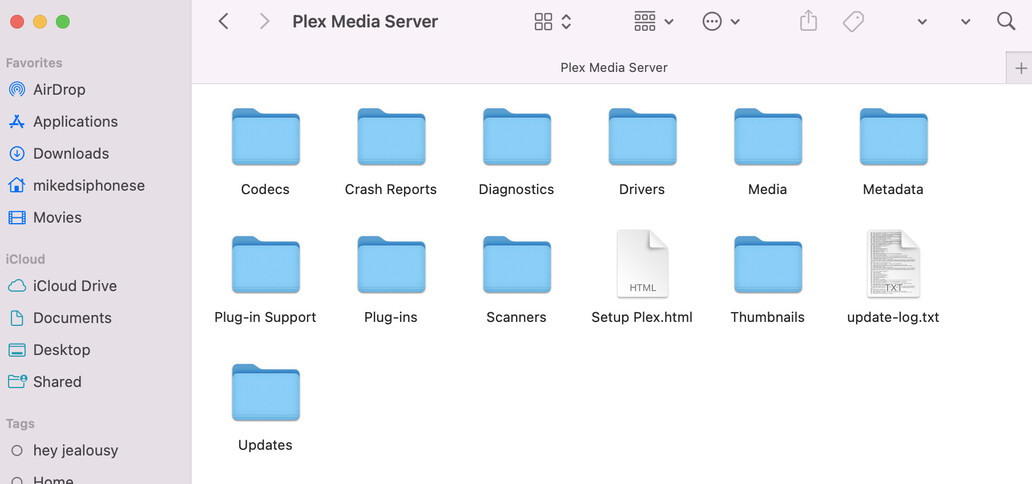
It has been awhile since I used a Mac. I thought you could right click (or control click?) on a folder and Finder would give you an option to compress the directory.
If that doesn’t work, just pull Plex Media Server.log through Plex Media Server.5.log and post all six files to the thread.
update-log.txt.zip (21.2 KB)
Here is what I have so far… is it correct?
That is not the Plex server log files.
Using the Finder’s “Go” menu, select Go To Folder.
A dialog box should open.
Enter ~/Library/Application Support/Plex Media Server/
You should see several folders (Cache, Codecs, etc.), one of which is “Logs” which contains many log files.
Compress the Logs folder, then upload to the thread.
If you cannot upload the zip file for some reason, then upload Plex Media Server.log through Plex Media Server.5.log.
this is all I can see on my end of things…
Thanks for the pic.
I was working off of outdated info.
Try ~/Library/Logs/Plex Media Server/
No.
The directory should have many files. The ones of interest are Plex Media Server.log through Plex Media Server.5.log.
Here’s a screenshot. It is from a system running Linux, but the file names will be the same.

Archive.zip (724.8 KB)
this what you need?
Yes. Thanks for the log files.
From Plex Media Server.log:
May 20, 2024 17:19:10.651 [0x70000f54f000] DEBUG - NetworkInterface: Notified of network changed (force=0)
Your network is incredibly unstable.
The network change notification listed above continuously appears in the log files (~30,000 times). It was logged 1199 times just today (May 20).
Verify the network settings on the iMac - IP address & mask, default gateway, DNS servers, etc.
If the iMac is using Wi-Fi, suggest you use wired Ethernet if possible.
If already using wired Ethernet, try replacing the cable, moving to a different port on the router or switch, etc.
Plex Media Server cannot communicate with the systems at plex.tv. Until it can, you will not be able to claim the server.
I apologize for the confusion, but can you please explain this to me in a step by step form?
step1 = blah blah
step 2= blah blah
etc
hello, I rebooted the computer and it is currently connected via wi-fi. it is still not working or reflecting a server issue when attempting to connect…
what is the next step ?
Did you reboot the router first?
Is it possible to connect the Mac via wired Ethernet?
Do we have any update on this matter? I was reading on Reddit that I am not the only having to is problem and I am hoping something can be done about it….