Server Version#: 1.21.2.3918-e47113e83
I’ve somehow managed to break my Plex Media Server. My setup is / was; Plex Media Server running on an iMac (OSX 11.2), with an external RAID drive connected containing my media. The external drive recently failed, and I replaced the enclosure (but hotswapped all 5 of the drives back across). Plex wouldn’t then play certain files (permissions perhaps), so I followed the instructions to delete my library, and start from scratch… This is where I got into problems.
So I deleted
~Library/Logs/Plex Media Server
~Library/Application Support/Plex Media Server
~Library/Preferences/com.plexapp.plexmediaserver
~Applications/Plex Media Server.app
(I have historical backups of all of these, so can get them back if needed)
I then did a clean install of PMS. Now when it loads http://127.0.0.1:32400/web by default, I just get “This site can’t be reached 127.0.0.1 took too long to respond.”
If I go to https://app.plex.tv/ then it just prompts me to download PMS (presumably my local PMS is not linked / claimed to my Plex account?).
As I had port forwarding already setup and working, if I substtute my external IP “http://{external ip}:32400/web” it will load, but I get a " No soup for you! You do not have access to this server" error.
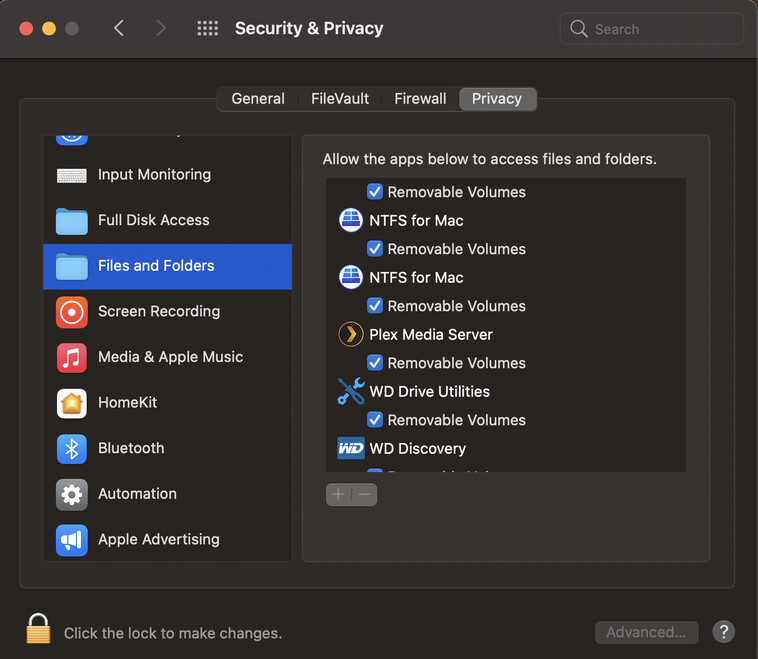
I don’t have VPN running, I have PMS set to “allow incoming connections” in OSX firewall settings. I have Little Snitch running, but have tried with it disabled, and get the same results. I have tried in Safari, with the same results too. I had UPnP turned on in my router (which seemed unnecesary with the Port Forward manually set up), so turned it off, but that wasn’t a fix.
It’s very odd for it not to load http(or s)://127.0.0.1:32400/web with a clean install. Immediately after I swapped the HDs over, Plex was giving me warnings about not being a secure connection, so this could be related.
Log attached (from running from a clean install). Any help appreciated!
Plex Media Server.log (84.8 KB)