A few days ago I had a power surge which caused my PLEX library to disappear. All my PLEX media files are on an external HDD so I decided to re-do my library.
When I go to point the HDD to my files, I cannot find it in the drop down. See image below. It seems PLEX is currently only “seeing” the external NVIDIA drive which is empty. How can I access my external HDD? Can anyone help?
Welp, I got the media to be recognized. But now I cannot establish a secure connection with my PLEX server despite “allowing insecure connections” from anywhere because I cannot figure out why I’m having this problem.
not sure if this is related, but I got all my files to populate on the PLEX frontend (I can see my files when I log into PLEX) but i cannot get metadata and some sections are completely empty.
I have a suspicion this is because of my ISP (T-mobile internet does not allow smd: to my harddrive) but I am not completely sure because I was able to add films before this with this same ISP although this time I had to re-populate my entire library.
Does anyone know what’s wrong? How I can get everything up and running again?
I switched ISPs about a month ago. for that past month (from december until jan 10th or so) i was able to use PLEX fine. only difference I noticed is I had to upload and offload files to my external HDD for PLEX by connecting it to my computer as smd no longer worked with the new ISP (t-mobile internet).
when i suffered a power surge, my PLEX was wiped and I had to re-do everything again. Could the DNS issue affect me now when it did not before? is there a way to confirm this is the problem? if T-mobie cannot allow me to change “to like google DNS” what can I do?
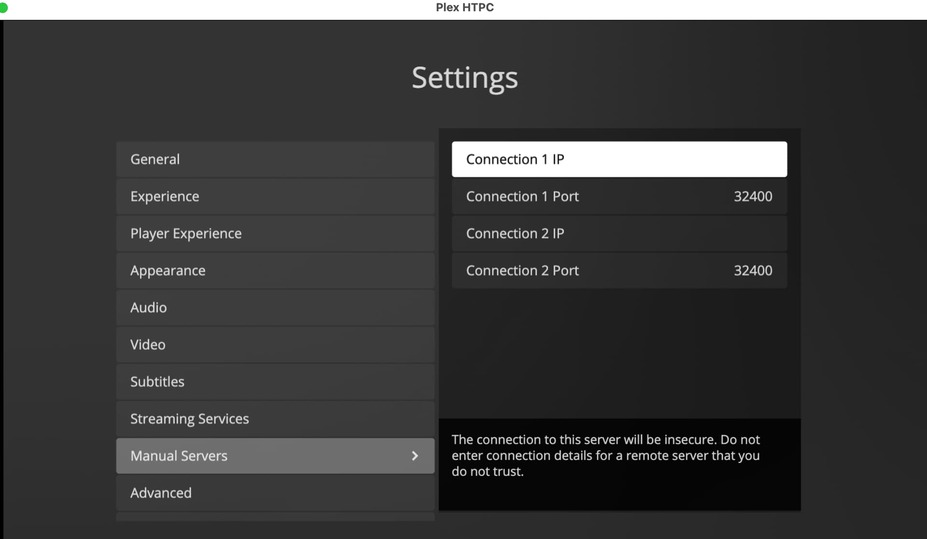
I do not understand the DNS issue enough, but I found this reddit thread where a user found a work around. unfortunately, i do not fully understand what this individual did:
In some player apps you can set the local IP of your Plex Media Server so it can help find it. Not all Plex apps have it though
thank you for the explanation. i’m using the mac osx app (on a macbook pro).
on my nvidia shield i’m using PLEX v1.32.8.7639
does anyone know anything I can do to fix this? i can play some films (semi-populated with background image but no poster or cast listing etc) but others seem to be waiting indefinitely to populate information and/or be recognized by the server/PLEX while others haven’t been recognized at all.
for clarity: above statement means as an example, I can play some films in the ‘movies’ category, but i cannot see anything in the ‘children’s’ category.