Hi there - After yesterday’s big outage I STILL cannot access my local server… What gives??? According to the forums I am not the only one… but yet your status page shows everything working normally. Please advise ASAP. Lifetime member here that has been with Plex for over a decade…
Working like a charm here… if you continue experiencing issues, try restarting/rebooting the server
I have. Multiple times. In fact, I’ve uninstalled and reinstalled several times. I’ve even rebooted my Synology several times.
The fact remains: Everything was fine… until the outage yesterday (which still has not really been addressed by the Plex team AT ALL!)… since then, even though the status page shows everything OPERATIONAL, I - and many others - are still having issues accessing our own INTERNAL AND LOCAL content.
Seems this gave your system a hiccup.
Could you try signing out and back in to Plex in the app you’re using?
As for
… which still has not really been addressed by the Plex team AT ALL!
status.plex.tv is your friend when it comes to any issues regarding the status of the platform.
https://status.plex.tv/incidents/00kvgv89ghps
Already done. In every app from Apple TV to iOS to iPadOS… nothing. Also, status.plex.tv and the link provided ( https://status.plex.tv/incidents/00kvgv89ghps states that the issue is resolved… so not really all that helpful.
I have now taken the painful decision to wipe out my Plex installation completely and start from scratch. Not ideal. And not acceptable. Again, Plex Team… do better.
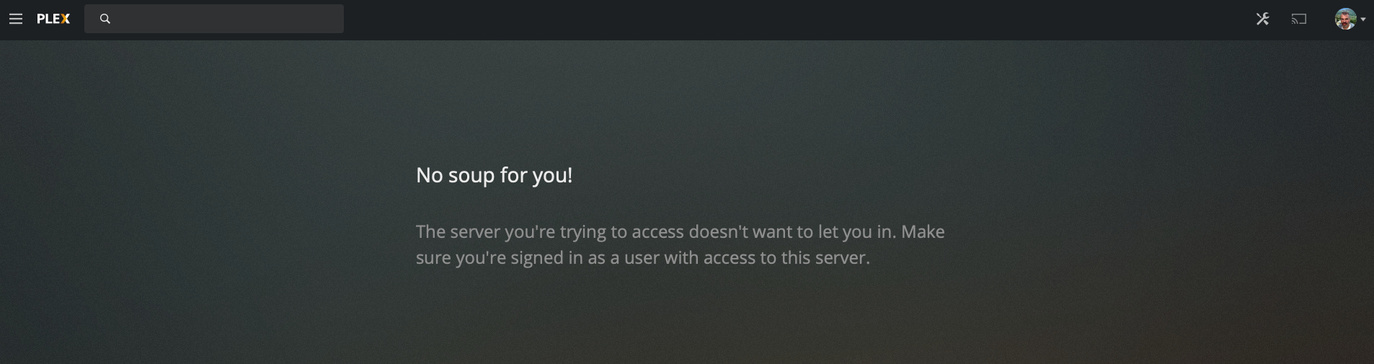
how are you trying to access it in that screenshot?
Via the web interface. Basically my setup is on a Synology DiskStation. I’m running the latest build. When I double click the Plex Server icon in the Synology interface, it opens a webpage to my Plex… and that is the result. If I log out and back in, I get the “select a server” screen. I can see my friends’ servers, but not my own. Running Plex server version 1.19.4.2902-69560ce1e. Accessing the web interface via Mac and Safari. Mac version 10.15.5. Safari version 13.1.1.
it looks like you deleted your original server from account. When you resinstalled did you delete the PMS data folder with the preferences.XML file too? Have you tried this https://support.plex.tv/articles/204281528-why-am-i-locked-out-of-server-settings-and-how-do-i-get-in/
Yup I deleted everything. In Synology, Plex creates its’ own shared folder. I deleted the entire thing. Then, when I re-installed fresh, Plex recreated everything from scratch.
The preferences.xml file contains only 5 entries:
Preferences OldestPreviousVersion
MachineIdentifier
ProcessedMachineIdentifier
AnonymousMachineIdentifier
MetricsEpoch
I’ve not included the actual data for each tag, but hopefully this helps.
From your computer browser (not from the Syno interface) do you get the same when going to
https://LocalIPSyno:32400/web/index.html?secure=0 replacing LocalIPSyno with your Synos IP
I think I found the issue! I logged in using the local IP rather than my DDNS IP address… and I am now rebuilding my server.
Still not sure WHY I had to do all this after the outage yesterday though…
Yup got it… rebuilding now. Thanks.
Odd I would have thought either of those would have worked if local. Thanks for letting us know what worked finally
