Server Version#: 1.32.5.7349
Player Version#:
<If providing server logs please do NOT turn on verbose logging, only debug logging should be enabled>
Windows 10 pro.
Randomly the server will just crash or just become unresponsive. I believe there have been three updates since this version and I have the same result with every one. Once I uninstall plex and reinstall using version 1.32.5.7349 it will be stable again.
There is nothing in the log that I can see, it just stops. Someone will message me saying the server is down. I open my server and can see the plex icon in the system tray and it disappears when you hover over it or sometimes you can click on it and click ‘open plex…’ and it says that the site is not reachable.
It crashed so often I had to write a script to check and see if the site was reachable every five minutes and then force close and restart plex if it wasn’t.
Tautulli doesn’t even notify me that plex is down because it still thinks its working even though it isn’t.
What is it going to take to diagnose this issue? The logs really show me nothing unless there is another type of log I can do.
@OttoKerner , just curious: If @Franks-Flix is only having problems with his server crashing with the newer Plex server code and no issues with the older code, why do you suspect the need to repair the database. If there is a problem with the database, shouldn’t it cause problems no matter what version Plex server is used?
I have two Windows 10 Plex servers that crashes every night that runs the Plex server version 1.40.0.7775. I run the same Plex server version on Windows 11, Ubuntu, and TerraMaster (TOS 5) and none of these other OSes experience this crash problem.
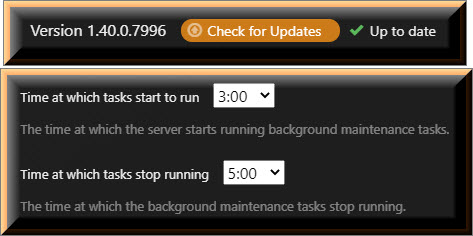
I can almost predict when the Windows 10 Plex servers are going to crash because they alway crash during this maintenance window.
I ran the database repair tool and updated to 1.40.0.7775. Everything seemed ok but it just crashed again about an hour ago. The last thing recorded in the logs was this:
Feb 04, 2024 14:04:43.035 [17496] DEBUG - Auth: authenticated user 30390475 as jctipt
Feb 04, 2024 14:05:00.785 [33460] DEBUG - Auth: authenticated user 34176501 as tfur71
Feb 04, 2024 14:05:13.303 [17496] DEBUG - Auth: authenticated user 30390475 as jctipt
Feb 04, 2024 14:05:42.165 [33460] DEBUG - Auth: authenticated user 105405082 as andrew4697
Feb 04, 2024 14:05:45.796 [33460] DEBUG - Auth: authenticated user 30390475 as jctipt
Feb 04, 2024 14:06:11.805 [17496] DEBUG - Auth: authenticated user 132858398 as andrea.11
Feb 04, 2024 14:06:16.267 [33460] DEBUG - Auth: authenticated user 30390475 as jctipt
Feb 04, 2024 14:06:46.461 [33460] DEBUG - Auth: authenticated user 30390475 as jctipt
Feb 04, 2024 14:07:07.088 [26228] DEBUG - Network change.
Feb 04, 2024 14:07:07.088 [26228] DEBUG - NetworkInterface: Notified of network changed (force=0)
Feb 04, 2024 14:07:07.119 [26228] DEBUG - Network change notification but nothing changed.
There is only verbose logging, but if you enable this, you’ll have to increase the number of retained log files as well. Because verbose is so chatty, that a single log is filled after just a few minutes and logs get “rotated”.
There are still some known crashes in the server. Lyrics download is one of them.
I’d monitor the situation for now.
If the crashes keep on occuring during maintenance, I’d disable the “analysis” features https://support.plex.tv/articles/200289526-library/ (intros, credits, sonic analysis, loudness etc.) one by one until the culprit has been found.
The next server update with a fix for some of the known crashes is expected middle February.
My Plex Media Server hasn’t crashed since the update above but it has only been one day before a new update was made available. Now I will have to reset the clock.
I was getting crashes/unresponsive almost every single day under these newer versions as well. And then the very latest beta release won’t even load my libraries, so I rolled back to 1.31.2.6810. Everything seems fine for 2 days straight now. No crashing yet.
Trying to provide an update for my Windows 10 PMS due to no more crashes after adjusting my background maintenance window. I can’t confirm that it can run a full week because Plex will not give me that much time before pushing a new PMS update. Restarting the clock again.
Little update here. I was running a much older nvidia gpu driver on this system because I had the mod for unlimited transcodes put on it. I updated to the newest gpu driver+mod and it seems to not be crashing anymore. Its been four days now with no crashes so I will see how this goes. Hopefully this was the issue.