lipkau
December 8, 2019, 10:24pm
1
Server Version: Build = 20191122 Version = 1.18.2Plex Media Server.log (41.3 KB)TS-6734.4.1.1146
I have just installed Plex on my qnap, and it will not open the main page of it (https://192.168.178.49:32400/web ). I didn’t even get to configure the plex installation.PlexMediaServer-1.18.2.2058-e67a4e892-x86_64.qpkg from plex.tv .Dec 08, 2019 23:14:05.469 [0x7f5306a4b700] ERROR - getaddrinfo(192-168-178-49.abcdefghijklmnopqrstuvwxyz012345.plex.direct) failed: -2 Dec 08, 2019 23:14:05.469 [0x7f5306a4b700] DEBUG - Network: 192-168-178-49.abcdefghijklmnopqrstuvwxyz012345.plex.direct failed to resolve to 192.168.178.49 but instead yielded ""
How can I get this to work?
What happens if you do the full URL like this:
https://192.168.178.49:32400/web/index.html
And did you try restarting the NAS after installing Plex?
lipkau
December 9, 2019, 1:11am
3
This is what the browser shows when I open that link: https://i.imgur.com/95Pbtfa.png
“This site can’t be reached”
I have tried to reinstall plex, boot the server, stop and start the plex service
what you show indicates PMS isn’t running at all.
Does it show as running?
lipkau
December 9, 2019, 5:01pm
5
where exactly would you expect it to show as running?
But I have a running process for it:
[~] # ps ax | grep Plex
 3031 admin     50168 S   ./Plex Media Server
 3138 admin     50912 S N Plex Plug-in [com.plexapp.system] /share/CACHEDEV1_DATA/.qpkg/PlexMediaServer/Resources/Plug-ins-e67a4e892/Framework.bundle/Contents/Resources/Versions/2/Python/bootstrap.py --server-version 1.18.2.2058-e67a4e892 /share/CACHEDEV1_DATA/.qpkg/PlexMediaServer/Resources/Plug-ins-e67a4e892/System.bundle
 3492 admin     14536 S   /share/CACHEDEV1_DATA/.qpkg/PlexMediaServer/Plex Tuner Service /share/CACHEDEV1_DATA/.qpkg/PlexMediaServer/Resources/Tuner/Private /share/CACHEDEV1_DATA/.qpkg/PlexMediaServer/Resources/Tuner/Shared 1.18.2.2058-e67a4e892 32600 /waitmutex
18697 admin      1000 S   grep Plex
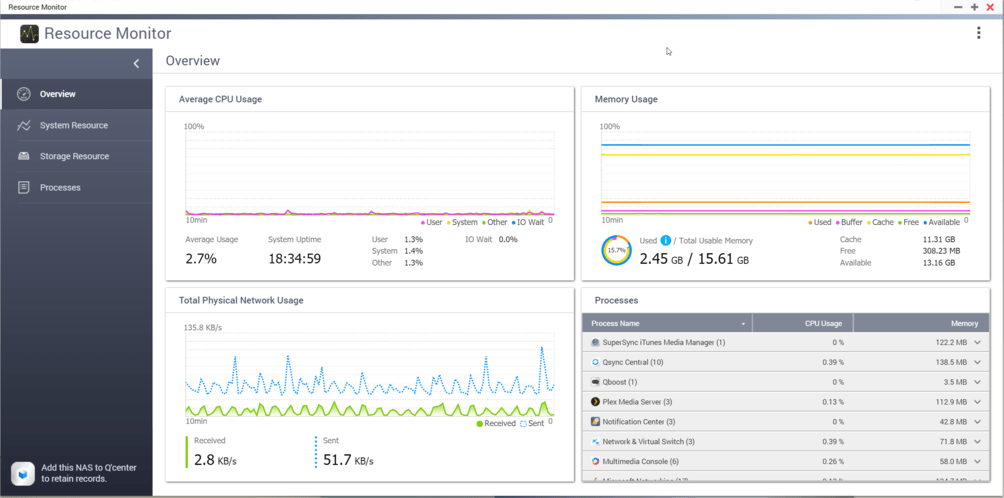
Resource Monitor → Processes is one way, App Center is the other way.
Since you see the processes running, this is even better.
Is this in a Docker container / Container Station?
ChuckPa
December 9, 2019, 10:48pm
8
Is this in Container or Virtualization Station?
lipkau
December 9, 2019, 11:04pm
9
No.
ChuckPa
December 31, 2019, 7:06am
11
I apologize for not seeing this until now. The forum didn’t send me your previous posting notification.
To continue:
Have you made any progress with this?
lipkau
December 31, 2019, 10:46pm
12
Have you made any progress with this?
none
What is the LAN IP of the QNAP?
IP of the qnap: 192.168.178.49https://192.168.178.49:32400/web
What is the LAN IP of the system you’re accessing it with?
192.168.178.65
ChuckPa
December 31, 2019, 11:14pm
13
Let’s start over with this.
Uninstall Plex from the QNAP
Open the browser and go to app.plex.tv/desktop
Settings - Authorized devices - Servers (the dropdown under “ALL”)
Look for your QNAP server there.
If it exists, Remove it
Now sign out of Plex/web (upper right corner Avatar)
With all past evidence of the QNAP removed, install again
After install, Open it and the “Open” Plex.
lipkau
January 1, 2020, 6:50pm
14
Hi @ChuckPa
I am sorry for the waste of time :embarrassed:
Accessing https://192.168.178.49:32400/web failed.http://192.168.178.49:32400/web worked.
I’m sorry. Thought you knew that owning a QNAP? QNAP doesn’t use HTTPS by default.
lipkau
January 1, 2020, 7:17pm
16
My QNAP is only serving over https
You’re using your own Cert with that?
system
March 31, 2020, 7:32pm
18
This topic was automatically closed 90 days after the last reply. New replies are no longer allowed.