someone else online said the disabled UPnP and it cleared the conflict, that didnt work for me, so i re-enabled UPnP…
I think you already have an existing rule for port forwarding. Creating a new rule at this point (by clicking “add custom service”) will throw that error. The linked article seems to be someone who deleted an existing rule, but didn’t give the router time to clear out that the rule was gone. By immediately trying to change the port forward to a different computer (different IP), the router was (falsely) giving the error. The person “solved it” by fiddling with the javascript of the site to force it to apply anyway. I don’t think we need to do that at this point.
Please screenshot the Port Forwarding / Port Triggering page. I want to see what it is like right now at this point, to see if it matches what you had back in post #42 on this forum.
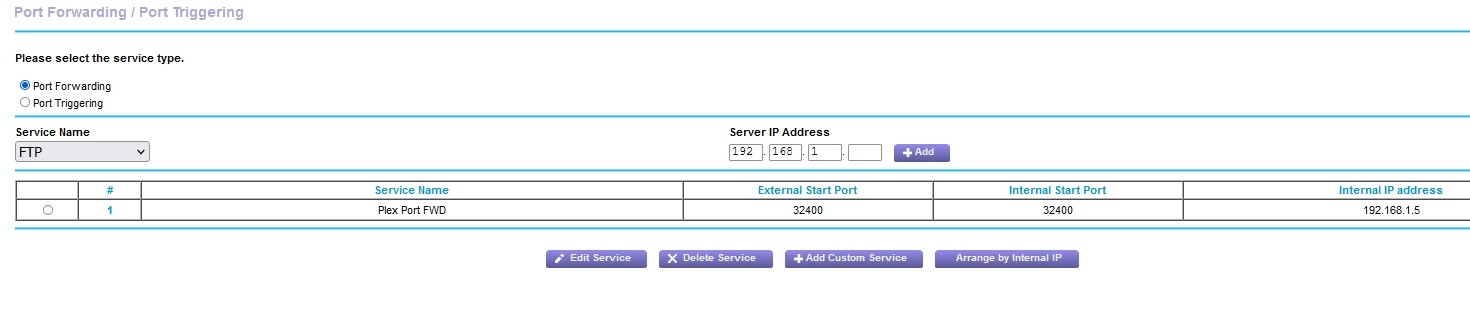
Ok. click that tiny round circle on the left-hand side of the second row. It’s just to the left of the # column, left of the number 1. Once that “radio button” is filled in, click Edit Service and screenshot the next page that appears for me please.
While we’re at it, show me a current screenshot of your Remote Access page for your Plex server in your browser. It will tell me what your server’s current IP is.
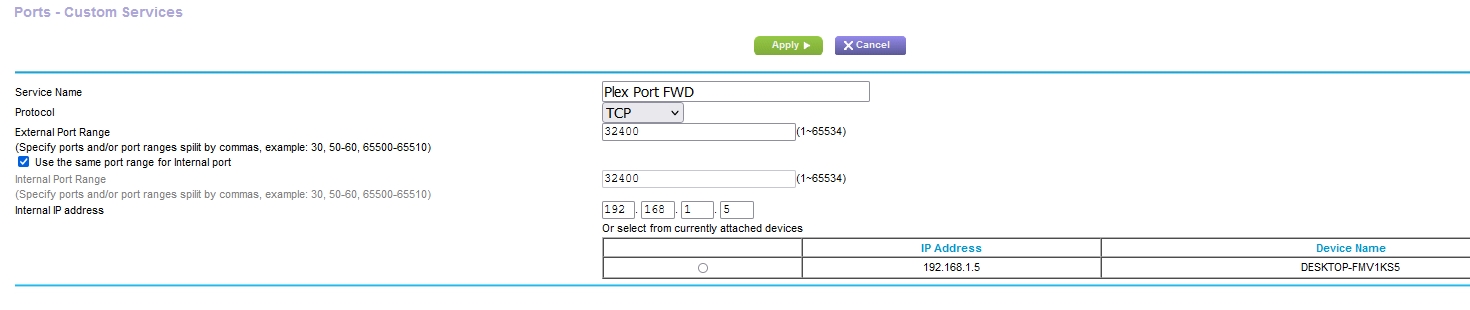
That looks good to me. Your port forwarding is set up. If you return to the prior page and attempt to add a NEW custom service, it will fail because you have one already for that port or computer.
Ok, let’s see… show me what the Remote Access page on your Plex server now says.
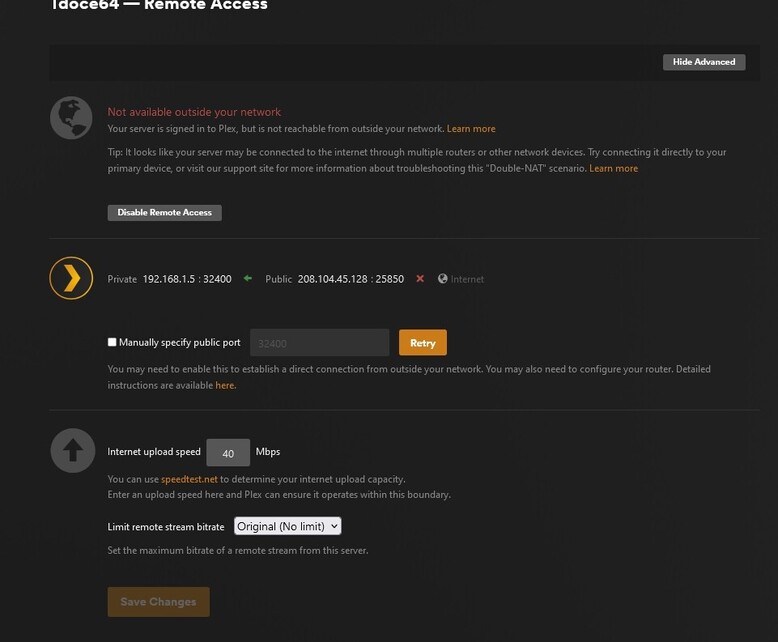
Ah… ok… Hm. What is your ISP? I suspect your either have two routers, or your ISP is one of those bad ones that gives your house a “local IP”, and restricts your ability to do port forwarding.
208.104.45.128
Er, I asked for ISP (Internet Service Provider). I am expecting a name like Comcast, AT&T, or what-not.
BTW, Plex seems to still think the external port is 25850. Does anyone know why that is? Did the OP use a custom port, which didn’t get cleared up after unchecking that box? (I now know why you asked if you should port forward 25850).
Try restarting the Plex server service. See if that number changes to 32400 as it should be.
When using manual port forwarding, you must check the Manually specify public port box and fill in the number, even if using 32400.
With the box unchecked, PMS is using UPnP to find a port, which is why it says 25850.
However, UPnP should work as well…
@Divideby0 Was typing at same type you posted…
1 Like
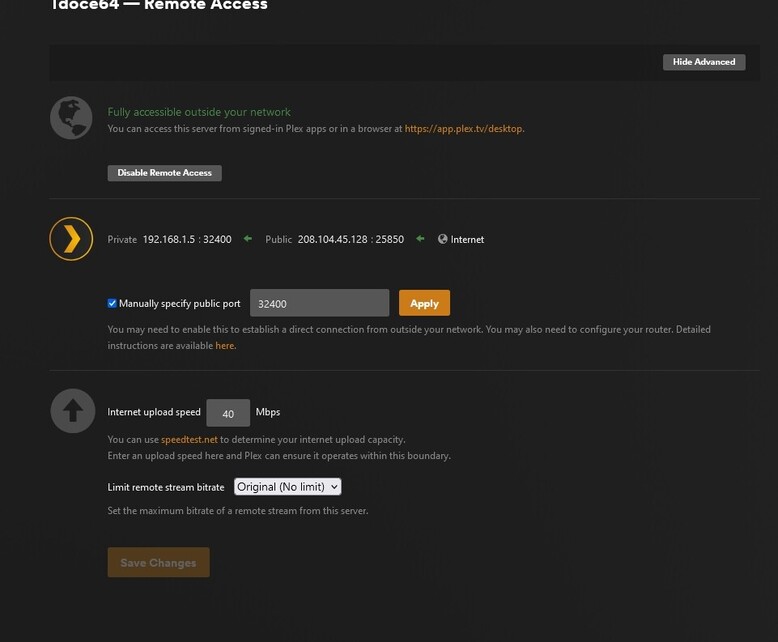
Haha, I see that. Makes sense now. I have been using a custom port for over a year now, I didn’t remember that it picked a random port when unchecked, as it tries to use UPnP.
You checked the box. Now click Apply.

it went from green to red…
Show me please? (Sorry to ask for so many screenshots.)
no problem i appreciate all the time and help you guys are giving me, this has irked me for months on end…

Okay… Plex now thinks that you have a double NAT. This means that from your computer, your wire goes to a router, then from that router to ANOTHER router, and from there out to the internet. This can get tricky, as you need to do port forwarding at each step along the way.
i rem they said they thought i had a double nat, forgot that
