This article from Plex has some troubleshooting steps to try. Scroll down to the part that starts Double-NAT. It asks you to find your ROUTER’s external IP, usually in the status page. You will compare that against your IP found on https://www.whatismyip.com/.
Your ISP uses CGNAT addressing. It places Plex in a double-NAT situation, and remote access will not work.
Check with your ISP. See if they can assign you a unique, public, IPv4 address. It does not have to be static, but most ISP will assign a static address.
Hopefully they can get you going. You may need to talk with Tier 2 or engineering if the first level folks can’t help.
My ISP is one of the big nationwide companies. Their Tier 1 are good at following instructions, but I have to escalate for anything beyond “please unplug the router and wait 30 seconds…”
Yep. It looks like that’s what you’ll have to do. But as far as I can tell your local setup is now correct. Sorry about the bad call on setting the public port manually. What happens is counter-intuitive, but I should have tested before shooting my mouth off.
TY everyone for all your help tonight, i really appreciate it, this is something i really want to fix. It will likely be on tuesday when i contact my Provider, and i believe it takes a day or so for the changes to go into effect, ill be back here posting then and we shall see where im at!
You don’t need a static ip to use plex. What you do need is a static ip for the Plex Server. In most cases, your home IP address is dynamic and can change unless you buy (or get for free, depending on ISP) a static IP. Your home network will have dynamic internal IP addresses which in your case from your screen shot is currently 192.168.1.5 this is the address you need make static which can be done in the router - look up DHCP entry on router. The 208.104.45.128 is your external IP address given to you by your ISP. This does not need to be static. While you’re in your router settings you will need to port forward 32400 to the internal IP address 192.168.1.5
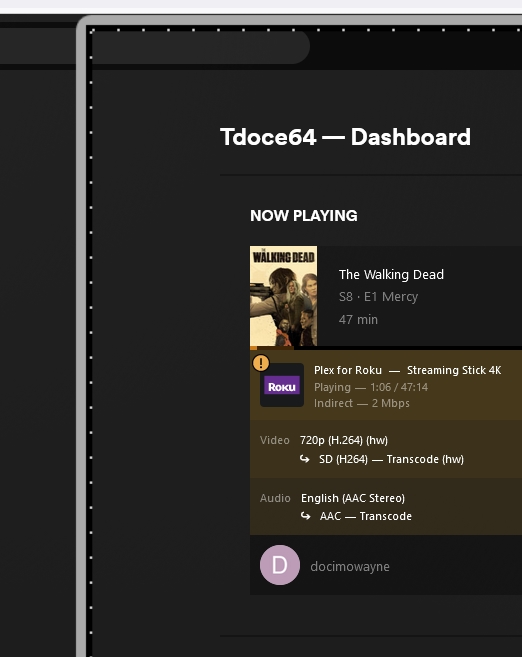
Interesting but i wonder why i was surprised, i went to test 720p vs 1080p on my living room tv and to my surprise, the videos have been transcoding within my own house. Only on my pc is it direct play. I hope i can get this resolved!
Ok so there was a mix up with Internet Provider but i finally got my static IP and installed it. i rebooted my system after shutting down my plex server, unplugged my internet yada yada yada. I shut down my VPN. When i came back up my new static IP was listed in my Public IP in my account and when i had a family member log in they were still transcoding! Now what???
It’s not that you need a static IP, it’s that you need an IP address that is a public IP. AFAIK, requesting a static IP from this ISP SHOULD also give you a public IP, but it seems to me that those two might not be tied together.
See, the problem is that the OP has an ISP using CGNAT. This means that rather than give your home a public IP address, they put ANOTHER router in between you and the internet. For each router between you and the internet, you must do these port forwarding rules. But this new router is controlled by the ISP, not you, so you cannot manage it to add these port forwarding rules.
Hopefully, the static IP thing worked and we just need to double-check our work and fix things. Can you go to https://www.whatismyip.com/ and check if the IP it lists is the SAME IP that you see in your own router’s status page?