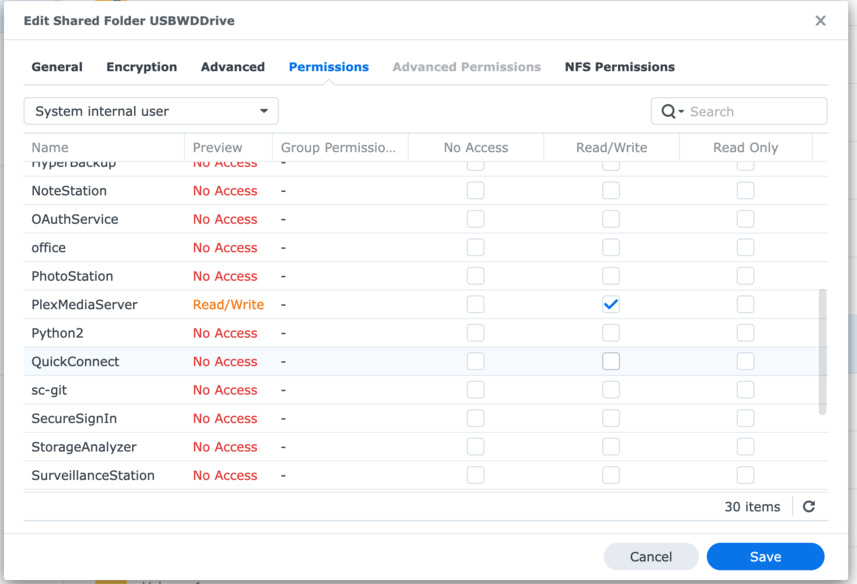
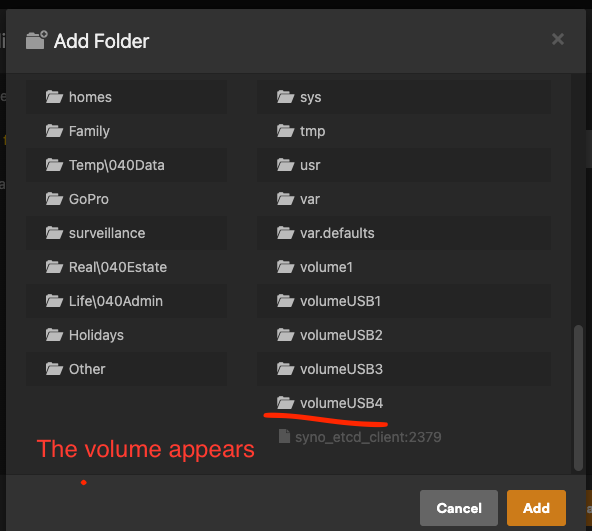
Since yesterday I can suddenly no longer see the folders stored on an external USB drive connected to my Synology NAS. I have three drives connected, the others work perfectly but this particular one no longer does. When adding the folder to Plex, it shows up in the selection list, but when I go to it, it shows no folders.
I have checked all permissions via Control Panel - Shared Folder, I have also right clicked the folder itself under the drive in File Station, it also has the correct permissions.
The only strange thing is that the owner and Group are listed as a custom user I created for Sonarr and every time I change it, it reverts back. But I do not think this is related because on the other drives where it does work, it is set to the same.
When I check the permissions > system internal user, Plexmediaserver has Read & Write access to the drive.
When I go to add the folder, there are some weird folders but not sure what that is about either.
Here are some images - any help would be greatly appriciated
Thank you for your response. The drives are all formatted as ext4.
I went into command line a few years ago to create PUID and PUGD for some docker containers, apart from that I was never in command line. I did set up a synology ticket a couple of weeks ago for issues with my Hyperbackup but I don’t think they have access to the NAS, only the logs I sent them.
“CMD” is getting in at the command line.
On Synology, that means SSH (Putty from windows → Syno)
Stuff that looks like this:
chuck@ds418:~$ cd /
chuck@ds418:/$ ls
bin     dev  etc.defaults  lib    lib64       mnt   root  sbin  tmp  var           volume1  volumeUSB1
config  etc  initrd        lib32  lost+found  proc  run   sys   usr  var.defaults  volume2
chuck@ds418:/$