Hi,
Server Version#: Newest for QNAP as of 02.05.2020
Player Version#: Newest as available in android TV store as of 02.05.2020
I’ve recently installed plex on my qnap NAS and Sony Smart TV XG9505 with AndroidTV 9.
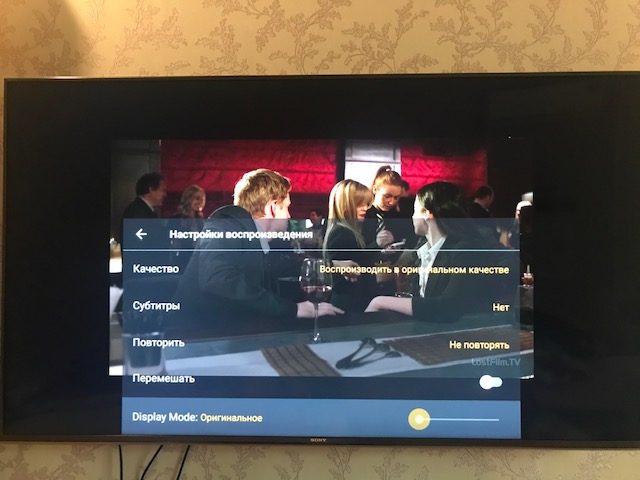
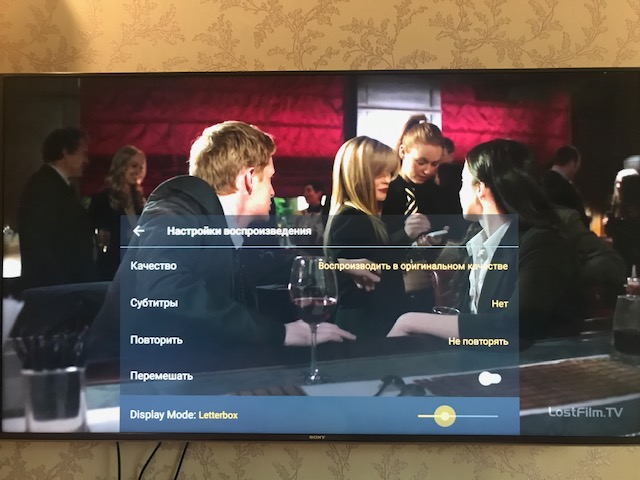
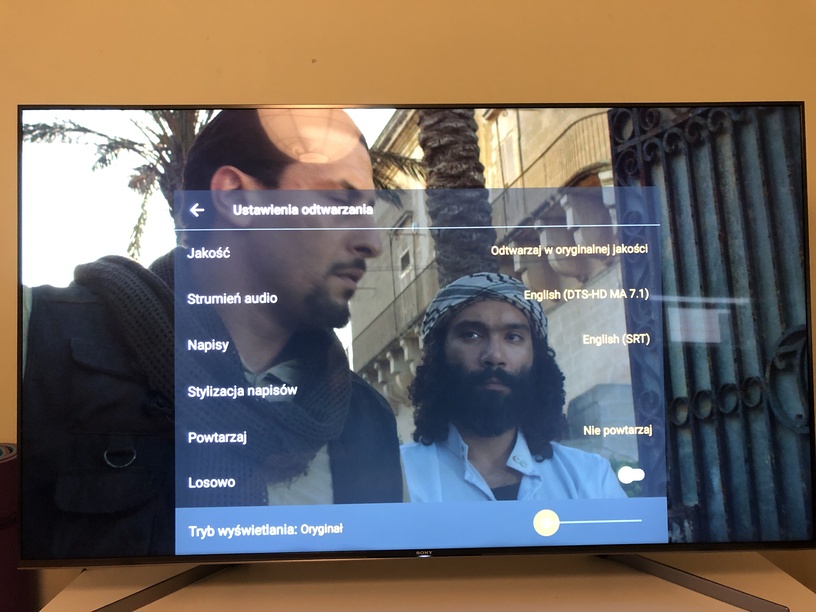
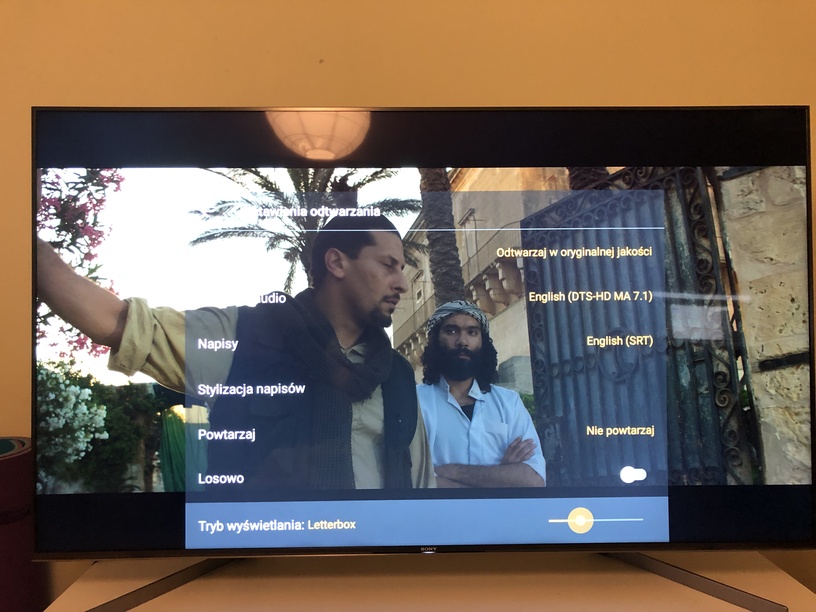
When i attempt to play content using setting "Display Mode’ choosen to “original” the content looks heavly zoomed in. However while i choose any other mode, such as “LetterBox” it looks fine, just like original.
It looks like the settings are working completely opposite. Is it a bug, or perhaps my understanding of something is wrong here?
Below i’m attaching 2 photos:
- One showing frame from movie in “Original” mode
- One showing frame from movie in “LetterBox”.
As you can see, there’s far more content being displayed on LetterBox than Original. So original acts like it’s “zoomed in”.
Why is it happening? Is there something wrong with my TV settings, or perhaps it’s some Plex player bug?