Server Version#:PlexMediaServer-1.22.3.4523-d0ce30438-x86
Please forgive me, this is my first post and hope I am doing this correctly. I found many similar posts, but none were helpful in my scenario.. My Plex was running great last night and not at all today.
The issues are:
-
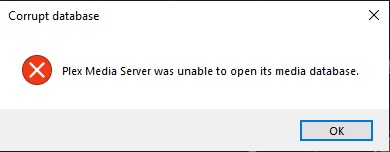
Error Message “Corrupt Database - Plex Media Server was unable to open its media database.”
-
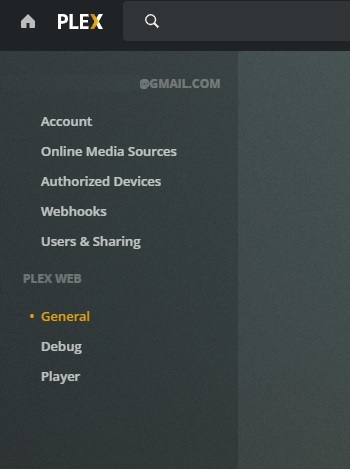
All Plex Media Server Settings are gone except for …
a. Account
b. Online Media Sources
c. Authorized Devices
d. Webhooks
e. Users & Sharing
f. General
g. Debug
h. Player
What I have:
- Lifetime Plex Pass for 4 or 5 years (with this being my first issue during that span)
- Current updated Plex Media Server
- Win 10, updates are current
- My media is on a RAID and still accessible/viewable outside of Plex
Here is what I have attempted or learned:
- Rebooted my computer
- I have the same issues on Chrome & Firefox, with cache cleared first on both browsers
- I logged off and then back onto my Plex Admin account
- Plex Media Server was uninstalled and reinstalled in the default location
- VPN is off
- AV is off
Can someone please help me map out how to fix this?
****Please note, I am VERY low-level on the techie scale. Most of what is written in these posts are well-beyond what I understand. I get terribly lost and confused if I have to Google most of what is written. If someone might explain to me as if I were their parent or grandparent, I think I would best understand you!!
Thank you all!!
