After reading I still have some difficulty to understand what this PlexData is for.
“Ability to backup and restore your Plex installation (metadata)“
What do you mean by metadata, does it include the databases?
/share/_installation_volume/.qpkg/PlexMediaServer/Library/Plex Media Server/Plug-in Support/Databases/
I care mostly about “backup and restore” and I think Plex is lacking user-friendly tooling for this, not only for the database but also for individual items like playlist.
I’d like to have easy backup option “fail save” and tested by Plex devs; instead of my own backup script and an outdated readme.md hoping that a restore works when I might need it.
Allow easy access to log files and plug-ins when PMS isn’t operating.
via a share and not ssh I assume?
Improve feedback to you (the admin) about PMS’s operational state as well as improving package management feedback in both the Event Notifications window and the system log.
Could you elaborate on this?
Incorporate the functionality of PMSLibShare and have it track through “migrate to” relocation of the volume PMS is installed on to facilitate access to Plug-ins & Logs from File Station at all times. (PMSLibShare functionality)
PMSLibShare (which creates the pseudo shared folder “Plex”) is a static operation.
PlexData is a dynamic one. It is dynamic in that as you “Migrate To” (in App Center), the linkage to your Plex data is adjusted automatically when it starts again.
There is no advantage to creating it on a SSD. There is far greater advantage to “migrate to” (migrating your PMS installation) move the entire Plex install to the SSD.
There is no real data in PlexData unless you place something there. I only create a 4KB symbolic link to (using QPKG syntax) ${QPKG_DIR}/Library/Plex Media Server. Most of us will see this as /share/CACHEDEVx_DATA/.qpkg/PlexMediaServer/Library/Plex Media Server when looking at it in the shell.
SMB access (if granted by the NAS admin) works very well. QNAP’s CIFS server follows the links transparently. From a Windows client, making a ZIP backup of “Plex Media Server” onto the Windows machine works perfect
Thanks for answering my questions about the SSD and data requirements. I’ve already moved my PMS to an SSD and noticed an improvement.
I like the idea of this PlexData folder especially the backup feature because, more than once, I’ve been caught with a bad upgrade which means a reversion and wipe of my Plex settings and a total rebuilding of my libraries. Hopefully the backup feature on PlexData will mitigate these types of issues…
On QNAP, you can always install on top of the existing – regardless of upgrading or downgrading. You should never need to uninstall. I always wipe the code portion when installing so everything coming in is clean and fresh – no contamination.
You will find you can get in and tweak the Prefernces.xml (when mistakes are made in the GUI) and really like being able to grab the logs if it doesn’t startup.
I have been a Plex user for years now and I just wanted to say thank you. Software and feature development is not easy, especially with all the disparate types of hardware and firmware running on the devices. Even getting the install of theses up to over 90% take a lot of effort.
I have run Plex on many platforms, Linux, Windows, QNAP and the QNAP is by far the most ‘touchy’ with how they control the OS and setup their proprietary ‘features’.
I came here looking for an answer to the “PlexData error”, something I had just been ignoring since it did not impact the PMS operations, your instructions for me were on target and resolved the problem quickly.
So, Thank you for what you do and the help/feedback you give the user community.
P.S. Who do we talk to about getting the new version of PMS to run offline, standalone, etc. (no Internet)?
And yes, I have read the thread, the opinion, that it is not a bug, the FAQs, etc., but as this topic is open since August and as I only found the thread by search, because I installed 1.20.1.3252 today and I directly got the error messages from my QNAP., this is a bug and this public update should be pulled back.
An update, which is causing such error messages is buggy and this should not happen.
Tired reinstalling the latest plexpass (early release) version over it. It gave me the same error as mentioned on thismpage. Tried doing everything mentioned in this forum page.
Reinstalled pms
Deleted PlexData share created a new one
Restarted Plex.
It hangs and if it does load i get hazzard signs next to each of my libraries
Why the H do you then still push it to QNAP? I just installed latest “PLEX” recommended version and stepped into this hornets nest of trouble.
This is very unprofessional and a complete waste of your users time. You have known about this issue for MONTHS and not fixed the issue. If there is a QNAP vs PLEX issue - then STOP pushing updates and update notifications to QNAP users.
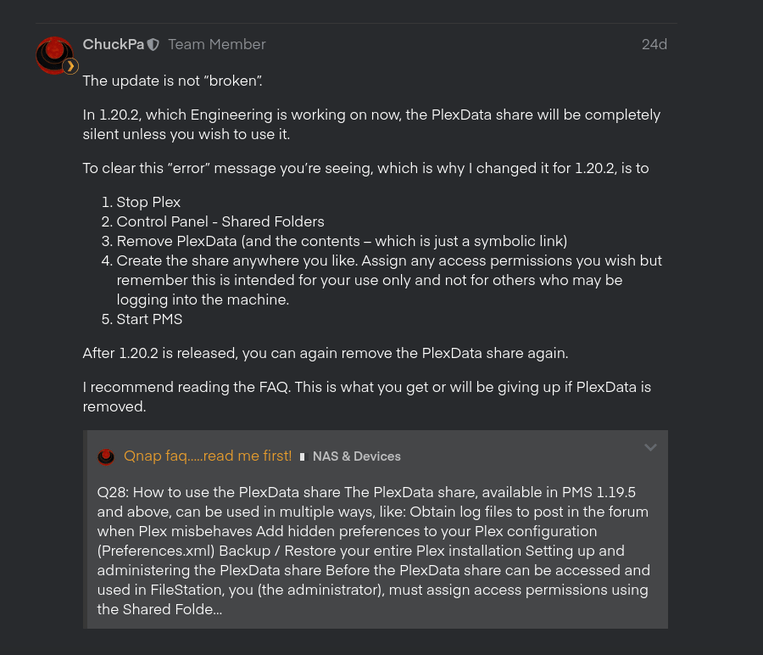
    # Is the PlexData feature (NOT) disabled?
    if [ ! -e "${QPKG_DIR}/Library/Plex Media Server/.disablePlexDataSymlink" ]; then

      # If a shared folder, named PlexData, exists,  create a link there
      # Otherwise, do nothing
      if [ -e "/share/PlexData" ]; then

        # And there's a real directory backing it
        PlexDataDir="/share/$(readlink /share/PlexData)"
        if [ -d "$PlexDataDir" ]; then

          # Update linkage
          rm -f "$PlexDataDir/Plex Media Server"
          ln -s "${QPKG_DIR}/Library/Plex Media Server" "$PlexDataDir/Plex Media Server"
        fi
      fi
    fi
Kindly be certain of one’s facts before making statements.
I do not go to Plex Release list to download releases.
If I get prompted upon entering Plex that a new server version is available - I might download and install that version. I’m not lazy but I have better things to do than to crawl over the Plex Release database.
And 30 minutes ago when I logged into my Plex - it kindly asked me to update to the PlexMediaServer-1.20.1.3252-a78fef9a9-x86_64.qpkg
PLEX Server communicates with clients from the CLIENT UI where we get presented with updates it asks us to install.
We click the link and it downloads what we hope is the latest stable release. My server is on purpose on the “public” track because I do not want to be a beta tester.
If you have a problem release that creates this big an issue - YOU PULL THE ENTIRE UPDATE so nobody else lands in trouble until a solution is found - period - it is that simple.
Btw. When I check for updates on my Plex today - this is the message I get (still public channel)
that is absolutely fine - but then you should inform Engineering that there is a serious issue in 1.20.1.3252 and they should either roll back to pre “shared folder” or emergency release the latest version.
That IS how you normally do release management. (Which I have done for more than 30 years…)
The difficulties with the PlexData share did not impact a large number of users else they would have.
There were only a hand full of cases. The only thing we know is that some QNAP models, on various firmware versions, have the problem. The problem isn’t even reproducible on multiple systems with the same firmware.
I could not figure out what the root cause ever was so we decided to completely change how it worked.
The rest of the QNAP users have enjoyed and benefited from it working as it does.
What would you have done? Remove the capability for all because of a few?