Server Version#: 1.22.3.4392
Player Version#: 1.31.1.2262-74fdc6b7
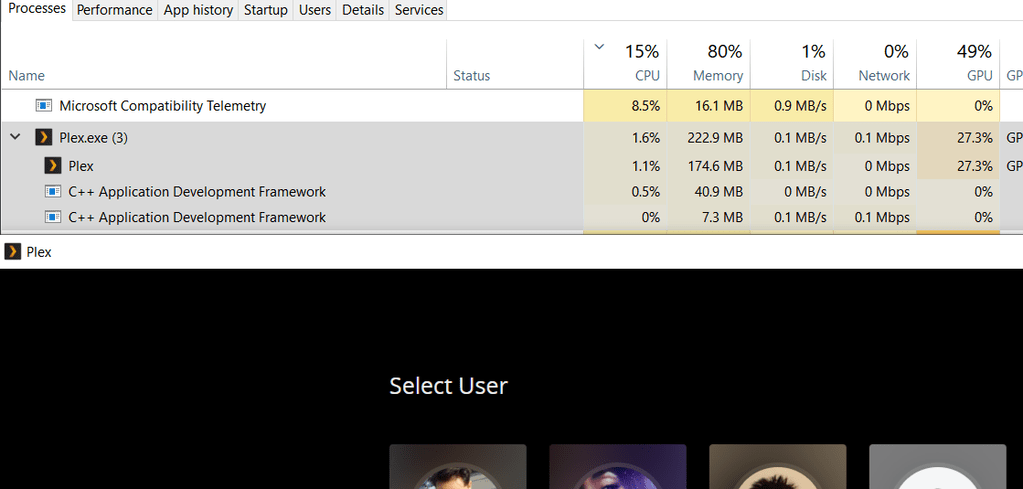
I find it strange that the Plex Windows app is behaving poorly. For starters, the player will use 70-80% CPU, just from idling as soon as I am logged in. If I just wait at the “user selection screen”, it “only” uses around 10% (which is still high).
Another weird thing is that I have remote streaming limitations at play, limiting remote streams to 720p 4Mbit. For whatever reason, this kicks in when using Plex for Windows, even though it says in the dashboard that I’m streaming from LAN, and it tells me that the client IP is 192.168.0.x (within my LAN range). The same problem happens in Plex Media Player.
BUT, on the contrary, Android client doesn’t hit this problem. Also, running the new HTPC Plex player (which I just found out about), works just fine as well. The CPU problem doesn’t occur there either, roaming around 8-10% CPU even when playing content.
+1 on this, on my Surface, Plex uses 35% CPU when idle and not playing anything. I reported it here and there’s another topic here that talks about the same issue, none of which have seen much input from Plex. I’ve resorted to using the browser as using the app will burn through my Surface’s battery.
Using the windows store Emby app as a comparison uses about 2% when idle.
It only seems to affect a small percentage of users.
If I sign out (and not restarting, it still uses MAX cpu), and restart the client, I will only see around 10% CPU usage when I only get the free plex content, however, even that is way to much for doing nothing.
If I sign in with a different account (which doesn’t have my server shared with it) it goes straight back up to using over 90% (basically, any CPU that it can use), even though it is the same content rendering. What the ■■■■ is up with that??
But, if I close the app, and then start it again (making it auto-login), it goes down to 10% idle…? So a logged out, cleanly started plex, which you then login (an account without any servers shared), it uses max CPU. Great.
However, with my normal account which has a couple of server shared with me, uses around 70% all the time, regardless of how I start it (it would probably use 100% if I was logged out but logged in again).
It maxes out the CPU on Windows even when not playing anything. Playing in web browser uses approximately 1% CPU. How can I go about seeing what is causing the extreme CPU usage on Plex for Windows? I already checked the logs and there wasn’t much there.
This is why I use Plex Web instead. The Plex for Windows app is junk and uses far more resources than necessary for simple video playback. If I’m on my local network, I’ll just use MPV and Windows File Sharing, no need for Plex at all.
Not really the same, since the browser has different video/audio/subtitles decoding restrictions. Where the desktop client can direct play, the browser usually needs to transcode either video or audio, or both.
ask your QA. I’m not being paid to debug this app. Last time I reported the issue here, nothing happen even the issue has been confirmed by you. I don’t want to exert same effort again.
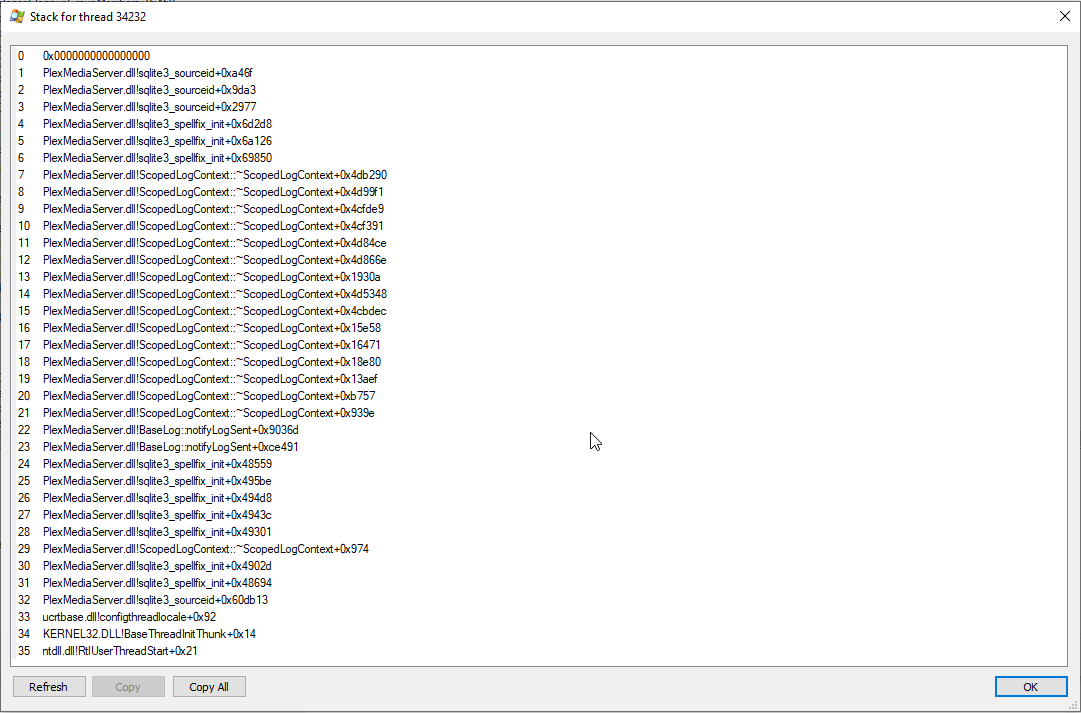
If it helps for me these are the three threads under the Plex.exe process that cause the high CPU. I’ve also attached a stack trace for one of them.
If you kill these threads the app still works fine but CPU goes for me down from ~38% to ~1% or less
Screenshots and killing them done in Process Explorer






 I need the logs from Plex for Windows.