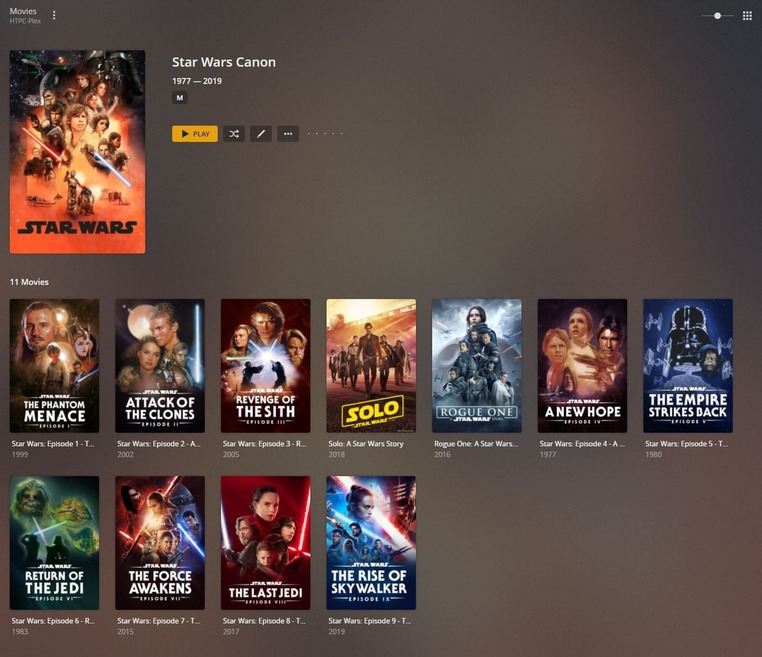
Hi, first of all just want to say thanks for adding the new custom order options to Collections!
I’ve got a my different libraries set up: ‘Movies’, ‘TV Shows’, and I’ve just been playing around with the new custom order collections, and found a possible issue:
For collections where I’ve set up a custom order, the interface no longer displays media with the same Collection name in a different library. (See ‘Star Wars Canon’ collections in TV Shows and Movies)
Whereas when I haven’t done any drag-and-drop re-ordering of the collection, I get the expected correct behaviour of showing media with the same collection name in other libraries (See ‘Star Wars Vintage’ collection image, showing the ‘Movies in Star Wars Vintage Collection’ with the same library name.
Usually I’m able to work through any issues i find myself, but I haven’t been able to see any options to show the related collections from other libraries again if i’ve used a custom order.
There’s indeed some differences in how regular and smart collections work. Those are (mostly) by design – though there’s some inconsistencies.
…
Regular collection
Smart collection
Sorting
Sort options available via the Advanced tab when editing the collection (sort by Release Date, Alphabetically or custom)
Sort options are available when editing the filter of a smart collect. Inconsistency: Even though smart collections don’t use the sort options in the Advanced tab, that option is still displayed.
Custom order
Dragging items into a custom order is possible
Not supported; sort order is only controlled by the sort order established when specifying/changing the filter
Display Mode
You can control if/how regular libraries are being displayed inline with your library (display collections + their items, display collections but hide their items, hide the collection)
Smart collections don’t hide their items – that’s by design. Inconsistency: The display mode setting provides all 3 options from the regular collections – even if you can only control if the smart collection should appear inline with your library or not.
Related Media
Regular collections will display collections of the same name from other libraries as related media hubs
Smart collections won’t display related / same-named collections
This is the part that i’m a bit confused about at the moment. My ‘Star Wars Canon’ collections in my Movies and TV Shows libraries are both Regular collections as far as I’m aware, not smart collections, but the Related Media still isn’t being displayed.
Yep, checked they’re using the exact same collection tag.
I’ve tried removing the tags and starting the collections again from scratch, and still reproducing the same issue.
It seems like when I add the items to their respective collections initially, they appear as related media, but when I re-order the Movies collection, the movies no longer appear as related media when I’m looking at the TV collection / and vice-versa, if I re-order the TV series collection items, then when I go to the Movies collection, the TV series’ no longer appear under related media, even though they all still have the exact same collection tag.
Yes, I’m having the exact same issue (except my collection is named “Star Wars”)
The movies (and albums) collections show the other media types in collection on their page, but the TV show collection does not.
This only started after I rearranged the movies in the collection (which also reset itself as it didn’t automatically set to “Custom order anyway”)
My Terminator TV Show collection still shows the films from the Terminator film collection in the related media section so I know it must be related to arranging the order. Conversely my Alien album collection no longer shows the films because I rearranged them as well.
Is this going to be addressed? I was hoping the newest update would fix it but its still broken.
There’s no way to easily deal with it as the user either because deleting the collections and recreating them doesn’t reset whatever prevents them from connecting between libraries.
Yeah, just as an extra bit of info, I’ve noticed the same issue with a couple of other libraries where the custom order is used as well, not just Star Wars by the way