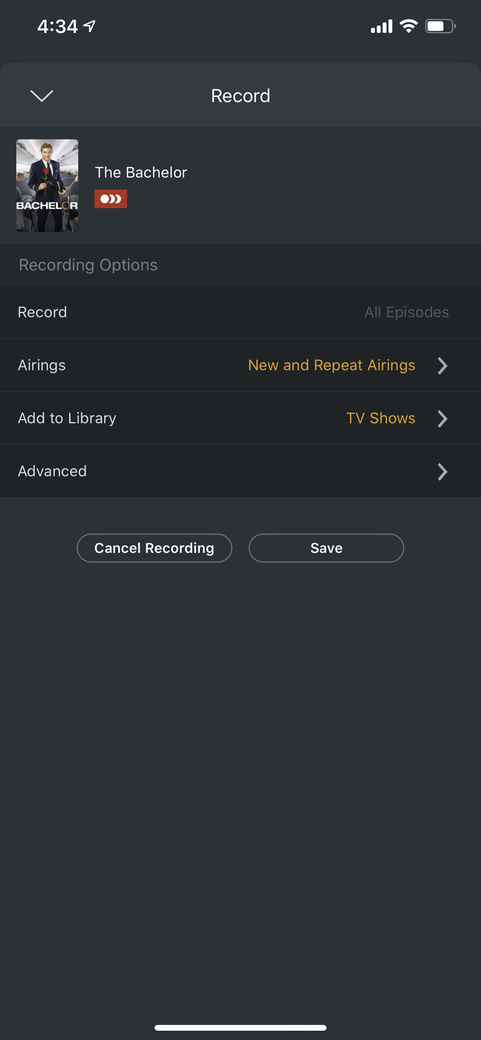
I think the concept behind plex is fantastic, and love having everything all in one place.
We get OTA tv, and use a HDHomerun dual tuner to capture.
My wife has the season of the Bachelor scheduled to record on ABC. Last week, she went to start watching the show about halfway through its live show time, and even though the recording was scheduled, it apparently only triggered to start the recording from the timepoint that she started trying to play the show via the Roku client. The first half of the show never recorded/showed up.
This week, it was again scheduled to record (I confirmed earlier in the day). However, she told me last night that the show never actually recorded. I do not see it this morning in the file structure, or any evidence that it recorded. I see several mentions in the logs of “grabbing” at the correct time, but admittedly don’t know exactly what I am looking for.
If any of you have a wife that watches the Bachelor, please help - you know how much trouble this is causing in my marriage (half-joking)!
Just want to say you’re not alone. I ran into a similar problem last week during the first episode. Switched to plex at the start of the year for Live TV and DVR because of the guide data ending for Windows Media Center. My wife started the playback while recording, wanted to start from the beginning, but Plex decided to start from an hour or so into the recording. It seemed that this is where Plex started recording in general. While in the doghouse, I did some digging and found that “starting from beginning” on a recording has been buggy in the past, and I thought it was a fluke since no other recordings had done this. This week she watched it live from the start (while the show was recording) I have not checked the recording yet, but it looked like it added to the DVR library fine.
Plex, there is absolutely a problem with Watching a Show that is recording from the beginning while it’s recording. (See here: Start Watching Recording in Progress from Beginning(Failing)) Please take this seriously and look into it. I would hope that we don’t have to wait until your significant others put you in the doghouse for this to be taken seriously!
Your post didn’t indicate if the recording is set up to record New only or all episodes.
Since the new EPG was implemented by Plex, I experienced numerous issues with Plex not recording new TV episodes. In my case incorrect numbering of the episode (or season) in the EPG was the cause. Example: EPG might show “TV Show Name - S01 E03 - Title of Episode” scheduled for 1/13/20. The title of the episode would be correct, but the episode number for the episode title would be E02 - yet the DVR EPG would show E03. In a few cases both the episode and season number were incorrect - which resulted in a new show not being recorded.
This issue has been documented by a number of users on the forum - so it’s not an isolated issue. I typically was finding the issue on 2-4 episodes each week for the 6-10 recordings I record.
This may not be the cause of your issue, but thought I would post at least one place to check since no other suggestions posted. Thought this might give you at least one thing to check.
Then probably not a season/episode issue - but did you compare the season/episode shown in the DVR EPG against another source such as thetvdb.com? With the settings you have guessing even if the episode number is wrong for the episode title, the show would record.
We are having similar issues with Bachelor as well. It will start recording approximately 20 minutes after the start time. My wife and mom have been very patient with me, but this is how technology gets kicked out of my house. I have checked things like server space (10’s of GB’s free), library disk space (3TB free), priority (it’s the top priority show), remove commercials (turned off), and tuners (usually doing nothing as this is the only show being recorded that night).
I’m running on a 8 core proxmox (linux) server in an LXC container.
I guess I needed more than a 20GB free on the server. I cleared out some space and it appears to have recorded with no issues today. Ugh, that is not an obvious requirement.