And therein lies the problem, at least for me. You see most of my “friends” are incredibly tech-ignorant. We all suffer from the problem of emails being sent to your spam folder first and/or you have thousands of unread emails. I think there should be a way to (re-)invite users. Also, the invite email should CC the server owner so you can verify the user was invited and perhaps help them out getting setup.
I also feel that this might turn off a lot of people and many people are paranoid about their personal information, yadda, yadda (LIke I’m doing anything with their data).
I also think that a barrier may be that people will not lift a finger to provide more information so hopefully, all of this works in the background without the need for them to actively participate much. For example, even I know there are ratings but I rarely rate things because I don’t think my users really look at them…
If they are your friends then talk to them if you know they do not read email.
If they use our smart phone apps then they will get prompted. You could also share a message from a details page with them and they will get a push notification. Meaning go to a movie and hit the share with friends button.
If they only use the TV app then they likely will not see the benefit for themselves yet anyway. When we support the TV apps they will get prompted
Not sure you understand. I have trouble just getting them to watch things. I really doubt I’ll be able to get them to participate in anything…
Anyway, if by some strange coincidence one of them gets an itch to try this or speaks to me about it then I’ll deal with it. But otherwise, at least with my crowd, this seems pretty pointless.
They watch on occasion. It’s hard when you are dealing with non-technical people. You tell them to do something and if anything fails along the way they just tell me that that didn’t work and they stop trying.
Case in point - I asked one of them if they got any email about Plex. Here’s the response:
Just looked for a plex email and did not see one. It may have been on spam which I routinely delete
So now what? How do I reinvite them? What Subject line should they look for?
I am really liking this feature and I hope down the line we will be able to add comments and reviews aswel on media (like we can do on trakt for example)
They are already invited, they just need to open one the supported apps listed in the first post of this topic and it will prompt them to change their privacy settings to friends only but they are not required to.
I am a plex pass user with a server and my friend “invited” me - I do not want this crap. You have to let people opt out or at least not automatically enrol people… What a joke.
I am discovering that having highly non-technical friends is a barrier for entry. If they’re unable to handle sign up/operation functions from their preferred watch app, the interest level drops significantly.
@DevilsCut if you don’t want to use any of it and don’t want messages from your friends then assuming you already had other Discover features disabled, You disable the new one in the Discover settings to turn off the activity on detail pages at https://app.plex.tv/desktop/#!/settings/online-media-sources
and the My Friends Activity and my Messages in notification setting in mobile apps.
@AmazingRando24 if you signed up then there i nothing for your friends to sign up for, they get it automatically. if they are using a supported app (mobile or web currently) then there is a prompt for them to decide to make their activity friends only or keep private. if they just don’t want it then they can disable the things i mentioned above.
Have to say this is a great feature for plex it makes ratings/watch history useful not only for myself but for my friends. before i had to check in plex dash and only the server master has access. At first i didn’t see the point of discover but now i do especially for watchlist. Only suggestion i can think of for now is when hitting the message button on the card it sends another card to them this can clutter up the dash pretty quickly. It be nice to have a thread started on that card where we can just chat.
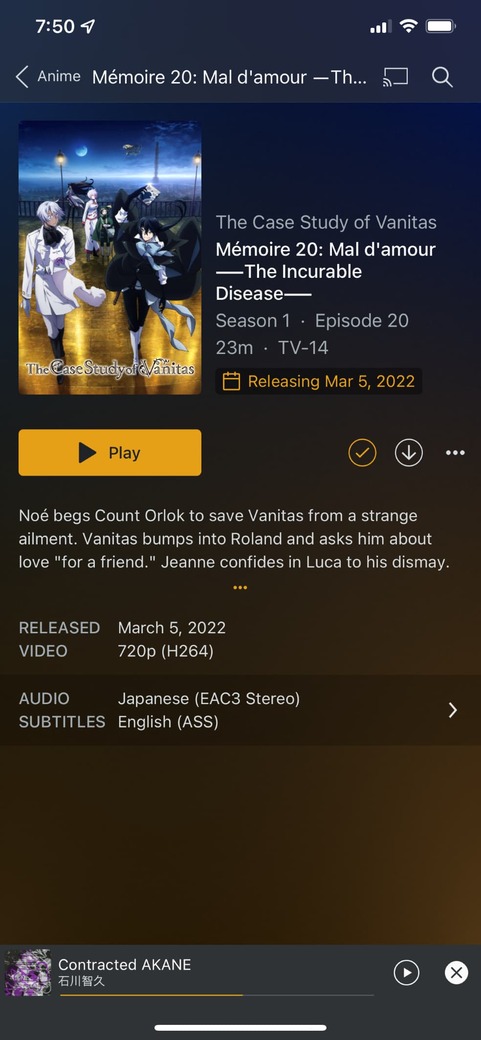
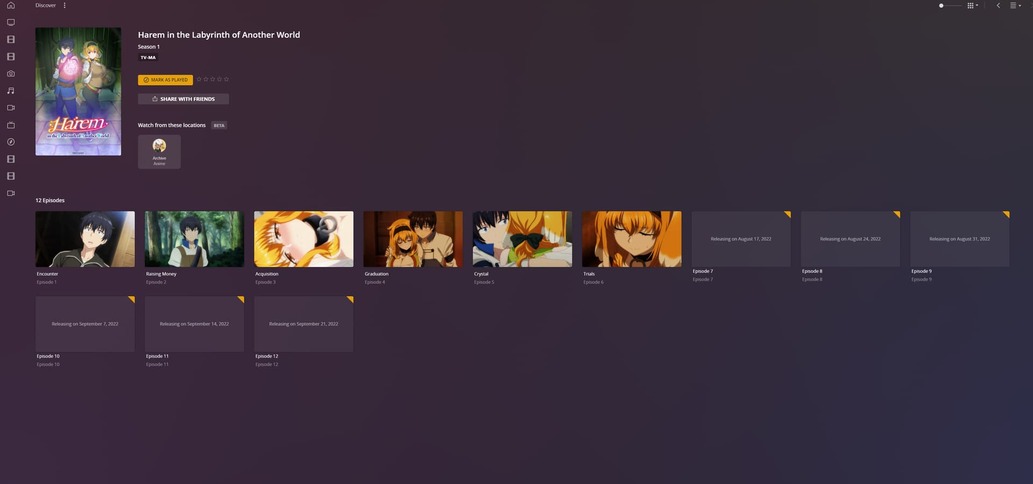
Also, for the watchlist if a show is showing weekly it used to have the Releasing on Date# when i click on the show/viewing an episode for certain series. however now i have to go to discover click the item on watchlist and scroll down to the episode to see the release date it be nice if you just could include for our own library. So i know exactly when the next episode releases also plex should think of using watchlist to tie into calendar app so i can see when an upcoming show is about to be released or maybe schedule watch together parties with a friend.
Just a little thought about the “Clutter” in Activity, why don’t you guys implement some form of logic where if a user has interacted with (Watched / Rated / Commented) the same thing all in the space of say 24? hours, all three cards will merge into one? Like a simple card that shows what the user commented alongside their rating?
The “add to watchlist” button has replaced the “Play” button on the Android (phone) client on the “Movies and shows from Plex” movie items. Tv shows still have the Play button but movies are impossible to play it seems.
Furthermore, items on “movies and shows on Plex” does not have the “more places to watch” strip?
As you can see, I can’t play this item simply because there is no Play button. All movies on your streaming service looks like this. Tv shows does have a big yellow Play button however.