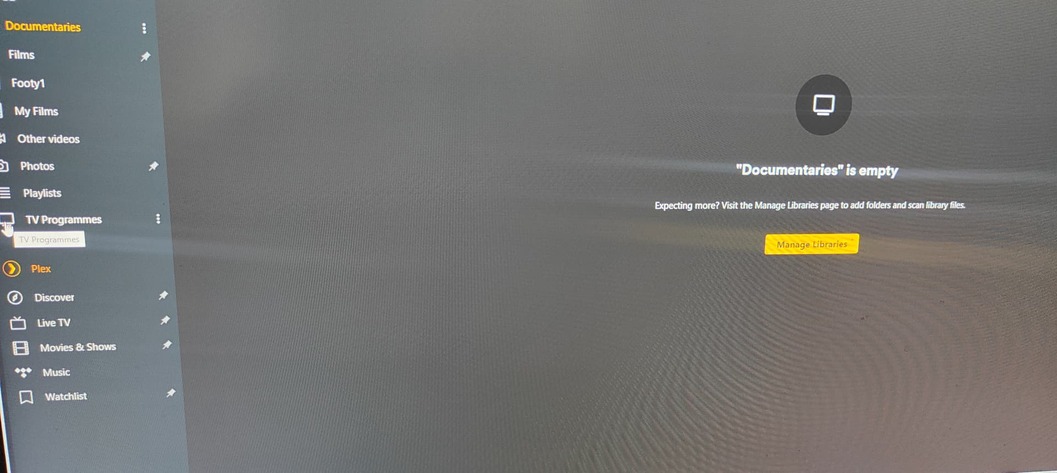
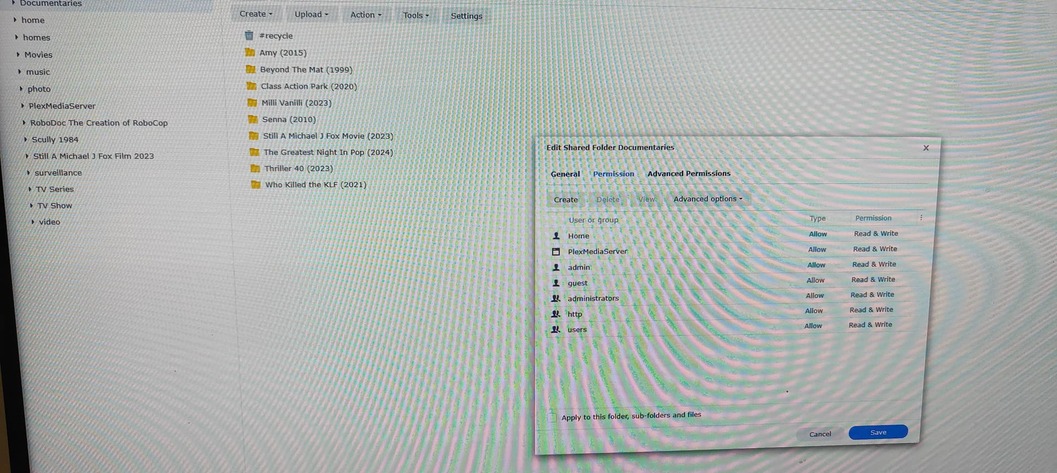
I’ve created a shared folder in DSM and called it Documentaries. I’ve given Plex permissions for the folder, and I’ve added numerous Documentaries as you can see in the attached photos.
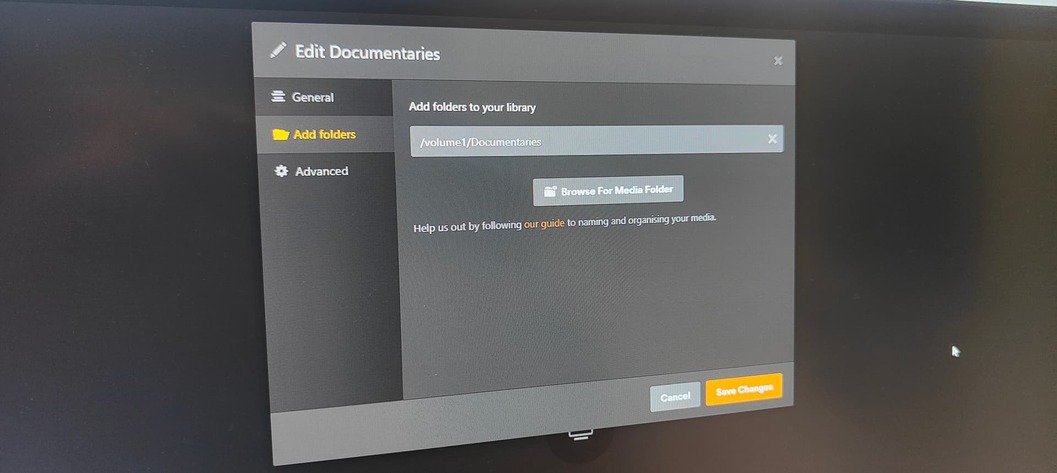
I’ve gone into Plex created a Documentaries library and directed it to volume1 Documentaries. Unfortunately nothing is showing in my Plex Documentaries library.
I don’t know where I’m going wrong??


Open File Station, right click on your Documentaries folder and select Properties.
Go to the Permission tab, then highlight PlexMediaServer in the list of Users or Groups, then click on Edit.
Make sure the permissions are set correctly with all Read/Write options selected and click on Done.
Then make sure you enable Apply to this folder, sub-folders and files at the bottom of the dialogue and click on Save.
If you do not see PlexMediaServer listed under Users or Groups, then open Control Panel > Shared Folders.
Select your Documentaries folder and then click on Edit. Go to the Permissions tab and in the drop down menu (top left) select System Internal User.
Then make sure PlexMediaServer has Read/Write permissions. Do not be alarmed if it shows Custom as being selected, that is OK.
Make sure you click on Save.
After you have checked the permissions etc. then go to your Documentaries library in Plex and Scan Library Files for that library.
With a little luck, Plex will now find your files.
Thanks for the reply. I’d done what you said previously, but double checked anyhow, but unfortunately the media is still not showing.


Open File Station and enter your Documentaries folder and drill down to the individual files in there.
Right click on a video file (I trust you have them named correctly), select Properties and make sure the owner of that file is your Admin User for the NAS.
If you need to change it, select your Admin User from the drop down menu and then click on Save.

Note: You should be logged into the NAS as your Admin User, especially when uploading files etc., if not, then your files may not be owned by the Admin User.
Go to Control Panel > Users & Groups and then select your Admin User. Click on Edit and on the Permissions tab, make sure PlexMediaServer has Read/Write permissions. Click on Save.
After doing the above, once again try running Scan Library Files in Plex.
Also, in Control Panel > Shared Folders, edit your Documentaries folder and on the General tab, disable the Recycle Bin and click on Save.
The Recycle Bin has been known to cause issues in Plex. This has nothing to do with your current issue, but worth taking care of while you are at it.
BTW, in Windows 10/11 hold down Shift + Windows key + S, that will open the Snipping Tool. You can then select to capture a small area of the screen or an entire window etc. on the small toolbar that appears (top center) of your screen.
Hold the left mouse button down and drag the mouse to capture an area of the screen, or click on a window toolbar to capture a window, depending on what you selected on the toolbar.
After capturing the screenshot, click in the reply window and hold down CTRL + V keys to paste the image into your reply window here.
This topic was automatically closed 90 days after the last reply. New replies are no longer allowed.
