Hi,
I have a Synology DS216J…
I have just upgraded from DSM6 to the latest DSM7.
After the install all is working fine… expect for my loved Plex,
I decided to to remove the Server and do a Manual install.
On deleting it I selected "Erase All of Plex Media Server from this system.
I then did a new manual install…
The Synology Server shows it as running, but when I try to access Plex it says I am not authorised.
What have i done wrong???
Please help me … I am in my 60’s and have trouble with this… And i have no one else to help me.
I really miss my Plex…
Kind Regards,
Craig
.
ChuckPa
September 19, 2021, 7:19am
2
Craig,
I’m afraid you did a little bit too much before asking but we should check.
Open File Station.
Look in the Plex shared folder.
Do you still have “Library” , and below that, “Application Support” and “Plex Media Server” ?
If you do, then all is still safe and we can safely clean up what happened.
Please let me know what you find.
Hi,
Thank you for your kind reply.
No I do not have the “Plex” shared folder. Within in File Station I only have “Plex Media Server” and within that “AppData”.
Sorry.
When I did an uninstall I deleted all.
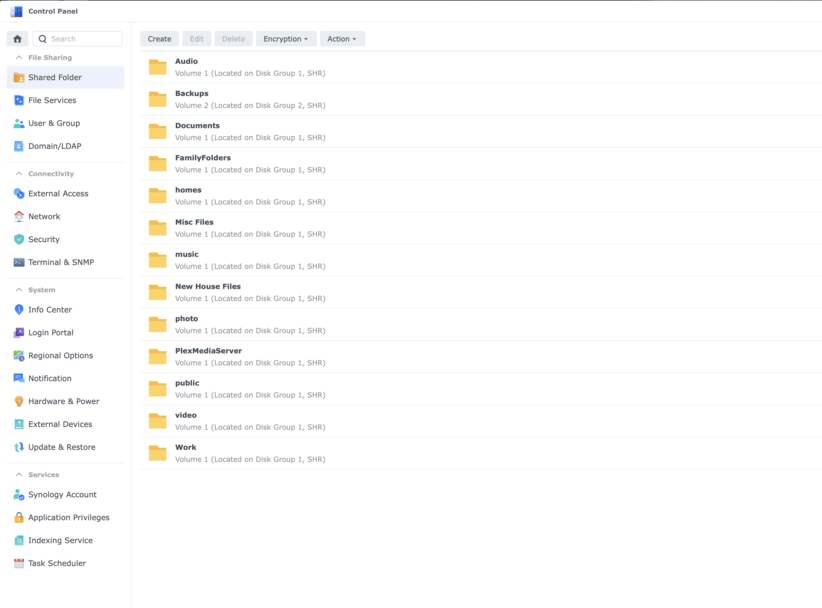
Here is a shot of the file structure
Thanks.
ChuckPa
September 19, 2021, 7:43am
4
Please open Control Panel - Shared Folders
Look for a Plex shared folder.
If you had Plex before the upgrade, you’ll have one there.
EDIT the shared folder (highlight it first)
Go to the Permissions tab.
Check the box to give your username permission to see it (it’s hidden by default).
When you OK / SAVE that, the Plex shared folder will now appear in Filestation.
You’re looking for “Plex / Library” . (from DSM 6) This is where your DSM 6 server data should be…
“PlexMediaServer / AppData” is DSM 7
Thanks ChuckPa,
In control panel I do not have the “Plex” shared folder but do have a “PlexMediaServer” folder. I deleted both “Plex” and “PlexMediaFolder” while uninstalling.
ChuckPa
September 19, 2021, 8:01am
6
That is unfortunate.
You’ve removed all which was your Plex server from DSM 6.
Everything was in the Plex shared folder.
At this point, there is no choice but to start over as a fresh installation.
I would now like you to remove Plex, if it’s still installed on the NAS.
I would also like you to delete the shared folder PlexMediaServer
After you do that, Please install this package.
We’ll use it to get started again.
Install it,
Open the server by IP address (no names / URLs other than the LAN IP).
Once it gets started and signed into your account, we can upgrade to the current version.
Please let me know when ready.
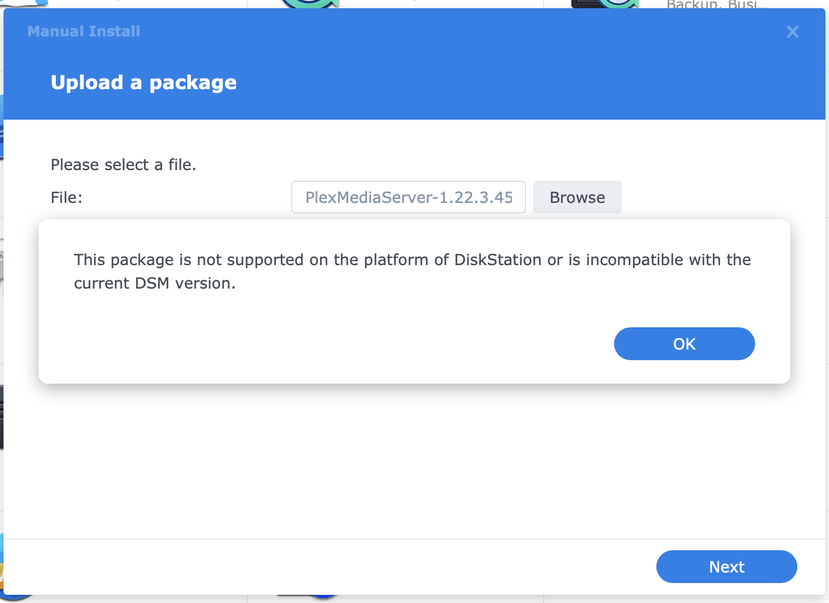
Thank you, when trying to install the file I am given an error that this version is not compatible with my servers DSM version. My server model is a DS216J if this is helpful.
Hi Trumpy81.
I was expecting ChuckPa Team Member.
A little confused now.
Craig.
Oh… ok… thanks…
About to install…
It’s asking me to :
Normal Installation
or
Install using Plex Claim Token
Which one ??
Thanks !
Ok… thanks… done that.
Next is location of PMS logs ???
Thanks !
Ok…
I have installed the package you sent me and it installed ok.
I do not have it running…
I have now downloaded the version from the Plex Download page…
https://downloads.plex.tv/plex-media-server-new/1.24.2.4973-2b1b51db9/synology-dsm7/PlexMediaServer-1.24.2.4973-2b1b51db9-armv7neon_DSM7.spk
I assume this is correct for my DS216j running DSM7 ???
Craig,
Ok… have downloaded the file and have done the install.
Next ??
Ok…
thanks…
Hang in there… I’m working on it…
You da man !
You ride a Triumph ?? I ride a Ktm
Great bikes !!!
I have only one… 2011 Ktm 990 Adv…
Looks like things are working…
You’re a legend !
Please keep this thread open please in case I have a problem.
Cheers.
Craig.
Hi,
Looks like all is working well.
Thank you to you both for your professional work and assistance …
Very much appreciated !
Craig.