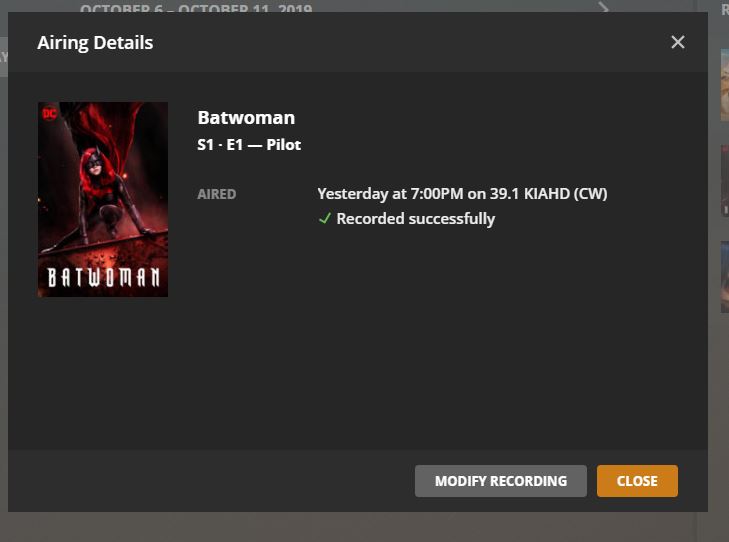
Yesterday I set the DVR to record a show. At the start time, a zero byte file was created in the correct folder. Once the show was over, Plex displayed recording complete, but the file remained at zero. I grabbed the log file this morning. It looks like it had trouble getting the HR DVR to setup but then got it. Then 7 seconds in, it stopped.
I am on Version 1.18.0.1846 on Server 2012R2.
I set the record within the server software
I had 6 recordings on Saturday (previous day) that all recorded without issue
Don’t know if there is an issue with Plex or HR.
There are errors along the way
Oct 06, 2019 19:00:01.669 [4296] ERROR - [Transcoder] [mpeg2video @ 00495cc0] Invalid frame dimensions 0x0.
Oct 06, 2019 19:00:01.742 [4144] ERROR - Unable to find title for item of type 5
Oct 06, 2019 19:00:07.512 [3528] INFO - Notification: Recording Batwoman - E1 - Pilot -
Oct 06, 2019 19:00:07.513 [1716] ERROR - [Transcoder] [mpegts @ 029ed5c0] sample rate not set
Oct 06, 2019 19:00:07.515 [4296] ERROR - [Transcoder] Could not write header for output file #0 (incorrect codec parameters ?): Invalid argument
Oct 06, 2019 19:00:07.517 [6128] ERROR - [Transcoder]
Oct 06, 2019 19:00:07.530 [3568] DEBUG - DVR:Recorder: Asked to stop recording ‘Batwoman - E1 - Pilot’ on channel 39.1.
Oct 06, 2019 19:00:07.531 [3528] DEBUG - Activity: updated activity - completed 50.0% - Refreshing Sub
Oct 06, 2019 19:00:07.536 [3528] ERROR - DVR:Grabber: Failed to inspect file: Could not parse T:\TVShows.grab\6e68338c8a5058951bb229d6d5a76847c5c6e836\Batwoman (2019) - S01E01 - Pilot.ts (error=-1094995529): Invalid data found when processing input