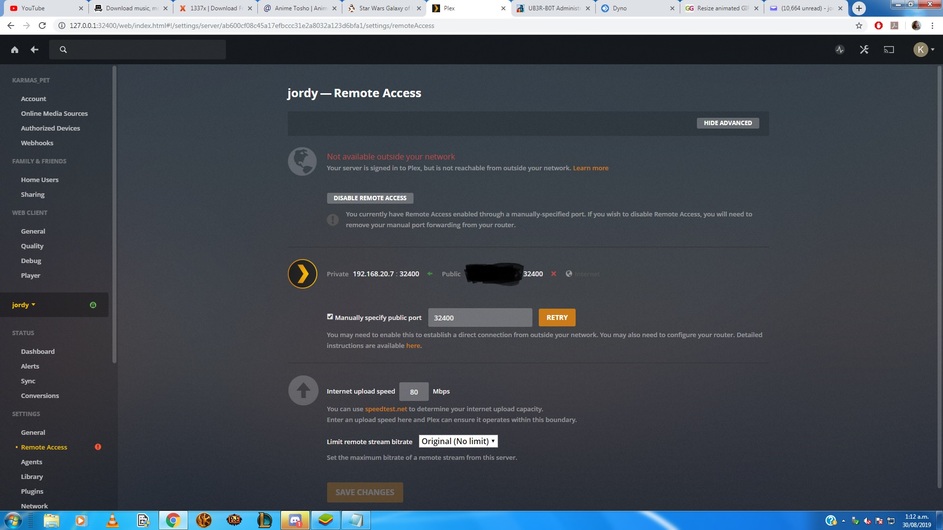
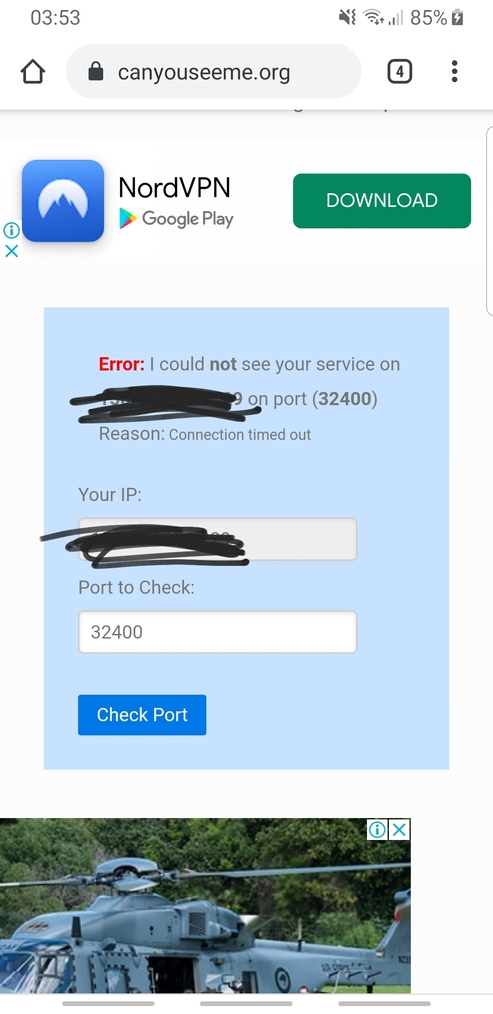
can somebody please explain to me step by step what i need to do to enable remote access? ive tried following all the things on the support forums and no matter what i do remote access stays up for 5 seconds then disables.
i have a generic netcomm nf18acv router, uPnP is enabled, ive set up a port forwarding following the forums directions and nothing is working. i am a plex pass member if that makes a difference
On my netgear router I enabled both uPnP and NAT-PMP protocol support and then also made sure that the port forwarding was working by using telnet to connect to the port on my mobile hotspot. Then when i enabled it on my server it worked for me.
hey man. i turned off upnp while trying and still got nothing. attached are screenshots of plex and my router NAT folder. there is 2 things in my NAT named plex as i tried with both IPs. ive also set my PC IP to static so thats not an issue
Any help you can provide would be awesome. thanks heaps for getting back to me
It matches in the app. I didn’t check if my firewall was off. Pretty sure I turned it off when I installed Malwarebytes. But it’s 4.25am now and I’m in bed so I’ll check in the morning. You’ve been an absolute trooper for helping me out