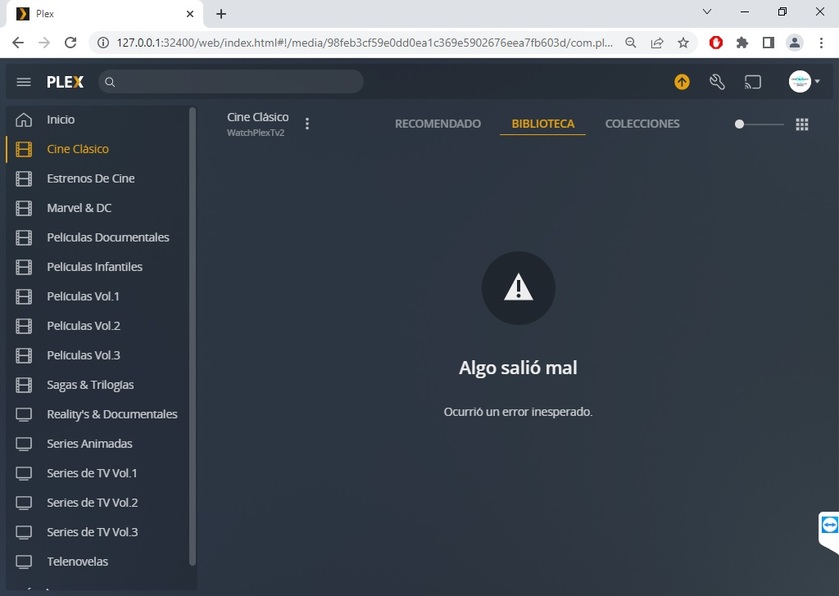
Server Version#: 1.28.1 x64 to 1.25.5 x32
Player Version#:
Good morning dear!
Due to the problems that the Plex Media Server I decided to do a downgrade but I get this error in my libraries.
Has anyone had the same error and was able to fix it?
When you reinstall the latest version everything works normally again
Thanks, Ricardo.
Plex Media Server Logs_2022-07-31_08-24-59.zip (1.7 MB)
Plex Media Server.log (751.7 KB)
Yeah, don’t do that. If you are running the 64-bit, please downgrade to the current 32-bit version first to make sure you are running the 32-bit version. Then slowly downgrade to lower versions. Please note that there are a number of database changes between 1.28 nd 1.25 so when you downgrade, you should see a message about the libraries being updated. Please make sure that finished. PMS will be unavailable until that finishes.
Yes, I did. I uninstalled the x64 version completely and then installed the x32 version.
I also got the update libraries message, it took a few minutes for it to finish doing it, I restarted the computer and starting PMS got the error I mentioned above
Maybe my mistake was directly installing version 1.25 and that’s why I got that error, however I’ve been reading the forum a bit and there are more users who have had the same problem as me.
I certainly don’t know if they went straight for the version they wanted.
Is it supposed that if I go downgrading little by little, it should work?
Thank you for your kindness and time.
Ricardo.
Did you jump to the 64-bit version from 1.25? It is possible the the database changes were enough to break something changing versions that much.
Another possibility is that when you uninstalled the 64-bit version, it did not uninstall completely. Try this.
- uninstall whatever you have running now
- check task manager and make sure all Plex processes are stopped
- force stop any that may still be running
- restart your computer
- install the version of PMS you want
Hi Friend, I have the same problem… could you solve it?
Hi Friend, I have the same problem… could you solve it?
Good day friend ! I was able to fix it by removing the x64 version and installing the new official x32 1.28.0. So far I haven’t had any more problems