Server Version#: PlexMediaServer-1.32.0.6918-6f393eda1-x86_64
Player Version#:
<If providing server logs please do NOT turn on verbose logging, only debug logging should be enabled>
Generic error after installing plex server
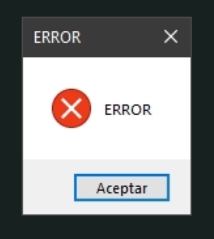
Are you using Windows 7/8 or some old Windows Server edition?
I am using Windows 10 enterprise LTSC.
I was using in this pc without problema in the past, but I reinstalled for one problem and now is not working
No idea what it might be or what it might try? I have tried uninstalling everything and using cleaning programs such as revocleaner or glary utilities
That was a mistake. Never use these toos. They do more damage than good.
Expect issues when updating later on.
Do you have other apps on this computer running as well? Like, for instance an FTP server or a Torrent client? If these are occupying port 32400, Plex will refuse to run.
There could be still a server log in the plex data folder. Take a look at it for possible clues.
Qbitorrent. I will check it
Problem In the place that the plex data folder should be had a shortcut that pointed to the place where it had to be. Deleting the shortcut I solved the problem
Don’t use a shortcut if you want to relocate the Plex data folder.
Use the registry method.
I didn’t create that shortcut, but it was the problem
The setup executable doesn’t do that either. So you might have gremlins on your server 
I think it was another program that made the change. I tried a program to do Windows services and I think it was the cause
