Server Version#: 1.20.5.3600-47c0d9038
Player Version#: Version 4.43.4
ubuntu 20.04.1 lts
I just happened to check my journalctl for plex and saw some pretty alarming logs:
Plex Media Server[17892]: cat: /home/asdf/very/sensitive/file: Permission denied
There’s a few of these such entries. So I checked the plex media server logs around this time and saw a token login from an unknown ip address. Along with this were a bunch of ‘[Notify] Failed to add watch for “/other/sensitive/file” (13: Permission denied)’. Note these are not the same files as shown in journalctl, but are likewise sensitive.
Then a bunch of requests for plugins that I don’t have (I don’t have any additional plugins installed outside of what is included by default).
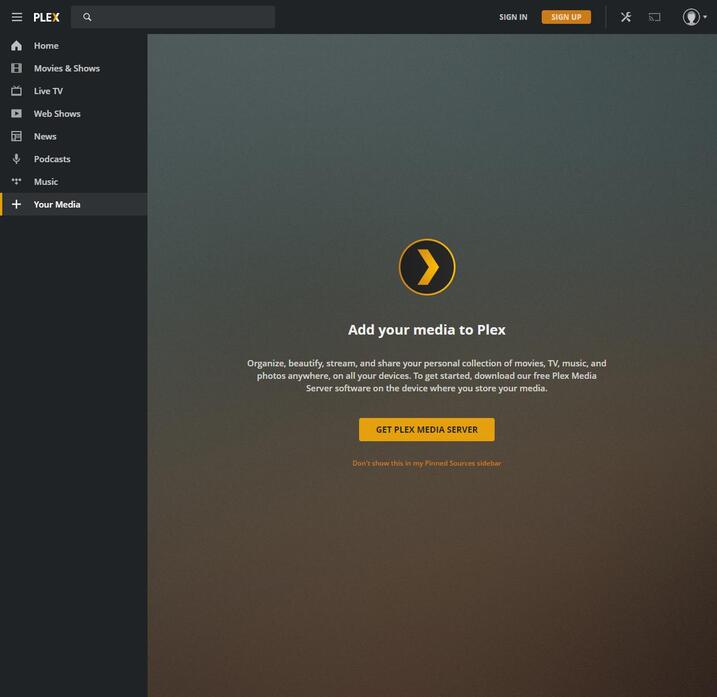
Next I changed the password for my account and signed out all devices. Now when I try to access my server directly, I get the web player but not the server itself, whether I’m logged in or not. Under the ‘Your Media’ page, it’s just a prompt to get plex media server.
Checked my account and sure enough, there’s tidal attached, even though I’ve never had tidal. Removed that with no effect.
Checked my Preferences.xml and no X-Plex-Token. Instead, I see PlexOnlineToken but it’s an empty string.
How do I get the server working again?
And more importantly, how did this happen? I never received any emails about a new login, nor was my email breached. It’s unclear what data the attacker was able to access. I only have logs for the denied permissions. I can’t imagine someone was able to hijack my token from a logged-in device-- if that were the case, they’d have already obtained a vector of attack and wouldn’t care to then go through plex… Should probably isolate plex to its own vm
If it’s headless, use putty or xterm to create an ssh tunnel to your server, then use the same url from your local client. Here’s an article about ssh tunnels:
You’ll want to tunnel 32400 to 127.0.0.1:32400. You can change the local port if you’d like but not the destination. https://blog.devolutions.net/2017/4/how-to-configure-an-ssh-tunnel-on-putty
edit: got it. needed to access it from the same host. thanks. any ideas about the intrusion? I would have imagined it shouldn’t be possible to remotely execute code regardless of login
edit: thanks, got it. needed to access it from the same host. thanks. any ideas about the intrusion? I would have imagined it shouldn’t be possible to remotely execute code regardless of login
Yes same host. My bad, thought I noted that. The putty trick essentially makes the traffic appear from the same host as well.
Re intrusion. No idea. I don’t work for plex, just another plex user. I can say the url api is decently powerful so maybe they were trying to manipulate plex that way with a token, but not sure. I would ensure you have secure connections required vs preferred. Install/enable fail2ban, close any unneeded public facing ports. If port 443 is available consider following a guide on how to create and auto maintain your own SSL cert, then use a free cloudflare acct to proxy the traffic through them and their application firewalls and such. I have mine set to block non us ip’s look for ddos, force https, etc.