You have Plex Media Server scanning the Plex data directory, where metadata, subtitles, etc are stored. This will lead to system instability.
Log snippet:
Mar 09, 2022 18:25:08.819 [0x7f234f0dbb38] DEBUG - [Notify] Now watching "/data/Saw II (2005)"
Mar 09, 2022 18:25:08.819 [0x7f234f0dbb38] DEBUG - [Notify] Now watching "/data/American Pie (1999)"
Mar 09, 2022 18:25:08.819 [0x7f234f0dbb38] DEBUG - [Notify] Now watching "/data/Trolls (2016)"
Mar 09, 2022 18:25:08.819 [0x7f234f0dbb38] DEBUG - [Notify] Now watching "/data/Library"
Mar 09, 2022 18:25:08.819 [0x7f234f0dbb38] DEBUG - [Notify] Now watching "/data/Library/Application Support"
Mar 09, 2022 18:25:08.819 [0x7f234f0dbb38] DEBUG - [Notify] Now watching "/data/Library/Application Support/Plex Media Server"
Mar 09, 2022 18:25:08.852 [0x7f234f0dbb38] DEBUG - [Notify] Now watching "/data/Library/Application Support/Plex Media Server/Plug-in Support"
Mar 09, 2022 18:25:08.875 [0x7f234f0dbb38] DEBUG - [Notify] Now watching "/data/Library/Application Support/Plex Media Server/Plug-in Support/Caches"
Mar 09, 2022 18:25:08.881 [0x7f234f0dbb38] DEBUG - [Notify] Now watching "/data/Library/Application Support/Plex Media Server/Plug-in Support/Caches/tv.plex.agents.movie"
Mar 09, 2022 18:25:08.881 [0x7f234f0dbb38] DEBUG - [Notify] Now watching "/data/Library/Application Support/Plex Media Server/Plug-in Support/Caches/tv.plex.agents.movie/HTTP.system"
Rearrange your media and library definitions so the Plex data folder is not scanned.
For example, you could move your movies into /data/movies, then add that folder to your movie library. That would avoid Plex scanning its data folder.
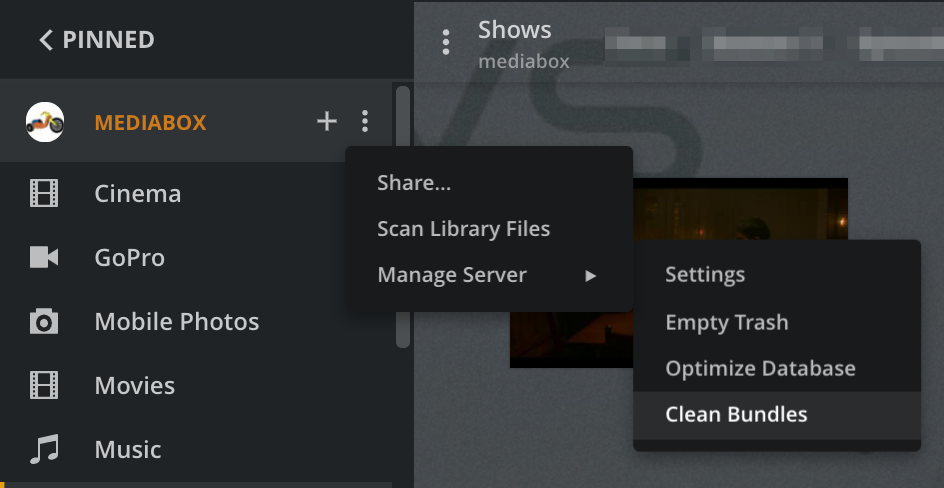
After fixing your library definitions, rescan the libraries, empty trash, clean bundles, and optimize the database. This will clean the incorrect info out of the database.