Server Version#: 1.23.3.4707
Player Version#: 1.33.0.2444-a220eae4
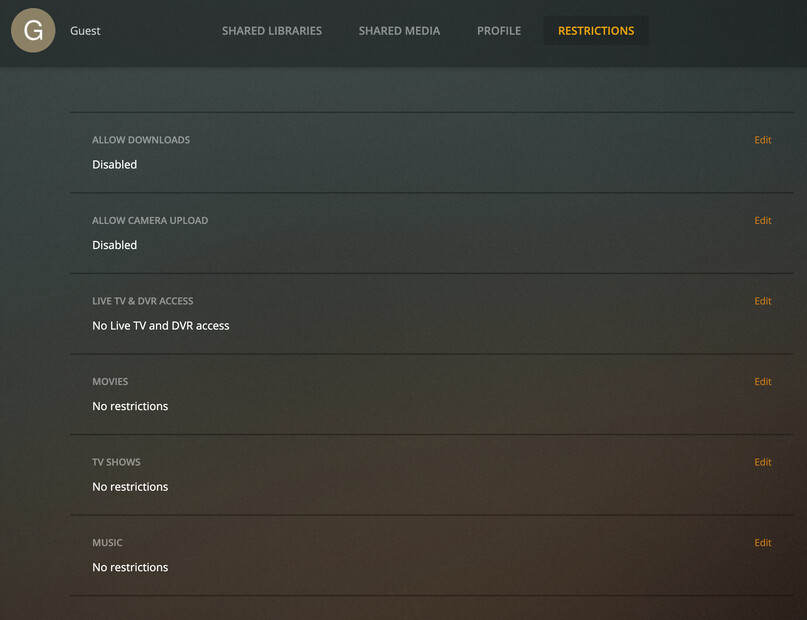
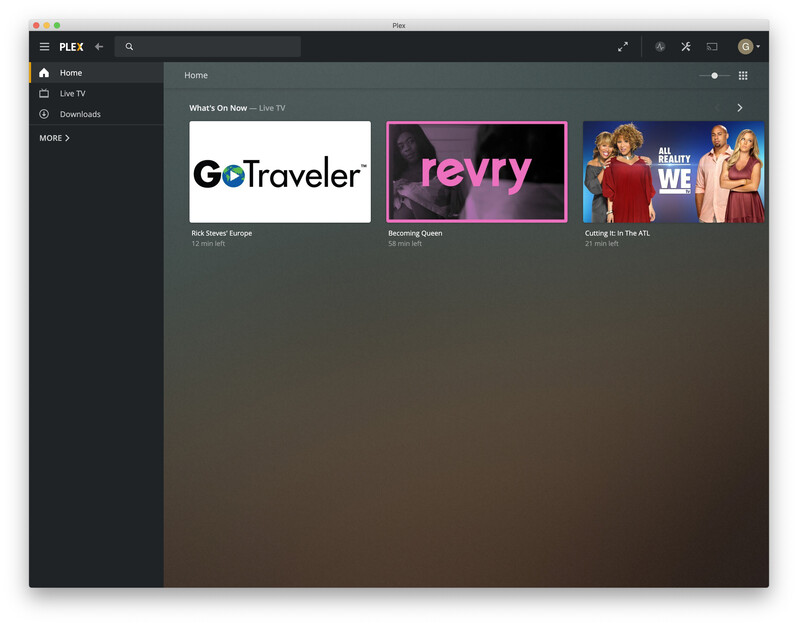
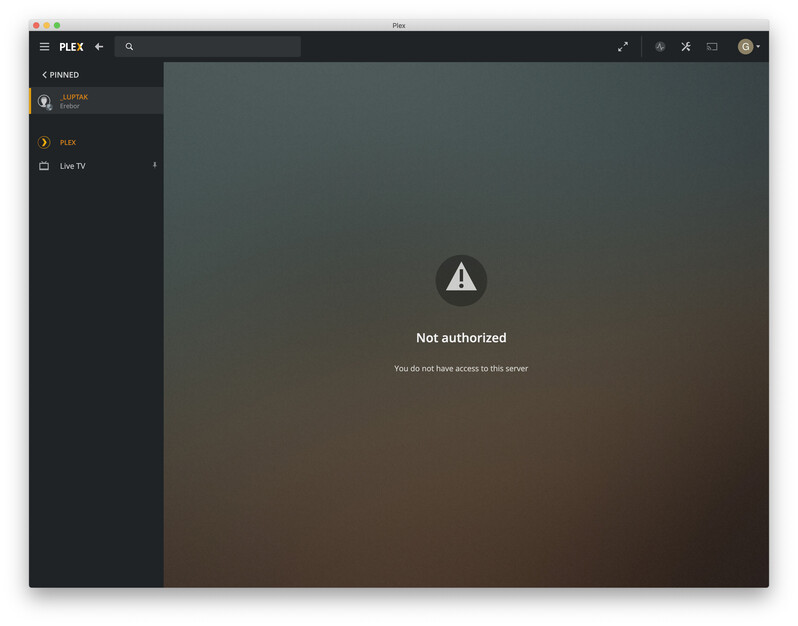
Several months back, I migrated my Plex server / libraries from an existing macOS server to a Synology. My primary user account is able to access my libraries as expected. However, I am just noticing that the Guest user that I have created as part of my Plex Pass account cannot access the server; if I try to find it via pinned sources, I get the following screen:
“Not authorized”
“You do not have access to this server”
I am not certain that this issue began immediately after switching to the Synology, but I cannot say with certainty that I ever validated that the Guest user did work.
Possibly relevant logs:
Jun 18, 2021 16:26:56.884 [0x7f13d8d43b38] DEBUG - WebSocket: client initiated close

Jun 18, 2021 16:26:56.884 [0x7f13d8d20b38] DEBUG - NotificationStream: Removing because of close

Jun 18, 2021 16:26:56.885 [0x7f13d8d20b38] DEBUG - handleStreamRead code 1: stream truncated

Jun 18, 2021 16:26:56.885 [0x7f13d8d20b38] DEBUG - Completed after connection close: [192.168.4.44:55750] -3 GET /:/websockets/notifications (5 live) TLS GZIP 471361ms 365 bytes

Jun 18, 2021 16:26:57.871 [0x7f13d8d43b38] DEBUG - Auth: authenticated user 1 as _luptak

Jun 18, 2021 16:26:57.871 [0x7f13d7946b38] DEBUG - Request: [192.168.4.44:56164 (Subnet)] GET /player/proxy/poll?deviceClass=pc&protocolVersion=3&protocolCapabilities=timeline%2Cplayback%2Cnavigation%2Cmirror%2Cplayqueues&timeout=1 (4 live) TLS GZIP Signed-in Token (_luptak)

Jun 18, 2021 16:26:57.871 [0x7f13d7946b38] DEBUG - Content-Length is -1 (of total: -1).

Jun 18, 2021 16:26:57.922 [0x7f13d8d20b38] DEBUG - Auth: Refreshing tokens inside the token-based authentication filter.

Jun 18, 2021 16:26:57.923 [0x7f13d8d20b38] DEBUG - HTTP requesting GET https://plex.tv/api/v2/server/access_tokens?auth_token=xxxxxxxxxxxxxxxxxxxx&unknownToken=xxxxxxxxxxxxxxxxxxxx

Jun 18, 2021 16:26:58.559 [0x7f13d8d20b38] DEBUG - HTTP/1.1 (0.6s) 200 response from GET https://plex.tv/api/v2/server/access_tokens?auth_token=xxxxxxxxxxxxxxxxxxxx&unknownToken=xxxxxxxxxxxxxxxxxxxx

Jun 18, 2021 16:26:58.560 [0x7f13d8d20b38] DEBUG - MyPlex: updating with 8 access tokens

Jun 18, 2021 16:26:58.560 [0x7f13d8d20b38] DEBUG - HTTP requesting GET https://plex.tv/api/v2/server/users?auth_token=xxxxxxxxxxxxxxxxxxxx

Jun 18, 2021 16:26:58.561 [0x7f13d7746b38] DEBUG - [MediaProviderManager] HTTP requesting GET https://plex.tv/media/providers?X-Plex-Token=xxxxxxxxxxxxxxxxxxxx

Jun 18, 2021 16:26:58.746 [0x7f13d8d20b38] DEBUG - HTTP/1.1 (0.2s) 200 response from GET https://plex.tv/api/v2/server/users?auth_token=xxxxxxxxxxxxxxxxxxxx (reused)

Jun 18, 2021 16:26:58.747 [0x7f13d8d20b38] DEBUG - HTTP requesting GET https://plex.tv/api/v2/server/users/subscriptions?auth_token=xxxxxxxxxxxxxxxxxxxx

Jun 18, 2021 16:26:58.908 [0x7f13d8d20b38] DEBUG - HTTP/1.1 (0.2s) 200 response from GET https://plex.tv/api/v2/server/users/subscriptions?auth_token=xxxxxxxxxxxxxxxxxxxx (reused)

Jun 18, 2021 16:26:58.909 [0x7f13d8d20b38] DEBUG - Auth: authenticating user as guest

Jun 18, 2021 16:26:58.909 [0x7f13d8d43b38] DEBUG - Auth: authenticating user as guest

Jun 18, 2021 16:26:58.909 [0x7f13d8d20b38] DEBUG - Request: [192.168.4.44:56167 (Subnet)] GET /media/providers (6 live) TLS GZIP Signed-in Token ()

Jun 18, 2021 16:26:58.909 [0x7f13d8d43b38] DEBUG - Request: [73.127.28.44:56168 (WAN)] GET /media/providers (6 live) TLS GZIP Signed-in Token ()

Jun 18, 2021 16:26:58.909 [0x7f13d8d20b38] DEBUG - Completed: [73.127.28.44:56168] 401 GET /media/providers (6 live) TLS GZIP 0ms 357 bytes

Jun 18, 2021 16:26:58.909 [0x7f13d8d43b38] DEBUG - Completed: [192.168.4.44:56167] 401 GET /media/providers (6 live) TLS GZIP 0ms 357 bytes

Jun 18, 2021 16:26:59.272 [0x7f13d7746b38] DEBUG - [MediaProviderManager] HTTP/1.1 (0.7s) 200 response from GET https://plex.tv/media/providers?X-Plex-Token=xxxxxxxxxxxxxxxxxxxx

Jun 18, 2021 16:26:59.272 [0x7f13d7746b38] DEBUG - [MediaProviderManager] discovered cloud provider (Movies & TV)

Jun 18, 2021 16:26:59.272 [0x7f13d7746b38] DEBUG - [MediaProviderManager] discovered cloud provider (Music)

Jun 18, 2021 16:26:59.272 [0x7f13d7746b38] DEBUG - [MediaProviderManager] discovered cloud provider (Metadata)

Jun 18, 2021 16:26:59.272 [0x7f13d7746b38] DEBUG - [MediaProviderManager] loading cloud provider details (Metadata) (alive: 1)

Jun 18, 2021 16:26:59.273 [0x7f13d7746b38] DEBUG - [MediaProviderManager] loading cloud provider details (Music) (alive: 1)

Jun 18, 2021 16:26:59.273 [0x7f13d7746b38] DEBUG - [MediaProviderManager] loading cloud provider details (Movies & TV) (alive: 1)

Jun 18, 2021 16:26:59.273 [0x7f13d7746b38] DEBUG - [MediaProviderManager] we had 3 cloud providers online, we now have 3

Jun 18, 2021 16:26:59.273 [0x7f13d7746b38] DEBUG - [MediaProviderManager] cloud provider (Metadata) is online and available

Jun 18, 2021 16:26:59.273 [0x7f13d7746b38] DEBUG - [MediaProviderManager] cloud provider (Music) is online and available

Jun 18, 2021 16:26:59.273 [0x7f13d7746b38] DEBUG - [MediaProviderManager] cloud provider (Movies & TV) is online and available

Jun 18, 2021 16:26:59.655 [0x7f13d8d20b38] DEBUG - EventSource: Got event [data] '<Message host="72.14.186.199" port="443" command="startRelay"/>'

Jun 18, 2021 16:26:59.655 [0x7f13d8d20b38] DEBUG - Relay: reused an existing key for https://downloads.plex.tv/relay/relay_v1.pub

Jun 18, 2021 16:26:59.655 [0x7f13d8d20b38] DEBUG - Relay: starting relay.

Jun 18, 2021 16:26:59.655 [0x7f13d8d20b38] DEBUG - [JobRunner] Job running: PLEXTOKEN='xxxxxxxxxxxxxxxxxxxx' '/volume1/@appstore/Plex Media Server/Plex Relay' '-p' '443' '-N' '-R' '0:127.0.0.1:32401' '-o' 'StrictHostKeyChecking=yes' '-o' 'UserKnownHostsFile=/volume1/Plex/Library/Application Support/Plex Media Server/Cache/relayHostKey.txt' '-o' 'LogLevel=VERBOSE' '-o' 'PreferredAuthentications=password' '-o' 'PubkeyAuthentication=no' '-l' '_luptak' '-F' '/dev/null' '72.14.186.199'

Jun 18, 2021 16:26:59.655 [0x7f13d8d20b38] DEBUG - [JobRunner] Jobs: Starting child process with pid 11403

Jun 18, 2021 16:27:00.577 [0x7f13d7946b38] DEBUG - [PlexRelay] Authenticated to 72.14.186.199 ([72.14.186.199]:443).

Jun 18, 2021 16:27:01.144 [0x7f13d7946b38] INFO - [PlexRelay] Allocated port 3377 for remote forward to 127.0.0.1:32401

Jun 18, 2021 16:27:05.625 [0x7f13d8d43b38] DEBUG - WebSocket: client initiated close

Jun 18, 2021 16:27:05.625 [0x7f13d8d20b38] DEBUG - NotificationStream: Removing because of close