Server Version#: 1.22.3.4392
Player Version#:
Tuner Make/Model: HomeRunHD
Guide/Lineup name: FIOS
Using XMLTV?:
Channel number/Name: Verizon FIOS on a cable card
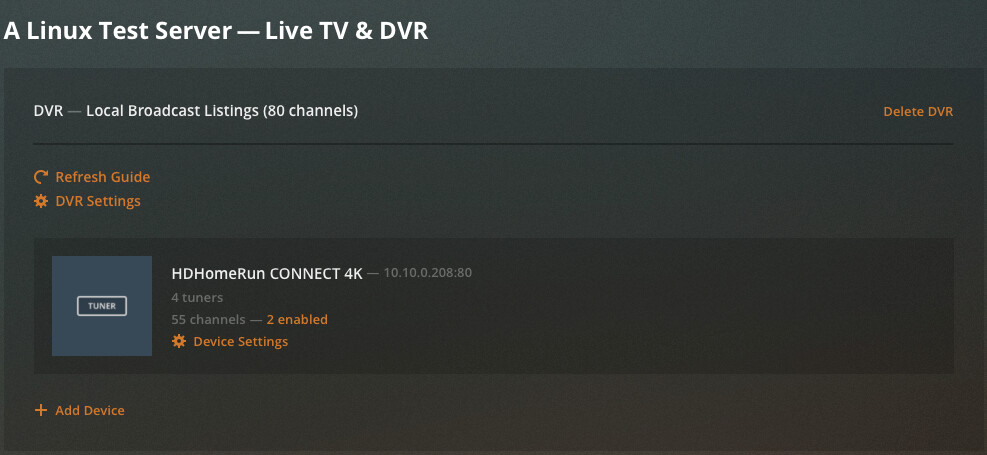
Live TV & DVR doesn’t show up anywhere, when I try to re-add it it just spins unless I give the IP address of the HomeRunHD, then when I go through setup it says a DVR is already connected…but I cannot see it in the sidebar or anywhere. Please can someone help?
Same issue. Started a few hours ago, and like you, I can’t add the DVR back. This is an intermittent but ongoing issue for me though, every couple of months it seems like. From previous occurrences either I’m eventually able to add it back or it just re-appears on it’s own magically after a couple of days. I’m not sure why it happens every few months but I never really do anything to get it going again other than wait and try again. Running on server 2016 essentials here with HD Homerun Prime.
Just wanted to share how I fixed it this time. My assumption is that some type of corruption is going on, and that “doing nothing” perhaps gets things back in order eventually through a scheduled task or something… though I am guessing. When this happens it’s usually the result of “an error occurred” (or some such message) when refreshing guide data. I never seem to have any issues with anything else.
To fix it, I stopped the plex server and deleted anything starting with “tv.” from the \Users<username>\AppData\Local\Plex Media Server\Plug-in Support\Databases folder. Then re-starting the server re-created those files and my tuner showed up again with all the mappings still intact. I only then had to refresh the guide data, log out and back in to the Plex Web UI, and everything was back to normal.
I’m not super-clear on what I’m actually doing here or how this actually works, so I can’t really advocate this as a fix per se, but it worked for me.
Yes --woke up this morning and went to check to see what was being recorded today–Says desktop is currently unavailable-----I have HD Homerun—but not showing in devices-----Live -[OTA] or DVR not anywhere in menu and I have plex pass
If you ask me the common denominator is HD HomeRun Prime, I went in this morning and all my channels were gone again. Something happened in a recent upgrade to cause this is my guess.
Maybe (common denominator HD HomeRun Prime) but when it goes out on Plex it still works like a champ using either the Live Channels app or the native HD Homerun app on my Nvidia Shield. (Usually use Roku for Plex, though).
I wonder if somehow, due to some network glitch or whatever, that some corrupted data get received during the guide update in Plex that basically breaks it. That’s always what seems to do it is the the guide update doesn’t finish and I get some error message telling me to go to the forums… and then the whole thing disappears.
It’s not that important of a feature for me, really. I probably wouldn’t even have live TV if it weren’t for the fact that my landlord forces me to pay for cable whether or not I want it, but that’s another story.
I have lost ‘Live TV and DVR’ in my sidebar (for remote users).
BTW, I discovered the missing ‘Live TV and DVR’ while looking for a reason why a remote user can no longer delete an episode from a library. That option is just gone now from the menu.
Now the issues seems to be the guide disappearing every day which causes my recordings to fail because the guide is missing. I have to delete the DVR and recreate it almost every day, it lasts for a day and its gone again. I am sure others are seeing this, is there a resolution?