Hi
I had Plex for years on the same network with ports open for it on the same router. Nothing was updated in terms of router or network. And being on QNAP Plex was working fine until recently. I rolled the updates frequently until the server stopped working
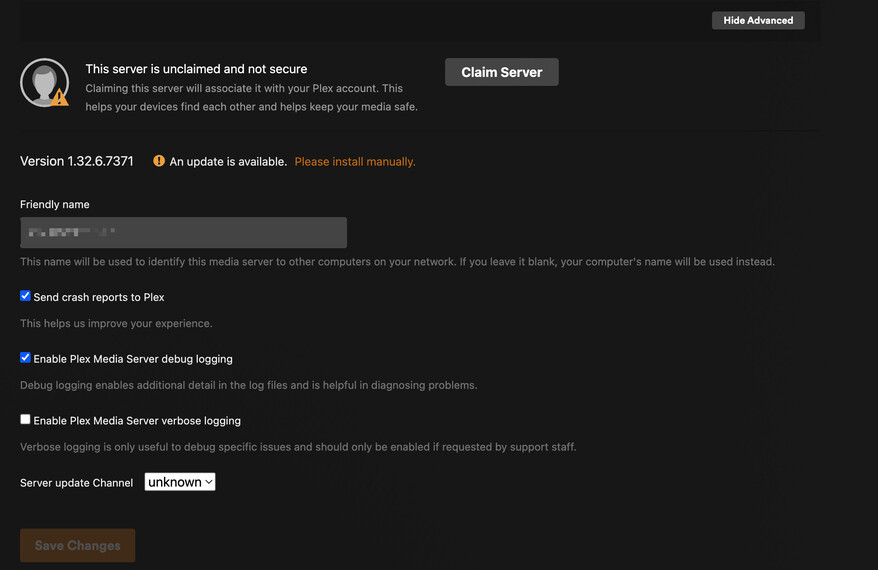
I cannot claim it
it asks for an update, although it is the latest version
what should I do?
I did try to reinstall it completely and install it again. Has the ports needed for Plex changed recently?
When you uninstalled the application – You deleted all the old server ID information.
Plex.tv was not notified
Plex.tv is still looking for that ID number when you open the browser and attempt to claim it.
Looking at your account, I see a QNAP server at 192.168.1.200
If this is your server, the next step for you , before you claim it again, SETTINGS - AUTHORIZED DEVICES (upper left corner) - SERVER (dropdown) and REMOVE the old QNAP server. Refresh the browser page (Control + F5) and you will be able to claim it
I deleted the server from the authorised list and was able to claim it. It was still asking for an update afterwards so I downloaded the latest stable version and rolled it out, despite it was the latest version. And the server went back to being unclaimed and I don’t see it in a list of authorised devices.