I am a huge fan of Plex for years, and I have 2 accounts (the other is [email removed by mod]).
I have a QNAP TS h1283XU-RP and until last month the Plex always worked with no problems, since 2018.
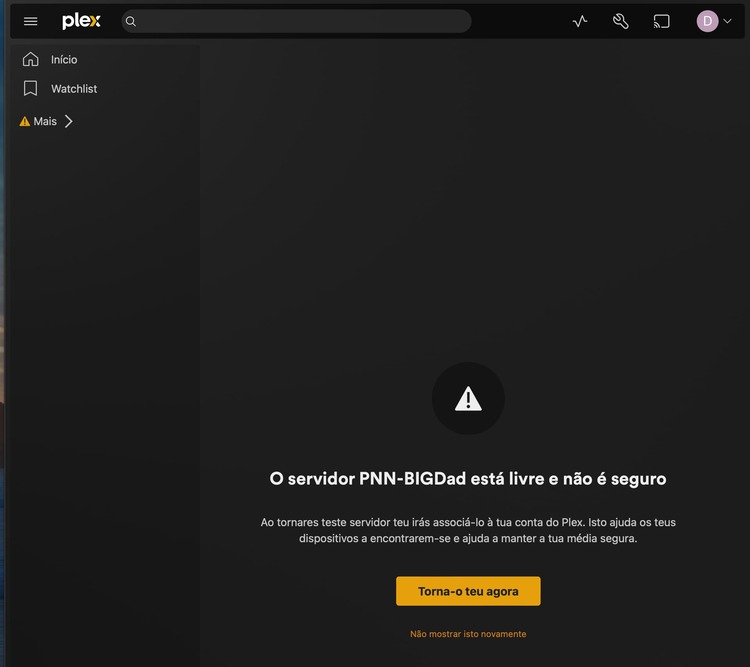
After a recent manual update of the file QNAP server (I am a doctor with little informatic expertise - sorry for the non professional terms) it started having some problems in visualizing the Plex QNAP server on my devices, and also I was getting information that my IP was not recognizable for Plex.
So I decided to delete plex app from the QNAP, reinstall the app (on QNAP) and run it again.
I have IOS based environment. I tried safari and google chrome browsers.
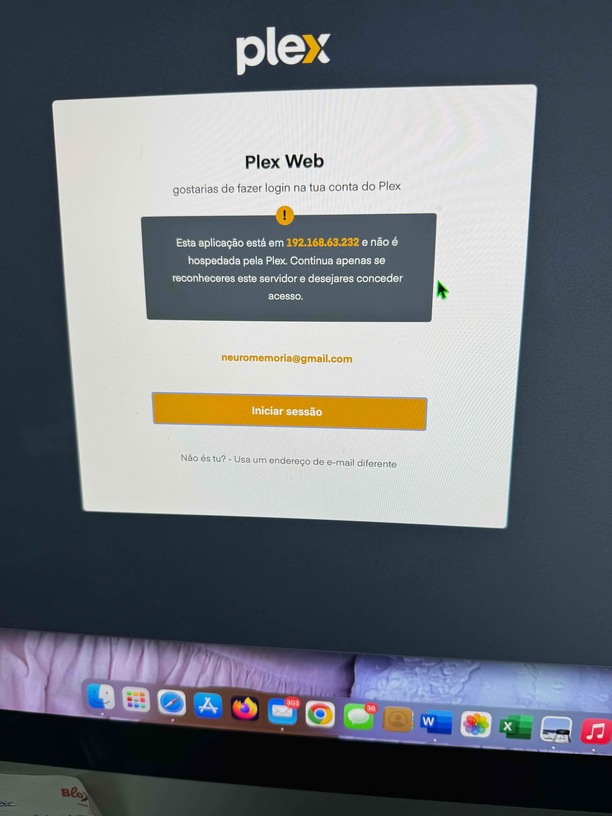
I have another QNAP nas and the Plex after update is starting to respond that the IP is not hosted by PLEX and before I never had issues, so it is related with your updates, I think - I send picture .
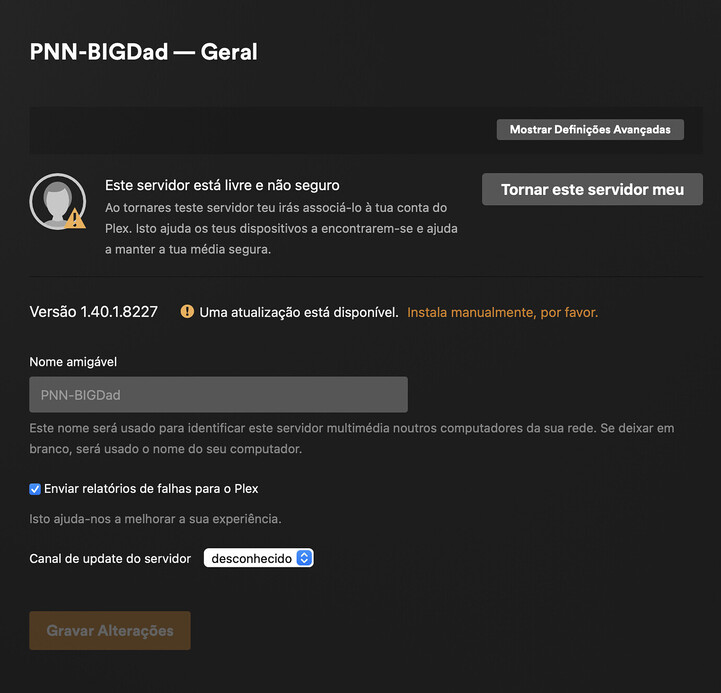
Why It doesn´t allow to make my server mine in the Plex definations menu? In this moment I can´t access my QNAP server.
It isn’t hosted by Plex. It is hosted by you. That is your computers local IP correct?
That message will appear any time someone signs into a local web app. it is there as a warning if a person got the URL from some random person or were given a phishing link.
Yes, that is my local private IP. No, I didn´t got any message/warning from someone trying to get in - I also have a firewall and my IP is only private.
this message appeared on both my QNAPs recently, they are in different addresses, and both worked very well with Plex until last December 2023.
To claim the server, the QNAP must be able to communicate with hosts at plex.tv. If it cannot, then claiming will fail.
Verify the network configuration on the QNAP - IP address & mask, default gateway, DNS servers, etc.
Also verify that the time is correctly set on the NAS.
As a test, try temporarily disabling the QNAP firewall. Then stop and re-start Plex Media Server and see if you can claim the server (when you restart PMS it will try to communicate with plex.tv).
On QNAP NAS, when you delete the Plex Media Server app, it also deletes the Plex Data Folder, which holds the database and other information about your server.
Unless you have a backup of the Plex Data Folder, the Plex server information is gone. You will have to rebuild the server - recreate libraries, reshare them with friends & family, etc.