We just upgraded our router to the TP-Link Deco X60 mesh system, and it’s working great for everything except the Plex. Our media library is on a Synology Diskstation 1517+. I can see and login to the Synology just fine, and the Plex app is running on the server, but my Plex web app won’t connect to our server on the Synology. I can’t seem to access it, even launching it directly from the Synology app. I assume I need to update a network setting somewhere, but where? how?
TIA.
Server Version#: 1.19.5.3112-b23ab3896
Player Version#: 4.34.3
Okay, I updated my server to the latest version. It’s now version 1.20.4.3517-ab5e1197c.
I followed the instructions for Method 2, and while it didn’t give me an option to “Compress to Logs.zip”, it did have a “Download” option, which created a Logs.zip file, which I’m trying to upload and it keeps failing. I’ll see if I can find a way to get it on here. I re-opened the Plex app after updating btw, and it’s still not connecting to the server.
Okay, I’ve tried several times to upload the Logs.zip file with no success. It continues to tell me there’s an error uploading after it gets to about 50ish%. So I’ve uploaded the file to a google drive.
I just updated the file settings so anyone with the link can download the file.
Sorry. You’re correct. I missed that I needed to click on it in the right window. Here’s the compressed file.(File removed)
Okay… sorry for the delay, but I followed your instructions. I shut off every single device that was connected to the network, then shut off the routers (since it’s mesh wifi) and modem. I let everything sit for a couple of minutes before restarting anything. I booted up the modem fully, then all three routers. Then I turned my server, phone, computer and one roku back on. I checked all of the IP addresses, and everything looked like it lined up. Then I signed out of everything and stopped the Plex server as instructed. I renamed the Preferences file as instructed and restarted the Plex server. I gave it about 10 minutes, and then signed in to the web address as instructed.
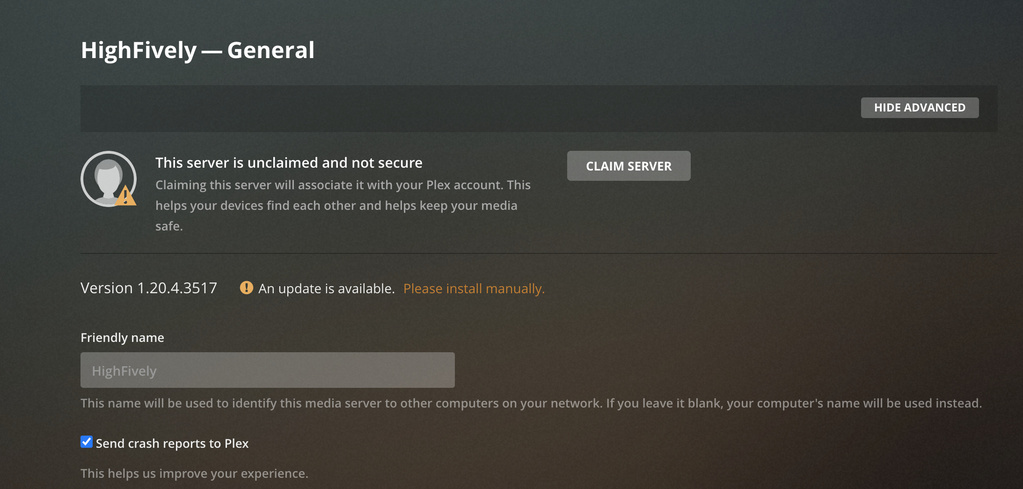
It took me through the process of setting up the server library again, which looked very promising. It asked me to claim the server, which I clicked the button for, and it said it was scanning the music files, so I walked away and started turning on all of the other devices we had unplugged to give it time to rebuild everything. When I came back about 15 minutes later, it was no longer scanning. I looked, and it doesn’t appear to be connected to it anymore. None of my library was added, and it says the server is “Nearby” and “Unclaimed”, despite the fact that I had claimed it earlier. I keep clicking the “Claim Server” button and it just rotates a circle for several seconds and then the button reappears.
It’s also worth noting that I went through and checked all of the IP’s for the other devices I turned on and they all matched as well.
(File removed)
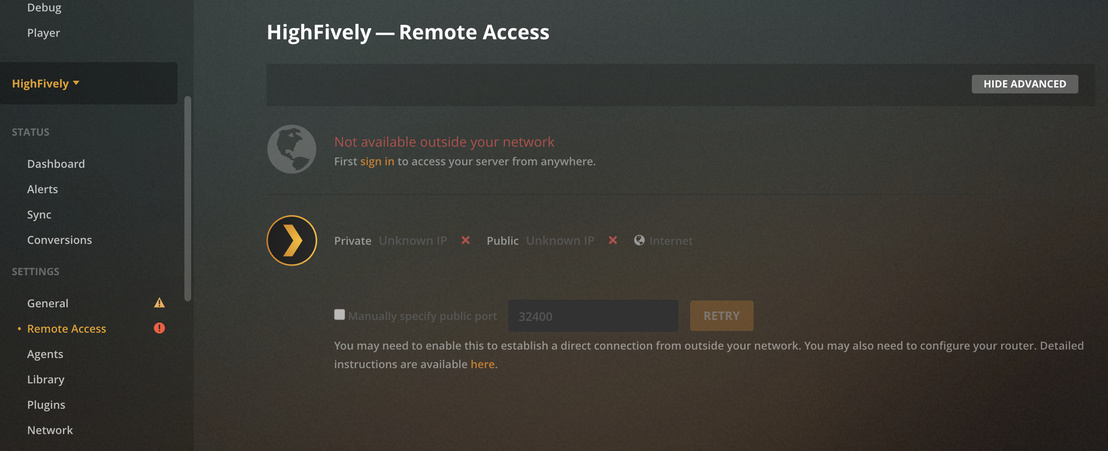
Here you go. I’m trying to download my router manual as well because I’m seeing an error relating to remote access and I wonder if this router might have something blocking that.
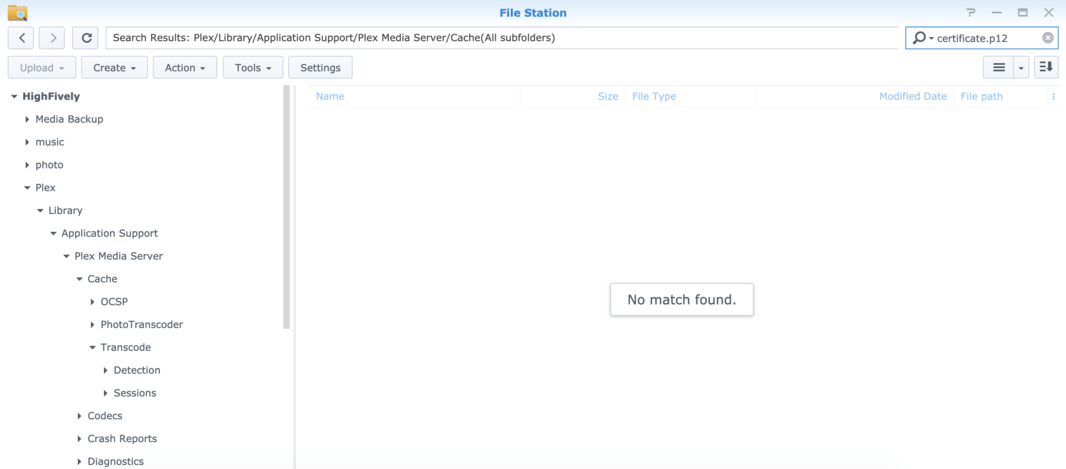
I’m not able to find the files you mentioned to delete them. I tried searching the Cache folder and subfolders as well, but with no luck.
Okay, well I’ve disabled the DSM Firewall and made sure the MTU settings were not set to manual. I restarted the server and nothing has changed. I’ve also enabled manual port forwarding to the 32400 port on my router, but I can’t get the Plex app to allow me to set up the manual forward. Every time I click the “sign in” option, it takes me back to the “General” tab and just gives me the option to “Claim Server” where it circles around for a few seconds and nothing happens.
I plugged in the router we were using until yesterday, and I updated it to match the IP address of the new router we’re using. I then restarted the Synology NAS and went through basically the same process I did earlier, where I shut down Plex, signed out of everything, renamed the Preferences file, and tried to go in and set up the server again. And I’m still having the same problem. I thought the issue was possibly some setting in the new router, but obviously that’s not the case since the Plex worked just fine on this ASUS router before, and now I can’t get it to allow me to claim the server.
We decided to try resetting the new router and the Synology NAS to the old IP address and then renaming the original Preferences file to make it the active file again. That seems to have worked. Plex is now playing on all of our devices again.