Ok, I’m not the smartest computer person so I’ll admit that upfront but I ran into a problem and am hoping someone here can help me figure it out.
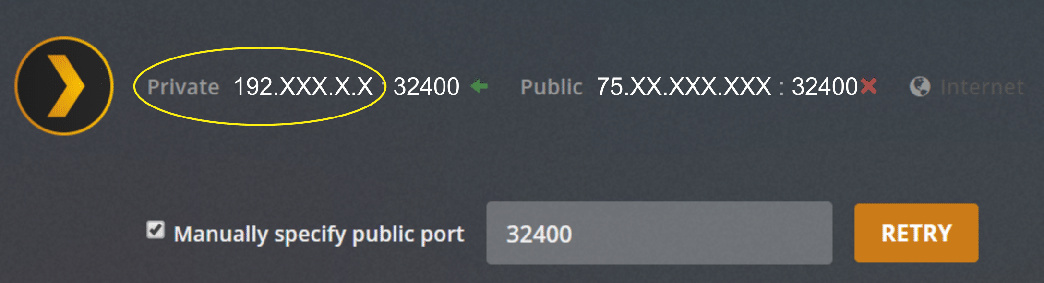
Even though I’m not the smartest computer person, believe it or not I’m the bright bulb in my family’s computer chandelier so I was tasked with running our Plex entertainment channel, and everything was fine until this most recent upgrade to server # 3.104.2 a few days ago. Now, my Plex server no longer holds the “Remote Access” and displays “Not available outside your network”. My family is still able to stream but transcoding is happening from 1080 to SD. When I “Disable Remote Access” and then re-enable it, it only lasts for like 5-seconds then switches back to “Not available outside your network”.
Does anyone have any experience with this or has any idea of what’s going on and how I can “fix” it. If I click on the “Manually specific public port” option below it will that fix it?
tramp78… thank you for the lead. So you were able to get your Arris router to work… EXCELLENT!
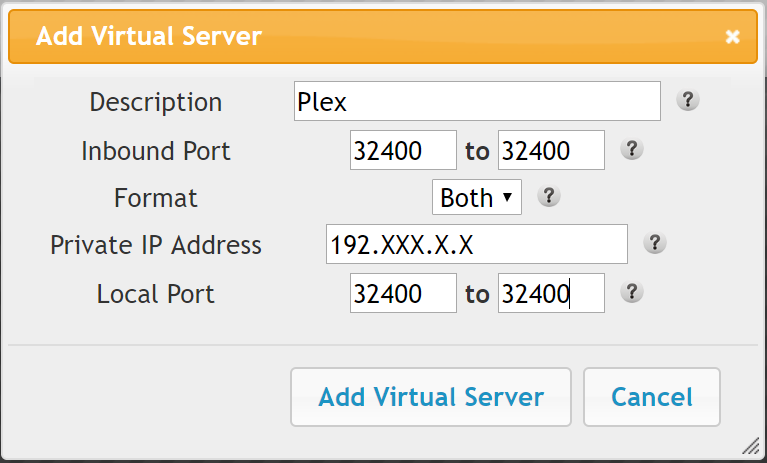
By-any-chance, can you list the steps you used to do “port forwarding” on it? I’ve never heard of that and have no experience with it. Not sure what I need to do or how to do it so if you can help me with the steps it’d be greatly appreciated.
Nokdim… Thank you for providing those instructions on how to port forward on a Arris router… they were easy enough to follow.
Tramp78… Thank you for the settings
I didn’t know what to put in the “Private IP Address” field for my Port Forwarding so I used the same IP address listed as “Private” from my Plex Remote Access screen… hopefully that’s what I was supposed to do???
Unfortunately, I’m still experiencing the same problem… the remote access is still only holding for about 5-6 seconds even though I just upgraded my Plex Server to Version 1.16.5.1488.
Did I do something wrong or is there something I missed?
Any additional help is greatly appreciated and I DO appreciate all the advice you’re given me so far. Learning this stuff is a little frightening, but cool at the same time.
It’s looking pretty rock solid even after Iogging out of Plex, rebooting my computer, and logging back into Plex… it’s still holding.
I’m feeling pretty good about it right about now.
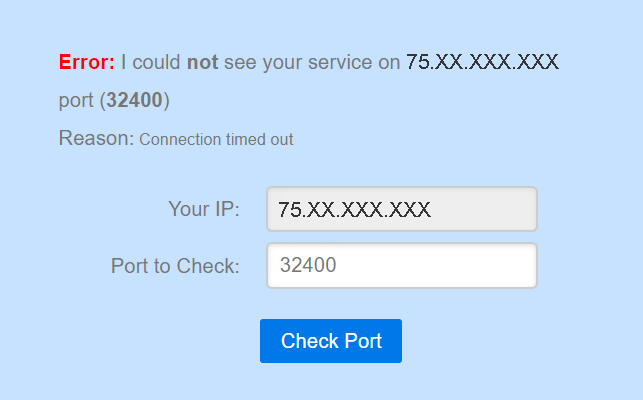
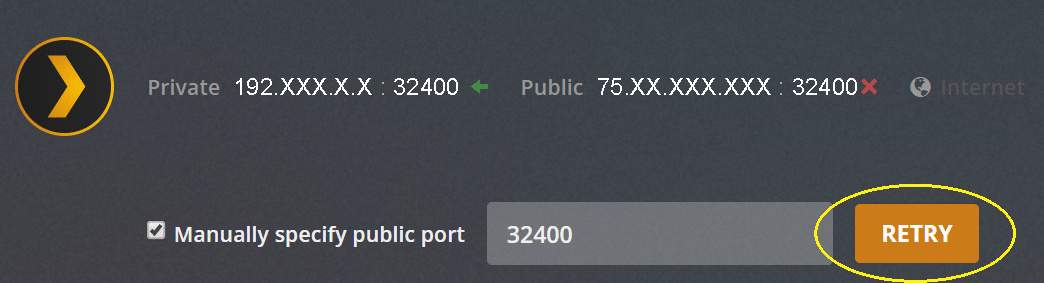
Turns out, after following all the above steps previously discussed, all I needed to do was click on the “Retry” button and apparently that opened the port and solved my “Connection timed out” issue.
You are welcome. Glad it helped. This problem seems to pop up several times a week. Your job is to now copy that solution and paste help out the NEXT guy who gets lost. It took me an hour of trial and error and error and error and error. Go forth and be someone else’s rock star.
Not to mess up your working setup, but one additional idea is, for security reasons, to put your external port on something other than 32400. This would need to be set on your router (inbound port in your case) and in Plex (Manual public port) to match the same non-32400 port number.
The thought is that it is widely known that Plex uses port 32400 (you don’t have to look further than Wikipedia even if you don’t know what Plex is…), so those with malicious intent could scan for IPs that have 32400 open, and if they see it then can reasonably guess that a Plex Media Server is listening.
The vast majority of the time this isn’t a problem - as long as there are no security issues with Plex. However, by putting the external port on something other than 32400 then it gives others a much larger range of ports to scan, and they will not have easy insight into what is actually listening based on the public port that is found…
My ISP is also Spectrum and they’re not blocking me from port forwarding. As I mentioned above, I just followed all the steps one-by-one and was able to manually open a Plex port for Remote Access.
Then, I went into the Roku Plex client which is what I use to watch my media on my tv , and changed the ‘Direct Connection’ setting under the ‘Video’ option to ‘Forced’ to ensure a direct connection.
Before I was able to get Remote Access working I was streaming at 480 and after I got Remote Access working, but before I forced the Direct Connection, it was transcoding at 720. Now, my media is streaming at a robust and super clear 1080.