Hi,
I’m trying to setup a managed user for my kid. I tried the ratings first but I would like a little more control so I created a tag, kid-safe, that I will add to all allowed tv/movies
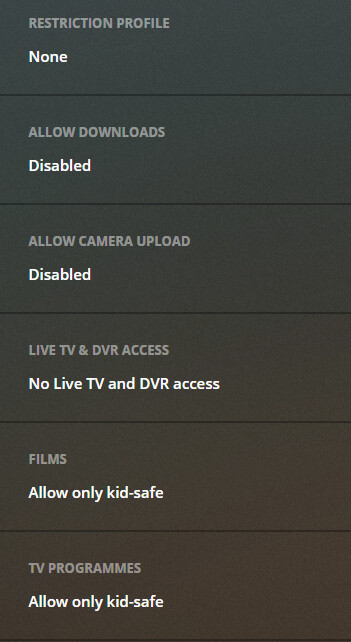
I then added ‘kid-safe’ to 101 Dalmatians.
Now when I login to my kid’s profile i’m greeted with 101 Dalmatians, right above ‘Endless Bummer’ (one of the free Plex movies, not mine!) amongst others.
How do I remove access to all the free tv/movies?
There’s a dedicated menu item in your account settings where you can configure which online media sources should be available – you can enable them for yourself and all managed users or only for yourself.
https://app.plex.tv/desktop/#!/settings/online-media-sources
PS:
If you control what media your kids can see using a “restriction profile” instead of manually assigned labels, those restrictions will also apply to the content from Plex’ video on demand etc.).
the online sources can only be restricted by rating as they do not have labels. You don’t have to use the profiles but you would need to only include G or exclude others for example
Thanks. Does restriction profile = setting allowed ratings? I’ve set allowed ratings and that seems to have worked.
I want to use labels so I can exclude stuff he won’t be bothered about anymore, eg <5 stuff, would adding ratings override that though?
the exclude takes precedence if set.
Case 1
Exclude R
Allow KidSafe.
if a movie that was rated R had the label Kidsafe they would not see it
Case 2
Allow G, PG
Allow KidSafe
if a movie that was rated R had the label Kidsafe they would see it
I’m in the case 2 at the moment, but I’m guessing if I don’t tag some G rated local stuff as kid-safe it will still appear?
if you specifically allowed G then yeah they will see it even if not labeled kid safe.
Allows are additive. Excludes subtractive.
I’ll just exclude the free content for now then and use the labels
Thanks for you help 
Doesn’t seem to work

I’ve done
That worked for me, thanks!
Me just been lazy now, am I able to default that Home screen to multi-line ‘recently added’ or other stuff?
