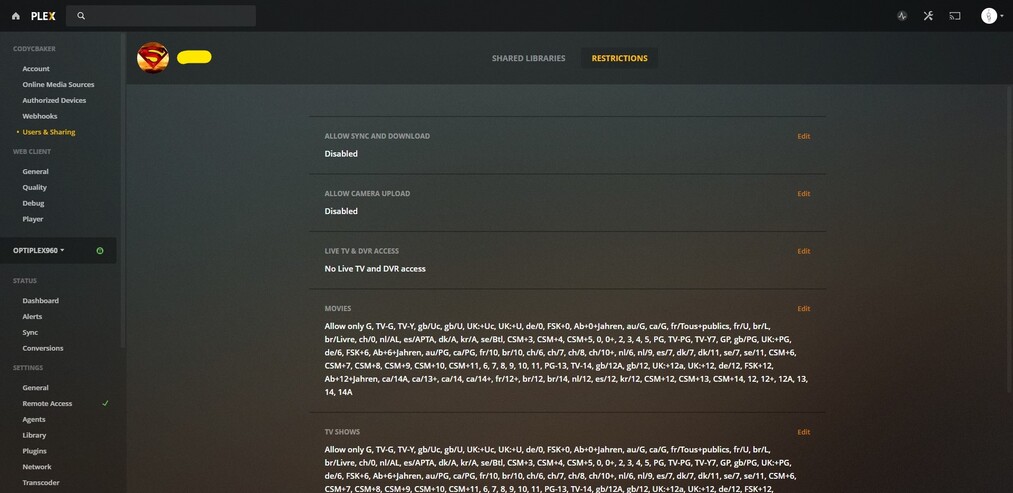
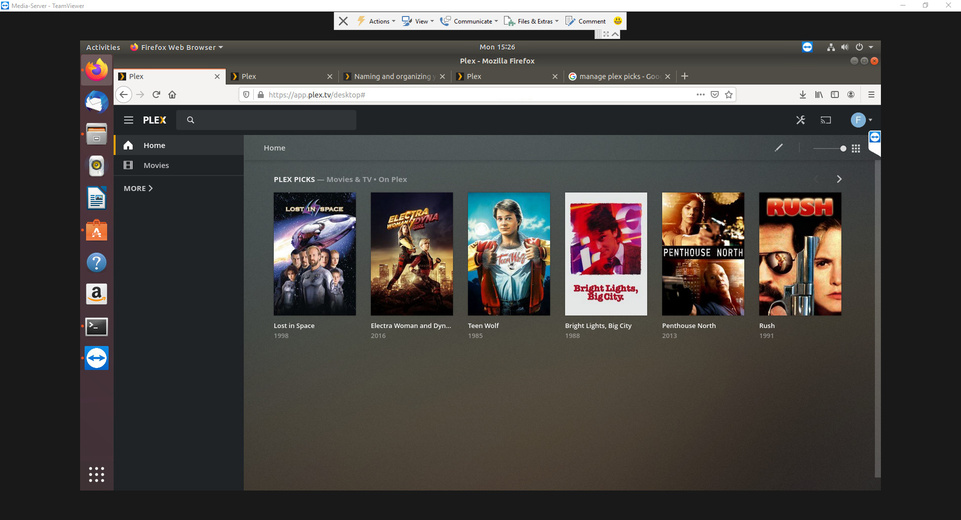
It appears that the restrictions defined for managed users are not applied to video-on-demand content.
Here are some screenshots.


The lower two screen shots cannot not co-exist on the same user account, because the Restriction Profile is overriding those individually selected age ratings.
Were these screenshots made while you were signed into the same managed user account?
No. I tried different combinations.
So what I found was if I used the managed restriction category, older kid, teen, etc. Then on demand movie section seemed to get filtered. When I used the managed users custom permissions the on demand movie section was not filtered.
However, it still seems flaky as when I was doing testing and switching between the different permission modes, it worked most of the time when I used the teen profile but not every time.
I did testing with Web UI version 4.16.2 and iOS Plex App Version 6.5.1.
Custom content rating restrictions will not be individually applied to the free catalog, but they should be roughly mapped to a profile. I’ll look into that.
Older Kid:
Movies - G, PG, TV-G, TV-PG
TV Shows - TV-Y, TV-Y7, TV-G, TV-PG
Teen:
Movies - G, PG, TV-G, TV-PG, TV-PG13
TV Shows - TV-Y, TV-Y7, TV-G, TV-PG, TV-14
Thanks, we found the issue and will be getting a fix out shortly.
In the meantime, the default profiles (Younger Kid, Older Kid, Teen) should work.
In my instance, I cannot use a VOD restriction setting, AND custom restrictions (i.e. labels) for my own Movie and TV libraries at the same time. The use of either overrides (or disables) the other.
I prefer to choose which movies or shows in my own libraries that each child in my family may watch within a specific content rating. I.e., I may consider one PG-13 movie appropriate and another inappropriate. I use labels to “approve” in this case.
The default profiles are not restricting content either.
Can you give specifics? Which profile are you using, which client is signed into the managed user, and what are some titles that you’re unexpectedly seeing?
After going back into the account using the Teen profile it looks to be working now. Thank you!
I need this for LIVE TV. I have this normally set to disabled since I’m the one, as an admin, recording and putting the content into libraries but if I were to enable the LIVE TV again I get content that really should be hidden such as daytime soap dramas and shows like cheaters which isn’t kid appropriate. I don’t know how to granularly mark those shows hidden. The only shows that should appear in the hubs should be the kid shows which should only be like 3-4 at most. When I press play on say Days of our Lives, it actually starts playing back the stream even though I’m logged into the Kid account with restrictions in place. Locally I have access to PBS Kids and ideally if I can just have that ONE channel show up in the guide and the shows pertaining to only that channel for the kid, then we are gold.
In my instance, I cannot use a VOD restriction setting, AND custom restrictions (i.e. labels) for my own Movie and TV libraries at the same time. The use of either overrides (or disables) the other.
I prefer to choose which movies or shows in my own libraries that each child in my family may watch within a specific content rating. I.e., I may consider one PG-13 movie appropriate and another inappropriate. I use labels to “approve” in this case.
In the first two images, I’m signed in as Admin via the Web. And in the third image, I’m signed in as Admin locally (note: the numerous content rating tags showed up here today along with the VOD rollout). In all images, I’m viewing the settings for a manged user.
The restriction profiles are shortcuts to avoid custom restrictions and individually specifying content ratings. Setting a restriction profile means that you are bypassing custom restrictions.
In saying you are getting a fix out shortly, this fix will apply our custom restrictions to the “Movies and TV” section?
I am not using a restriction profile. The ‘allow only’ labels for both my children are now not working at all. As a software engineer, it’s difficult to believe that after all these years with Plex, basic functionality seems to regularly be broken. Currently my kids can’t use the Plex web app AND the Android app is completely nonfunctional on all my devices. Open source this project and lets write a few regression tests and get some of these features permanently fixed 
Did anyone find a fix for this or is there still no way to restrict “Younger” users from accessing the R rated movies?
Just to add to the pile, i am experiencing similar issues but also another one.
With Restrictions in place and switched on, using pre-set options or custom options, some movies are not showing in the library list, but if you search for them then they are displayed. These movies are rated correctly for the restrictions but just not being displayed in the library list. Anyone else have similar issues?
Yes I have a similar issue. I have Restrictions set to Younger Kid but there are many G rated films that don’t show up in that account. How can I fix this?