I have two routers; i.e., an AT & T and a Linksystem WRT1900 AC. I get the green remote access light for about 5 to 10 seconds and then it disappears. My question is since technically I have two
routers does one of the need to be placed in bridge mode for the Remote Access to work properly?
I understand what you are saying but let me ask you this…there are times when I leave all my setting alone and I can have remote access for days on end…they all of a sudden it stops for weeks on end…you think with all of the people that have the same problem PLEX SUPPORT would address it but to date I have not found one reply from plex that addresses the situation.
If there are generic remote access issues, we will look into it. If you’ve got logs from PMS when this occurs, I’ve be happy to take a look.
When this does occur, have you tried ruling out your network by restarting your routers?
FYI - I also run PMS on Windows and access it remotely often. If there a issues with PMS I will be the first to complain. I can’t say I’ve had remote access just stop working for no reason.
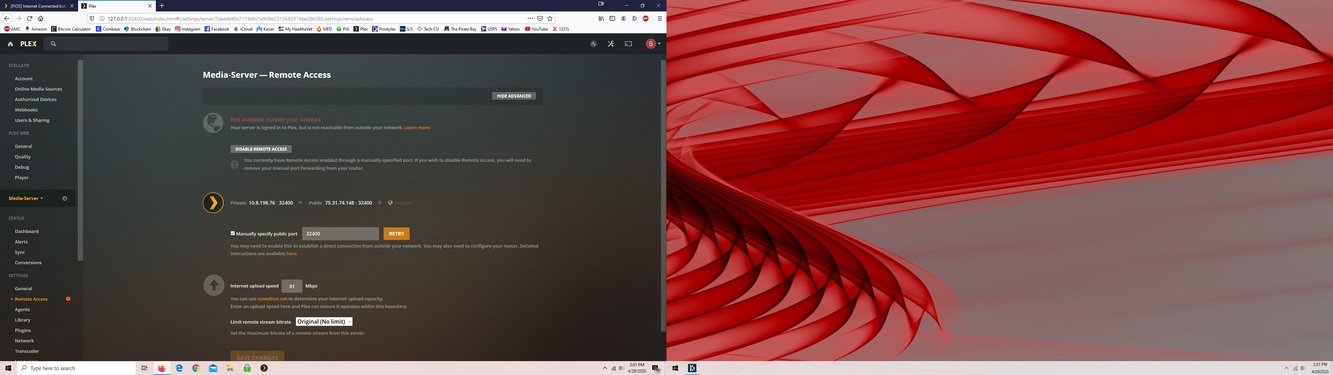
Thank you for your recent replay I have attached a copy of my Plex remote access settings page showing my ip address and the ports that I have opened on my router. As you can see both are set properly however, I still get the red light. Any ideas on why??
I don’t see your port settings so I can’t tell if it was done correctly or not. You’ll need to provide the image from the port forwarding page of your router.
There were two causes for the Remote Access availability status getting lost:
A regression in early 1.19.2 betas was fixed in 1.19.2.2737,
Timeouts during TLS dialogue exchange when doing a connectivity test. This is awaiting a change to the timeout period on the back-end plex.tv systems that do the remote access connection testing.
A Plex Media Server log with verbose logging enabled and covering the time when a connectivity test is done would confirm if the issue is down to the timeout problem