I too, am having this problem. All was working well yesterday.
I can access the server with the web app via the local IP address but not via the internet.
Secure Connection is set to Preferred, Remote Access is enabled and functioning.
I was just watching something via Plex an hour ago, and now nothing can connect, unless I connect directly. Even disabled secure connections… Nada…
But no outage reported on the status page.
What gives?
I appear to be having the same issue now as well. Working fine last night. This morning the server is only accessible by the mobile app on local network. Browser and desktop app do not work on local network. Browser and mobile app both work on a remote network.
plex.direct DNS issues.
Also on https://status.plex.tv/ as of a couple minutes ago.
Hello, I seem to be having the original issue. I am getting error specifically pertaining to certificates. can access it locally as well as from older player versions but all other avenues state it is unable to connect securely
Looks like I’m having the same issue - can you please reset my cert?
Plex Media Server Logs_2021-07-19_01-58-22.zip (4.9 MB)
Im having the same issue. Works:
- Through browser via local ip
- Through browser using my external ip:32400
doesnt: - via app.plex.tv
- via plex app on tv…
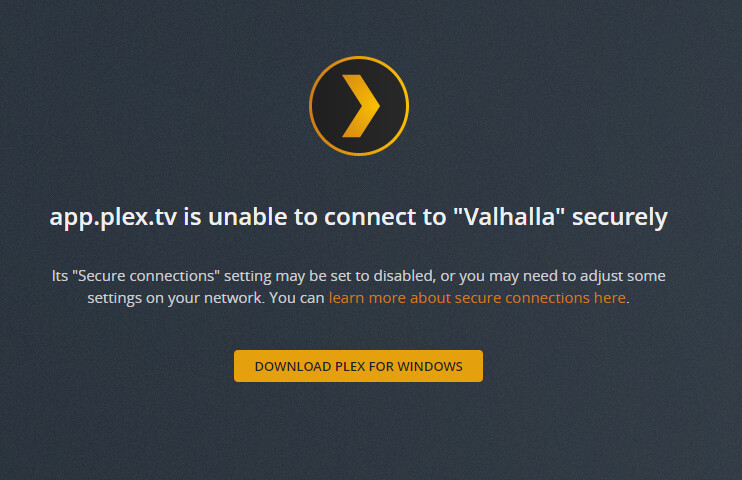
when trying to access getting the error"app.plex.tv is unable to connect to “raspberrypi” securely"
was working fine up till earlier today…
After scrolling through this section it seems that the problem is not on my end, could i get cert rr as well?
@scavangeris Wait for DNS issues to be resolved. See https://status.plex.tv/ for updates.
Sure thing, cheers.
Hi I am having the same issue my web will not work says cant connect secure but can browse to my private address. Can you please reset my cert on your end?
Hello, I have the same issue. Web app is not working, it says “app.plex.tv can’t connect to the server securly”, but I can access plex on other devices (phone or tablet). Could you please help me to solve this problem (reset the ceritification, etc.)? Many thanks!
Got the same issue too! Was in the middle of migrating plex into docker and this popped up.
Would appreciate a certificate reset.
I believe I am having this issue as well. Would I also be able to get my certs reset?
I too am having this issue. Server shows it is accessible from remotely but says that it cant connect securely.
I belive I have the same problem, I could not access through browser, but I could access it remotely via smartphone or tablet, can you reset the certificate
My web app access just came back online. Hoping the issue is fixed. Thank you Plex. 
Same issue as everyone else. Cannot connect via plex.tv but working on Roku and via external IP.
I, too, am hitting this issue. I can access my media through my phone and iPad but not Chrome on a laptop. I’m out of town, but I walked my spouse through how to reboot the server and he tried that. He also installed a server update, but no luck. Issue seems to have started last night, or maybe this morning? I’ll keep an eye on the status page about DNS resolution but if a reset of my cert would help, I’d appreciate it!
If you could please reset my cert as well.
Version 1.23.5.4801
I am able to use the Plex desktop app, and the mobile app when on LAN access. I was also able to confirm the server is accessible off network with my friend being able to play media from their house. When I turn my wifi off on my phone I am unable to access plex, and any time I use the web app - I am unable to access plex.
Going to Https://IP:32400/web did work though. When I try to download logs from the troubleshooting tab I get this error, so unfortunately I wont be able to attach the logs:

Would someone be able to reset my cert as well. I am now seeing this issue starting today and it appears to be the same issue. Any help would be greatly appreciated
