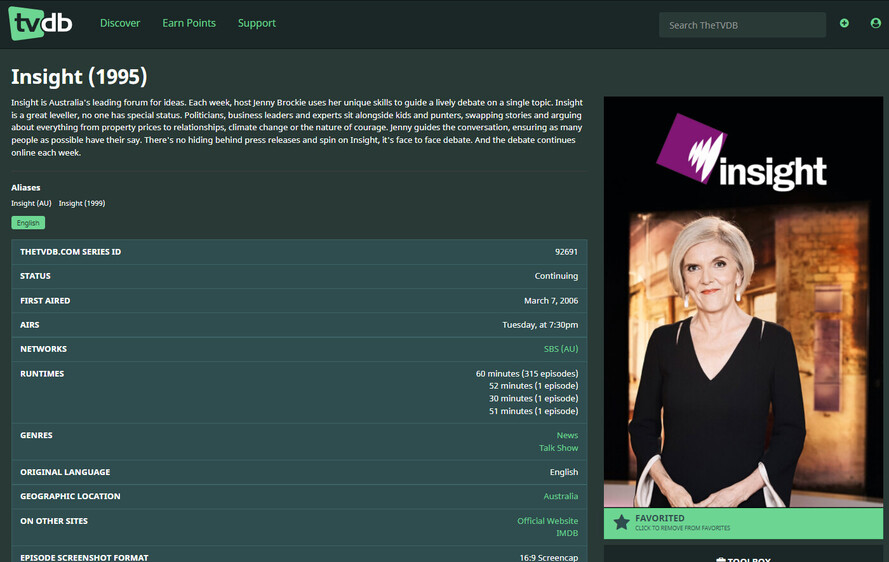
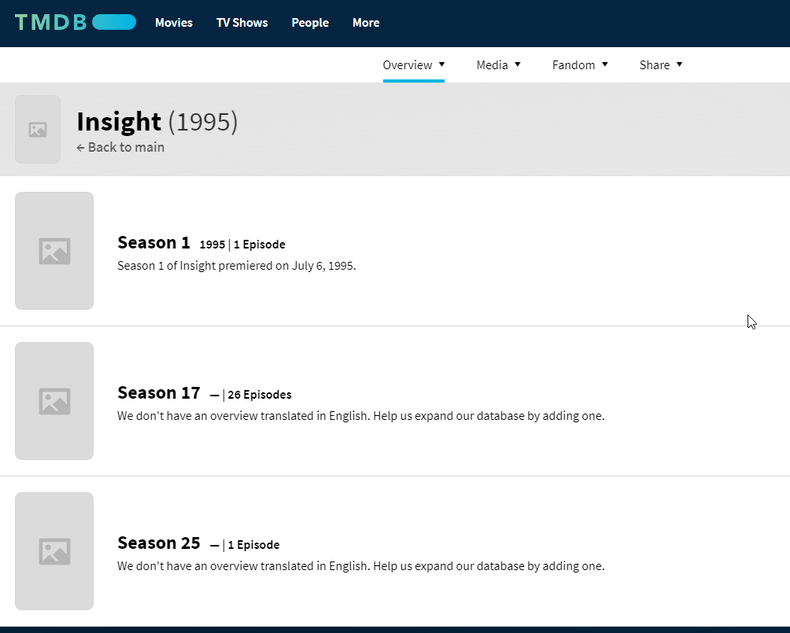
You’ll see in my discussion above that we agreed that this was the correct show on tmdb, even though it has no info - and then I linked to it from tvdb. (Apparently this has since been changed back to the Portuguese show).
Just a thought, is there any reason for it to be on themoviedb at all? I maintain the page on tvdb every week, and nobody is maintaining it on moviedb, so what’s the point of having a page over there if it’s just causing issues?
I would say yes. TMDB is not just for movies. I actually use it as my primary source for TV now. Can’t stand the massive spoiler summaries and overviews at TVDB
I take your point, but if nobody is maintaining it on TMDB and for some reason it is overriding the well-maintained content on TVDB, then maybe it should go, at least for the purposes of the Plex indexing.
Also, if that’s correct (which I think it is) then the other show on TMDB is wrong as it links. As the new scanner uses a consolidation of data from multiple sources they will cause issues. I’m happy to fix the TMDB as I stated above but want want to be sure this time
I suspect when all the links from TMDB to TVDB and TVDB to TMDB goto the right same records it’ll sort itself out in plex but will let @drzoidberg33 confirm my assessment here.
Okay, I have made my change on TVDB. Waiting on the changes at TMDB’s end and hopefully that will do the trick. It seems better to me that the blank record be used because at least we know that there is no faulty data in it.
@drzoidberg33@FordGuy61 let me summarise what we done here and you can correct us if you disagree.
@vvw1970 added a link on tvdb https://thetvdb.com/series/insight-1999 to tmdb https://www.themoviedb.org/tv/36640-insight-au which will link the show.
@anon5074910 then removed external id links from the TMDB entry https://www.themoviedb.org/tv/6559-insight and added them to this TMDB entry https://www.themoviedb.org/tv/36640-insight-au. I also added some basic information to this entry like the correct poster, background and overview but stopped at adding any episode information.
@anon5074910 also created a duplicate report to get 6559 removed https://www.themoviedb.org/tv/6559-insight/discuss/621b501cbbcae0001b60c15b.
Hope this meets with your approval but if not let us know and we can correct.
@vvw1970 it’ll take 24/48 hours for these changes to creep their way into the plex system so lets keep an eye on this in the coming days and see if it sorts it out.
@vvw1970 the folks over at TMDB have decided to delete this entry https://www.themoviedb.org/tv/36640-insight-au and keep https://www.themoviedb.org/tv/6559-insight so I’d suggest you update the show over at TVDB to link to this TMDB entry.
Okay, some progress has been made in that it seems that the matching for the show is working - to a point. It looks to me that when I match it now, I get the poster and title from the TVDB, but the metadata info for show description and episode information is coming from TMDB.
It looks to me that Plex is having a problem prioritising which data to display at the server end. As TMDB is not being maintained for this show, and TVDB is, is there a way to request that the TVDB episode guide takes precedence in Plex’s results?
Pages on each site are:
FYI, I have done a bit of checking on the starting year of the show and it looks like 1995 was probably the correct year, so I have opted to change it over on TVDB.
I don’t remember if this was brought up in here, but the new Plex TV Series agent uses TheMovieDB by default for choosing the metadata. You have 2 options for changing this. The first being at the library level and the second being at the show level.
If all other shows in your library are working OK then you might want to keep it as is. If you use TheTVDB for naming your files, then you should definitely be safe to make the change at the library level. Otherwise, if you want to just keep the library default just to make sure you don’t mess up other shows, then you can make the change at the library level to avoid that.
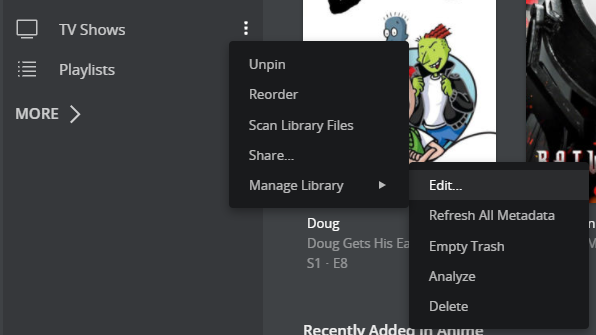
To change the setting at the library level, in the left menu bar hover over the library name then click on the 3 vertical dots, hover over Manage Library then click on the “Edit…” option.
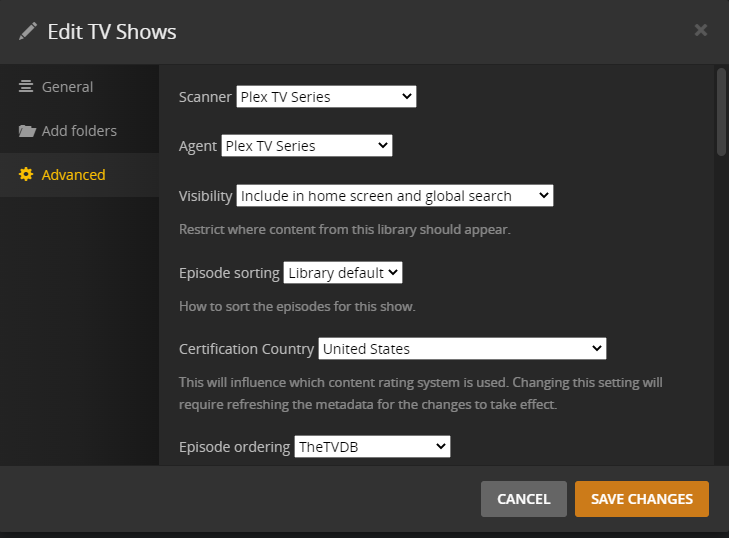
In the modal that opens, click on Advanced then near the bottom of the main section you’ll see Episode ordering. Click the drop down and then change it to the opposite of what is currently selected (TheMovieDB is the default so you would change it to TheTVDB).
To do it from the TV show level, it’s pretty much the same thing, except you would click on the pencil icon (either on the series level poster or on the series page). The same steps are then followed from the edit modal that opens to go to Advanced then change the Episode ordering in the drop down.
After you do that, you should refresh the metadata for that series (or for all series in the case of changing it at the library level).
@shark2k That is actually brilliant, and it has solved my problem. Not having had to worry about the advanced library settings much before, I hadn’t realised I could do this.