Server Version#: 1.32.1.6999
My Apple devices lost connectivity to DSM 7.1 and I decided to do a clean install by deleting the Plex and PlexMediaServer users and uninstalling the old version of Plex.
I am unable to get the above version to claim a server. These are the attempts I have made:
- Normal install (claiming the server after the fact) seems to hang and times out
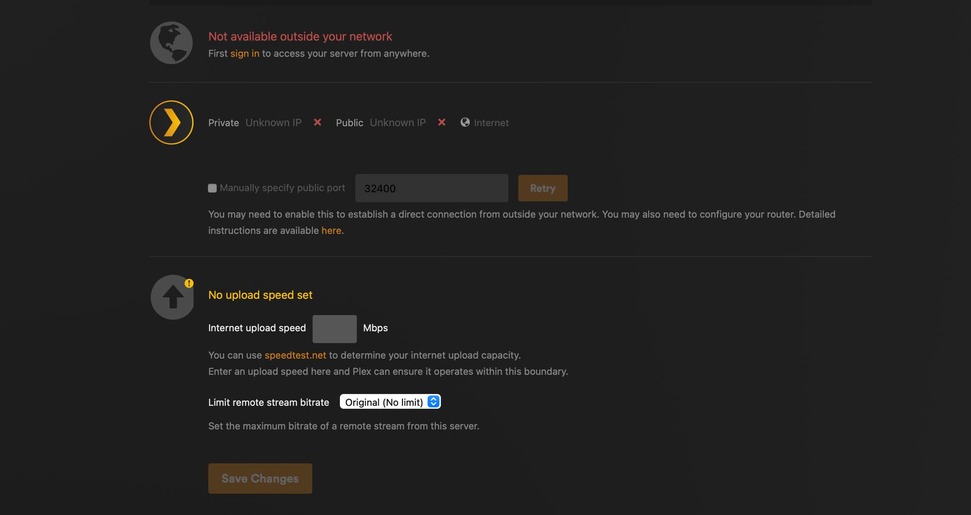
- Claiming a server for new/lost servers works but the claimed server is not recognized after the fact. I was after multiple tries able to get the setrver listed but the setting page still claims I need to sign in and claim a server.
I have a double NAT at home with a Netgear router connected to an AT&T DSL modem. Port 32400 is forwarded all the way through and the server used to work flawlessly before.

PlexMediaServer has full control. over the PlexmediaServer partition and read/write permission over media folders.
The inner WiFi router has a static IP address for internal access in the 10.0.X.X range and the DSL modem has a port 32400 forwarded from the only device accessing it, namely the router) WiFi on the DSM modem is turned off. The inner router has forwarding of port 32400 from internal address to its WAN port.
I tried the procedure in Synology plex claim - #4 by clockard by clearing cookies and it flashed an error saying that signing into the plex server failed.
