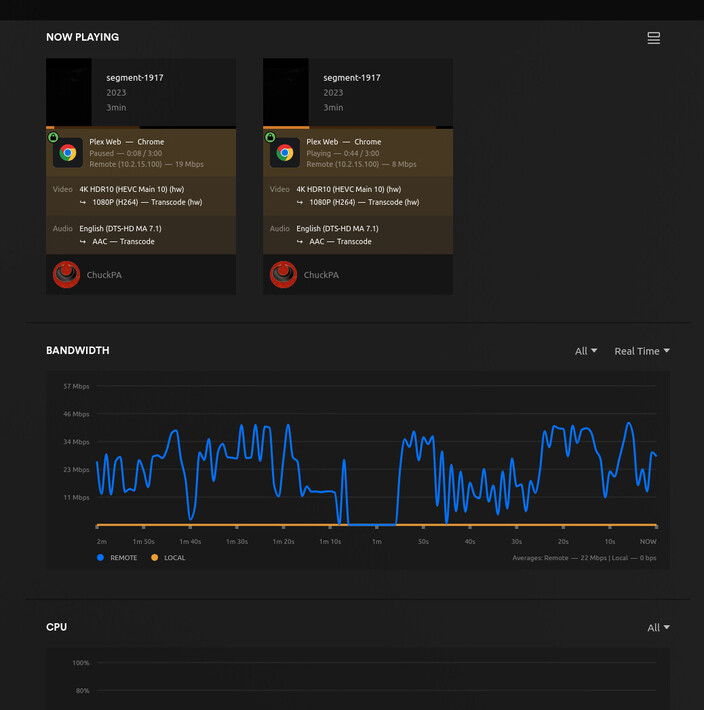
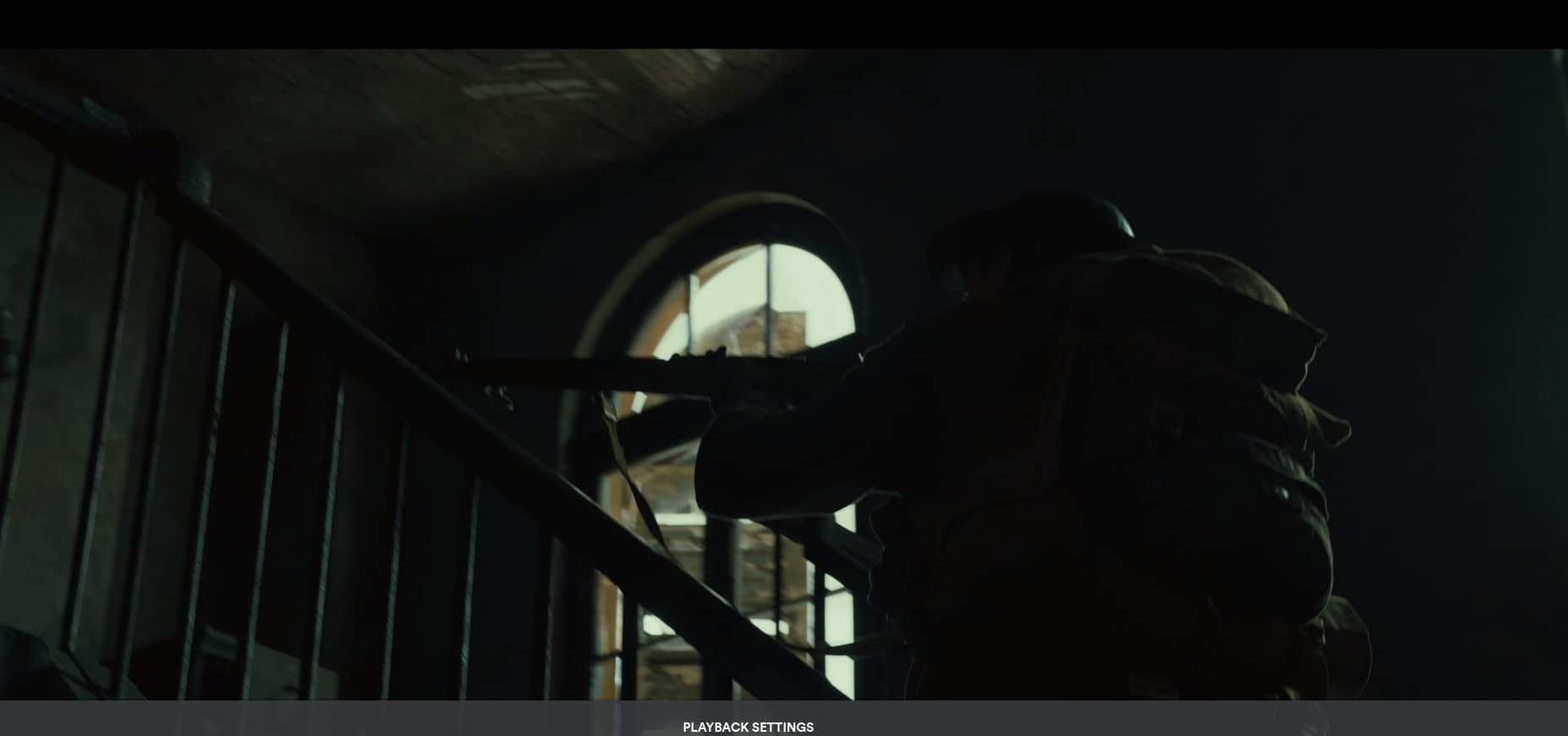
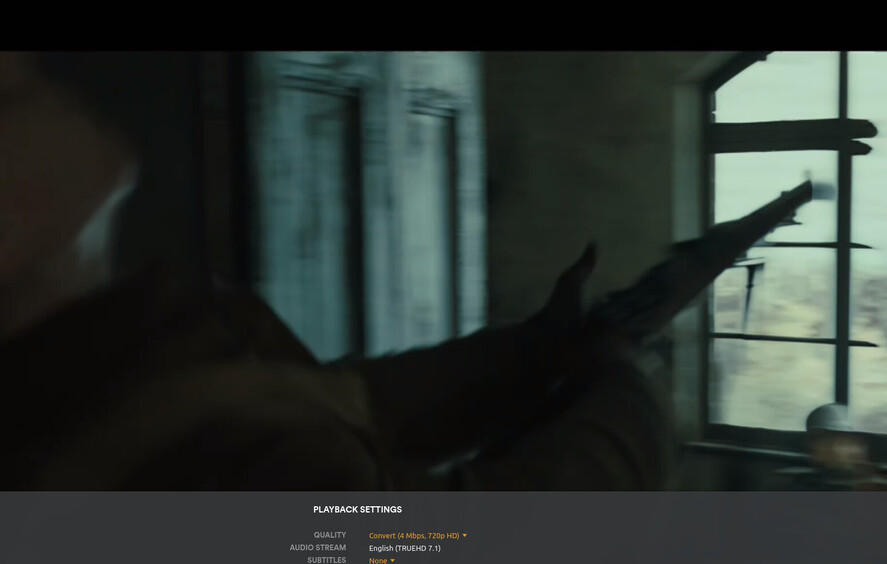
1917 - 1:05:00 > 1:07:00 for the sample - x265 / HEVC transcoding with an 8~ mbps average file. Grab someone from the team with a Samsung TV and have them test with subtitles enabled and observe the quality.
Since we’ve already confirmed this issue does not occur on older gen hardware with QSV, or at all with NVENC, I can’t imagine this being related to bad input data as we already have a confirmed working state.
Here’s the cut directly from my BluRay. It is a 4 minute clip from my ISO for your testing use. It starts where your clip starts. It ends after he opens the door the second time.
I question the media because the geometry is a screen capture. There’s no way of knowing what happened in that capture
– Geometry is not 1920x1080 – so we know it’s been ‘cooked’.
[chuck@lizum testfiles.2014]$ mediainfo rozzly-testfile-1.mkv
General
Unique ID                                : 62917659918188089099303869527599530762 (0x2F55802284E9E690AEB20C9CBFEEC30A)
Complete name                            : rozzly-testfile-1.mkv
Format                                   : Matroska
Format version                           : Version 4
File size                                : 15.4 MiB
Duration                                 : 41 s 752 ms
Overall bit rate                         : 3 097 kb/s
Movie name                               : 1917
Encoded date                             : UTC 2023-04-22 20:05:07
Writing application                      : mkvmerge v75.0.0 ('Goliath') 64-bit
Writing library                          : libebml v1.4.4 + libmatroska v1.7.1

Video
ID                                       : 1
Format                                   : HEVC
Format/Info                              : High Efficiency Video Coding
Format profile                           : Main 10@L4@Main
Codec ID                                 : V_MPEGH/ISO/HEVC
Duration                                 : 41 s 459 ms
Bit rate                                 : 2 554 kb/s
Width                                    : 1 920 pixels
Height                                   : 804 pixels
Display aspect ratio                     : 2.40:1
Frame rate mode                          : Constant
Frame rate                               : 23.976 (23976/1000) FPS
Original frame rate                      : 23.976 (24000/1001) FPS
Color space                              : YUV
Chroma subsampling                       : 4:2:0
Bit depth                                : 10 bits
Bits/(Pixel*Frame)                       : 0.069
Stream size                              : 12.6 MiB (82%)
Writing library                          : x265 3.2+23-52135ffd9bcd:[Windows][GCC 9.2.0][64 bit] 10bit
Encoding settings                        : cpuid=1111039 / frame-threads=3 / numa-pools=8 / wpp / no-pmode / no-pme / no-psnr / no-ssim / log-level=2 / input-csp=1 / input-res=1920x804 / interlace=0 / total-frames=171144 / level-idc=0 / high-tier=1 / uhd-bd=0 / ref=4 / no-allow-non-conformance / no-repeat-headers / annexb / no-aud / no-hrd / info / hash=0 / no-temporal-layers / open-gop / min-keyint=23 / keyint=250 / gop-lookahead=0 / bframes=8 / b-adapt=2 / b-pyramid / bframe-bias=0 / rc-lookahead=25 / lookahead-slices=4 / scenecut=40 / hist-scenecut=0 / radl=0 / no-splice / no-intra-refresh / ctu=64 / min-cu-size=8 / rect / no-amp / max-tu-size=32 / tu-inter-depth=1 / tu-intra-depth=1 / limit-tu=0 / rdoq-level=2 / dynamic-rd=0.00 / no-ssim-rd / signhide / no-tskip / nr-intra=0 / nr-inter=0 / no-constrained-intra / strong-intra-smoothing / max-merge=3 / limit-refs=3 / limit-modes / me=3 / subme=3 / merange=57 / temporal-mvp / no-frame-dup / no-hme / weightp / no-weightb / no-analyze-src-pics / deblock=0:0 / no-sao / no-sao-non-deblock / rd=4 / selective-sao=0 / no-early-skip / rskip / no-fast-intra / no-tskip-fast / no-cu-lossless / no-b-intra / no-splitrd-skip / rdpenalty=0 / psy-rd=2.00 / psy-rdoq=1.00 / no-rd-refine / no-lossless / cbqpoffs=0 / crqpoffs=0 / rc=crf / crf=18.0 / qcomp=0.60 / qpstep=4 / stats-write=0 / stats-read=0 / ipratio=1.40 / pbratio=1.30 / aq-mode=3 / aq-strength=1.00 / cutree / zone-count=0 / no-strict-cbr / qg-size=32 / no-rc-grain / qpmax=69 / qpmin=0 / no-const-vbv / sar=0 / overscan=0 / videoformat=5 / range=0 / colorprim=2 / transfer=2 / colormatrix=2 / chromaloc=0 / display-window=0 / cll=0,0 / min-luma=0 / max-luma=1023 / log2-max-poc-lsb=8 / vui-timing-info / vui-hrd-info / slices=1 / no-opt-qp-pps / no-opt-ref-list-length-pps / no-multi-pass-opt-rps / scenecut-bias=0.05 / hist-threshold=0.01 / no-opt-cu-delta-qp / aq-motion / no-hdr / no-hdr-opt / no-dhdr10-opt / no-idr-recovery-sei / analysis-reuse-level=5 / scale-factor=0 / refine-intra=0 / refine-inter=0 / refine-mv=1 / refine-ctu-distortion=0 / no-limit-sao / ctu-info=0 / no-lowpass-dct / refine-analysis-type=0 / copy-pic=1 / max-ausize-factor=1.0 / no-dynamic-refine / no-single-sei / no-hevc-aq / no-svt / no-field / qp-adaptation-range=1.00 / no-scenecut-aware-qp
Default                                  : Yes
Forced                                   : No

Audio
ID                                       : 2
Format                                   : AAC LC
Format/Info                              : Advanced Audio Codec Low Complexity
Codec ID                                 : A_AAC-2
Duration                                 : 41 s 706 ms
Bit rate                                 : 557 kb/s
Channel(s)                               : 8 channels
Channel layout                           : C L R Ls Rs Lb Rb LFE
Sampling rate                            : 48.0 kHz
Frame rate                               : 46.875 FPS (1024 SPF)
Compression mode                         : Lossy
Delay relative to video                  : 46 ms
Stream size                              : 2.77 MiB (18%)
Language                                 : English
Default                                  : Yes
Forced                                   : No

Text
ID                                       : 3
Format                                   : VobSub
Muxing mode                              : zlib
Codec ID                                 : S_VOBSUB
Codec ID/Info                            : Picture based subtitle format used on DVDs
Bit rate                                 : 0 b/s
Count of elements                        : 0
Stream size                              : 0.00 Byte (0%)
Language                                 : English
Default                                  : No
Forced                                   : No

Menu
00:00:00.000                             : en:Chapter 12
I just finished transferring this to our AV1 machine and playing with QSV
at 8 Mbps on both Plex/web, Nvidia Shield, and LG TV. NO artifacts or aberrations of any kind
[chuck@glockner testfiles.2008]$  mediainfo segment-1917.mkv
General
Unique ID                                : 201703643683035802032401224571758202035 (0x97BEB56F13272F920B114A58638E4CB3)
Complete name                            : segment-1917.mkv
Format                                   : Matroska
Format version                           : Version 4
File size                                : 1.97 GiB
Duration                                 : 4 min 0 s
Overall bit rate mode                    : Variable
Overall bit rate                         : 70.4 Mb/s
Movie name                               : 1917
Writing application                      : Lavf58.29.100
Writing library                          : Lavf58.29.100
ErrorDetectionType                       : Per level 1

Video
ID                                       : 1
ID in the original source medium         : 4113 (0x1011)
Format                                   : HEVC
Format/Info                              : High Efficiency Video Coding
Format profile                           : Main 10@L5.1@High
HDR format                               : SMPTE ST 2094 App 4, Version 1, HDR10+ Profile B compatible
Codec ID                                 : V_MPEGH/ISO/HEVC
Duration                                 : 4 min 0 s
Bit rate                                 : 76.4 Mb/s
Width                                    : 3 840 pixels
Height                                   : 2 160 pixels
Display aspect ratio                     : 16:9
Frame rate mode                          : Variable
Frame rate                               : 712.832 FPS
Original frame rate                      : 23.976 (24000/1001) FPS
Color space                              : YUV
Chroma subsampling                       : 4:2:0 (Type 2)
Bit depth                                : 10 bits
Bits/(Pixel*Frame)                       : 0.013
Stream size                              : 63.5 GiB
Language                                 : English
Default                                  : No
Forced                                   : No
Color range                              : Limited
Color primaries                          : BT.2020
Transfer characteristics                 : PQ
Matrix coefficients                      : BT.2020 non-constant
Mastering display color primaries        : Display P3
Mastering display luminance              : min: 0.0001 cd/m2, max: 1000 cd/m2
Maximum Content Light Level              : 1000 cd/m2
Maximum Frame-Average Light Level        : 168 cd/m2
Original source medium                   : Blu-ray

Audio
ID                                       : 2
ID in the original source medium         : 4352 (0x1100)
Format                                   : MLP FBA 16-ch
Format/Info                              : Meridian Lossless Packing FBA with 16-channel presentation
Commercial name                          : Dolby TrueHD with Dolby Atmos
Codec ID                                 : A_TRUEHD
Duration                                 : 3 min 59 s
Bit rate mode                            : Variable
Bit rate                                 : 3 810 kb/s
Maximum bit rate                         : 7 158 kb/s
Channel(s)                               : 8 channels
Channel layout                           : L R C LFE Ls Rs Lb Rb
Sampling rate                            : 48.0 kHz
Frame rate                               : 1 200.000 FPS (40 SPF)
Bit depth                                : 24 bits
Compression mode                         : Lossless
Delay relative to video                  : -393 ms
Stream size                              : 3.17 GiB
Title                                    : Surround 7.1
Language                                 : English
Default                                  : Yes
Forced                                   : No
Original source medium                   : Blu-ray
Number of dynamic objects                : 11
Bed channel count                        : 1 channel
Bed channel configuration                : LFE

Text
ID                                       : 3
ID in the original source medium         : 4768 (0x12A0)
Format                                   : PGS
Codec ID                                 : S_HDMV/PGS
Codec ID/Info                            : Picture based subtitle format used on BDs/HD-DVDs
Duration                                 : 3 min 57 s
Bit rate                                 : 28.4 kb/s
Count of elements                        : 2234
Stream size                              : 21.5 MiB (1%)
Language                                 : English
Default                                  : No
Forced                                   : No
Original source medium                   : Blu-ray

Menu
00:00:00.000                             : :Chapter 12
00:01:34.281                             : :Chapter 13


[chuck@glockner testfiles.2008]$
I feel it’s necessary to reiterate this… Regardless of the “input quality” of these video files, the fact that they transcode without quality issues on the previous generation CPUs with UHD 630 or equivalent indicates there is a problem of some kind, either with the driver or transcoding libraries. If I take Rozzly’s sample file and put it on my i5-10400 machine with a UHD 630, the file transcodes fine. Same with my own files that I have trouble with.
I understand this seems to be a edge case… Maybe people are not noticing or don’t care enough, don’t use transcoding because their hardware supports directplay/stream… Maybe there aren’t enough people on this newer generation hardware, or they just don’t bother to speak up. But to chalk this up to “your video quality is bad” is just dismissive when we can clearly see the quality is fine on previous generation hardware.
The LG app would not start for me. It goes to sign in and then hangs forever.
The Shield plays flawlessly
web plays flawlessly
I think the LG app went toes up on me. It worked last week but now does not get to the main menu (even after reinstall). It’s useless the instant I sign in.
Right, UHD 630 is older gen hardware that does not experience these issues, so these results are to be expected. This needs to be tested on 13th gen hardware with the UHD 770 through QSV.
You should be able to reproduce the results with the sample provided in the web player, but not through other players, such as your nvidia shield or LG TV. This is what I am trying to confirm.
I don’t know what i might have been drinking but I still can’t reproduce it on our RaptorLake on Web or Nvidia. As for the LG, it’s a lost cause at this point to me. I can’t reliably test with it until I know what happened. (Monday)
I know this has already been mentioned - This issue relates to lower bitrate content and how the quality is presented in the web player. We’ve already confirmed the issue doesn’t exist with the LG colors of vision sample file. Your provided content isn’t the issue here.
I need you to take the sample I provided, produce the results in the web player, and confirm working order through other players such as the nvidia shield and/or LG TV app.
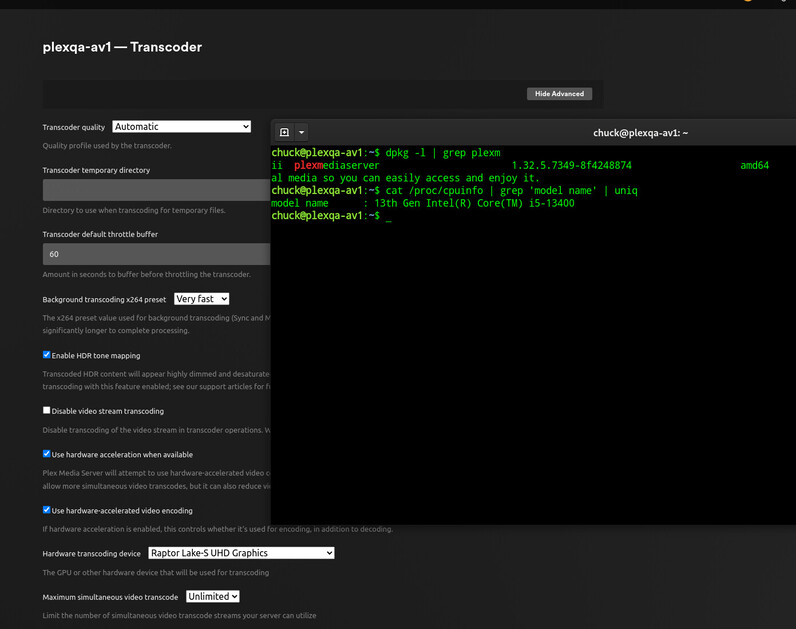
Major thing to note here Chuck, your raptorlake is running a UHD730, not the UHD770 that rozzly and I have issues with.
The 770 has 2 “Multi-Format Codec Engines” while the 730 only has 1. Not sure if that is part of the issue or not.
Also odd note here, but my UHD770 on an i5-13500 shows as “AlderLake-S GT1”.
Could you do me a favor and run “dmesg | grep i915” and post the output from your machine?