It’s got all the episodes in the right order, but instead of titles it says what disc they’re from. Image 1 is how they appear in the PMP, image 2 is the files names.
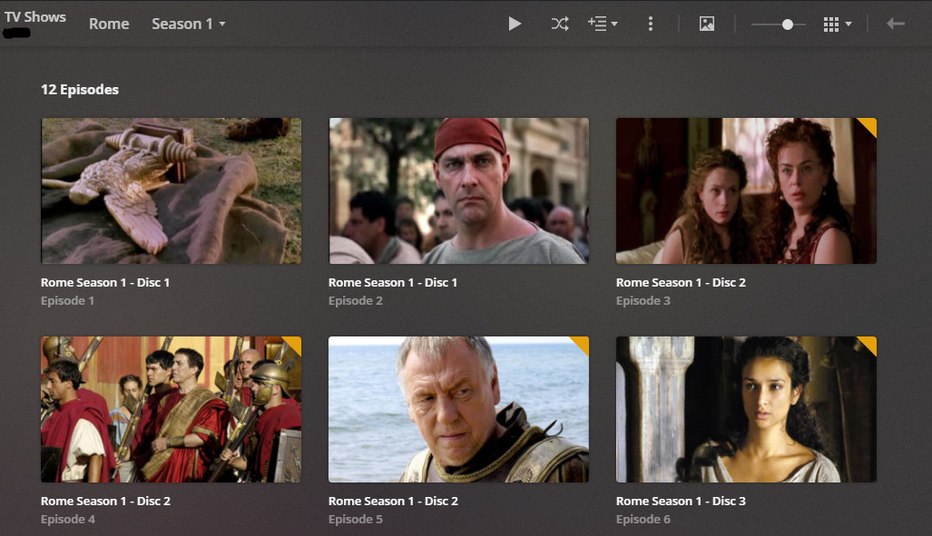

You have embedded ‘Title’ meta tags in your files. You can thank your ripper or video compressor software for that.
Go to
- Settings - Server - Agents - Shows - TheTVDB
In there, grab the line ‘Local Media Assets’ with your mouse and drag it downwards, so it ends up being at the bottom of the stack of active agents.
Repeat the same under
- Settings - Server - Agents - Shows - TheMovieDatabase
- Settings - Server - Agents - Movies - Plex Movie
- Settings - Server - Agents - Movies - TheMovieDatabase
Afterwards, Refresh Metadata for the whole show.
P.S. this naming schema will break down really soon for you.
- no sub-folder per episode
- the file name of the episode should be like https://support.plex.tv/articles/naming-and-organizing-your-tv-show-files/
I recommend you to use 2-digit episode and season numbers, unless you have more than 99 episodes within the season. Or the show has been organized with 4-digit season numbers.
Perfect. Thank you
