Server Version#: 1.24.2.4973
Player Version#: Same problem on iPads, Web Player, Shield TV
Synology Version#: DSM 6.2.4-25556
I have been running this Plex Server and many different players without major problems until today. But now my library has suddenly disappeared with any client I try; just gone without a trace. The web player at http://mynas.lan:32400/ doesn’t show any of the libraries anymore. The NAS doesn’t show up on the web player. Same on the iPad client which lists the server but claims isn’t online. Neither client shows server functions or settings.
I checked the obvious stuff:
The underlying files are still there
I haven’t reconfigured anything recently.
I’m running DSM 6 to avoid the issues with DSM7/Plex.
The various logs show no significant errors or warnings.
The non-Plex part of the server works fine.
I have not changed the permissions/owner on anything recently.
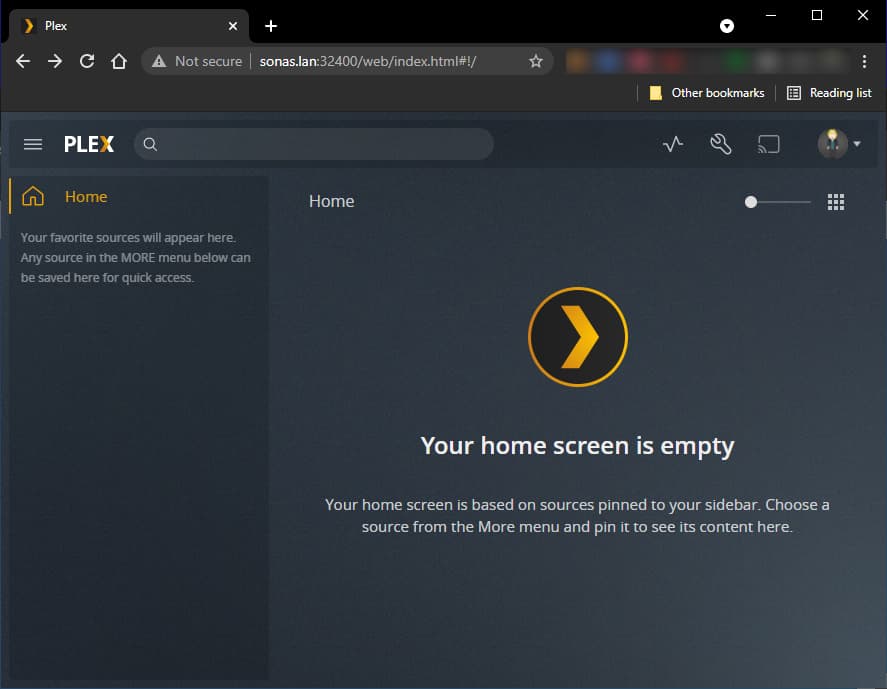
I did that, but it appears not to have made any difference. It is almost as if the Plex Server (even though it is running) is dead. For example, that is what some of the screens look like when I access it local 32400 port:
I’ve followed up to step 6. However at that point, I cannot find any option to claim a server.
Even after deleting Preferences.xml, restarting the server, and logging back in, I get the same reduced menus I screenshotted above and no option to claim the server.
Here you are. Logs.zip (4.1 MB)
Hope you can find something!
After so much help here and hours using my UN*X skills to figure out what is going, I’m seriously consider just reinstalling Plex (perhaps after upgrading to DSM 7).
The only thing I am worried about losing are my defined collections and played status for media files. Are they stored somewhere separate, so I can save and copy back those files?
Ok, I did the ethernet bonding, uninstalled Plex, deleted the Plex folder, upgraded to DSM 7, and installed the latest available version of Plex for DSM7.
Still no joy. If I go to http://sonas.lan:32400/web , I get Not Authorized. If I go to https://app.plex.tv/desktop/#!/ , I get a Plex screen, but no trace of my server. If I launch Plex on my iPad, I get no libraries, but at least I can see the server listed; even so I cannot open the server.
The Plex system internal user has r/w access to the “Plex Media Server” share and r/o to all my media shares.
you cannot use a NAME in the URL to get started. You must use the LAN IP address.
There is one exception – When you install using the Plex Claim Token method.
Sep 12, 2021 18:44:40.344 [0x7f61b5b4cb38] DEBUG - Completed: [127.0.0.1:48964] 200 GET / (2 live) GZIP 1ms 2143 bytes
Sep 12, 2021 18:44:40.359 [0x7f61b5b6fb38] DEBUG - Request came in with unrecognized domain / IP 'sonas.lan' in header Host; treating as non-local
Sep 12, 2021 18:44:40.360 [0x7f61b5477b38] DEBUG - Request: [192.168.86.51:12288 (Subnet)] GET /web (2 live) GZIP
PMS is protecting itself because it doesn’t know if this is a valid url.
LAN IP is the guaranteed way to know you are on the same LAN (local) and owner.
Almost. I just discounted it as in over 30 years on the net I’ve never seen a FQDN correctly resolve to the IP address, but not work just as well as the IP address.
First time for everything. Now I’ve gotten further than before and expect a few days of re-indexing. Will let you know if that doesn’t work out.