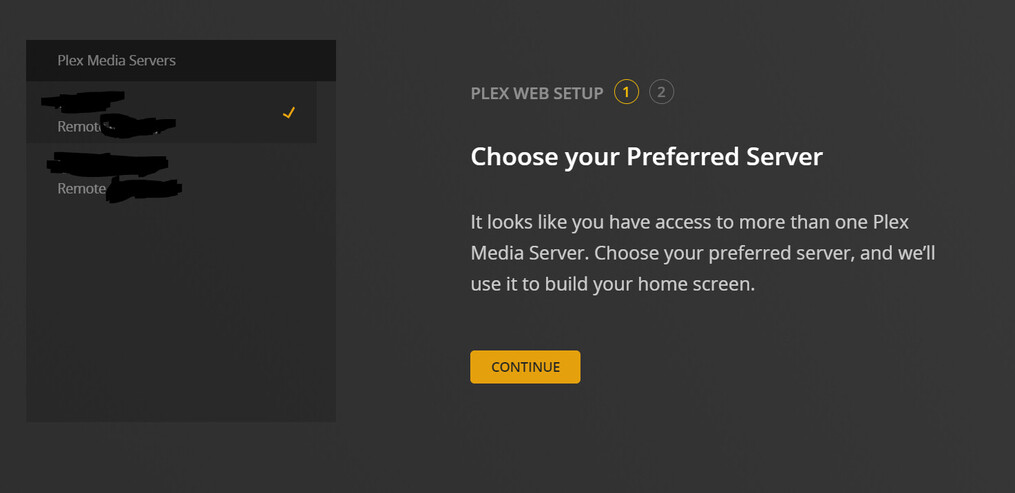
Hello Everyone, I’ve got a bizarre situation where I’ve lost my server, but everyone else can still see it. Clicking on the Plex app on my Synology usually takes me straight to my server, but now it’s trying to start me from scratch with “Client-Setup.” And it’s my admin email and username… What’s odd is I have the Plex app on my iPhone, iPad & Apple TV, and all 3 have the same username and password and are logging straight into my server. I’ve confirmed everyone it’s shared with can still see it as well. What’s going on??
That should be the same as manually browsing to http://[syno IP address]:32400/web – you can easily bookmark that… no need to open it from within DSM. As a side note… why not simply bookmark the link to the hosted web app?
Would you mind elaborating what you mean by that? Maybe a screenshot?
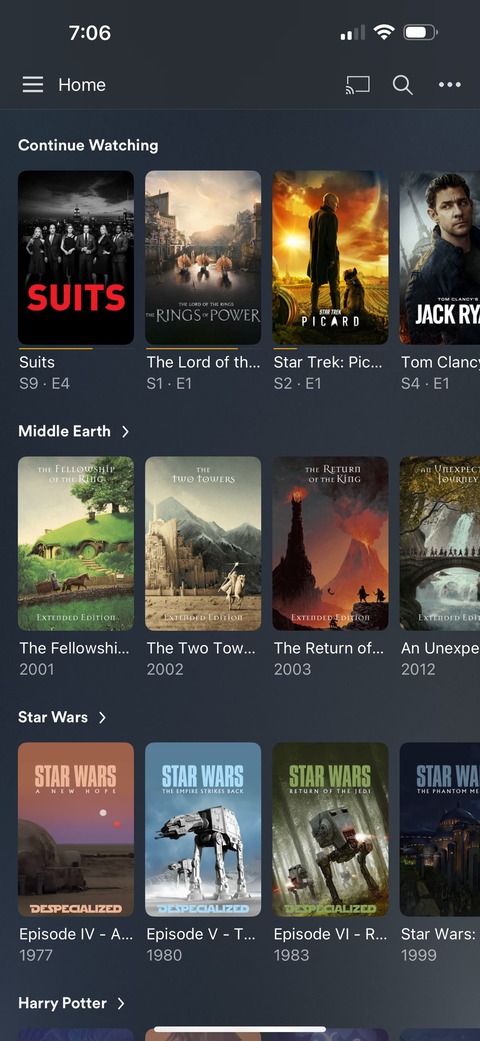
Looks to me like your web-app (plex.app.tv) client somehow got set to no pinned sources. Without anything pinned to the homepage, the home section has nothing to display.
In your second screenshot where you see access to your libraries:
(Movies and Music, in server A)
(Movies - Baby, Movies Family, etc etc in server B)
Point at the library you want easy access to, and click the triple dot that appears on the right side of the name. Choose the “Pin” option.
Could be your browser cookies got cleared. Every client (web, ios, android, tv, etc) has their own homepage settings, and your browser just has none right now.
Your lost server is still connected to your Plex account. That’s where all the clients are fetching the list of servers to show from.
Just remove it from there. https://app.plex.tv/desktop/#!/settings/devices/pms
Ok - I did have a server I initially created when I first got into Plex that I lost and I ended up creating a brand new one. I just clicked on your link and it was still connected to my account so I removed it. And now I only see my main server! So that seems like progress. When I click to my Home Screen now it still doesn’t show me my library. When I click that link it says it’s been 7 days since I visited my main server. Now what do I do?
It means that it’s been 7 days since this server had contact to plex.tv.
For now, stop and restart Plex server, then let it sit for a while. Ensure that it has internet connectivity.
Sounds good. I went into synology nas and clicked “stop” running server. I waited 20 minutes before booting back up and it’s still not identifying the server when I go to app.tv or through my IP. I went ahead down the procedure of being locked out and in my Prefernces.xml I don’t see PlexOnlineHome as a entry - is that normal? Also, when it says highlight and delete that “entry” it means delete the title and it’s contents, right? Example: PlexOnlineMail="my@email.com" it means delete that whole entry? Just triple checking.
Updating…the locked out of server procedure worked so that I at least can now see my server! I’m currently trying to claim it but the button to “Claim Server” might as well be a dead link as it’s not doing anything. Any idea why that may be happening?
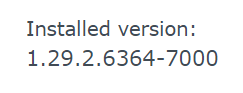
This is the current installed version: I’ve gotten burned by installing new updates before so I haven’t updated in awhile. Should I update to the newest non-beta version from September 23rd?
I see this when I navigate to plex from my Synology plex app.
But when I click claim server it “appears” to be loading and then doesn’t do anything at all. I’ve tried multiple times. I have express VPN and when I’m connected it actually seems like the button is getting clicked and like it’s trying to do something. when I’m not connected to express VPN the link might as well be 100% dead.
Disconnect it and leave it disconnected until PMS is working.
FYI: Plex Media Server remote access will not work when ExpressVPN is running on the Synology. ExpressVPN on Synolgy does not support Split Tunneling, so Plex cannot bypass the VPN. It also does not support port forwarding, so you cannot forward Plex remote access through the VPN tunnel.
This can indicate Plex Media Server cannot communicate with the registration hosts at plex.tv.
This tests that the NAS can communicate to the Internet and that DNS is working:
Login to Synology DSM.
Control Panel → Regional Options → Time tab
Verify the Time Zone is correct.
Synchronize the NAS with a NTP server
If successful, you will see a “successfully synchronized with …” message below the Update Now button.
If successful:
Uninstall Plex Media Server.
When prompted, choose the “Uninstall Only” (first) option.
Re-install the same version of Plex Media Server.
Use the Plex Claim Token option.
If successful, you will see a “Successfully claimed by [e-mail address]” message
Using a private/incognito browser window, from a system on the same network as the NAS, login using the IP address, http://syno_ip_address:32400/web.
You should find the system claimed, be able to access server settings, be able to configure libraries, etc.
ExpressVPN is only on my windows PC/machine, not on my Synology. Do I still need it off for the entirety of the above steps? Also for some weird reason plex.tv/claim won’t generate a code when I’m not connected to expressVPN on my PC. When I am connected it easily generates a code?
Fast forward 5 minutes. I realized my error. For anyone running ubiquiti networks…I updated my firewall recently to prevent traffic from foreign countries. ultimately that was causing some significant issues. Hence the reason I wasn’t even able to get a claim token unless connected to my VPN.
Officially, my server has been reclaimed and back to where it was a week ago. Thank you to those who were helping me walk through my own errors.