Hello,
When I open my (admin) plex it doesnt show any server nor libraries. There arent any option to add library it only states to get a PMS. Even when I open plex from the QNAP app it shows the same thing.
The strange thing is that if I change profiles to one of my kids, everything is fine, libraries are there. If I open plex on my phone, with my admin profile, everything is there.
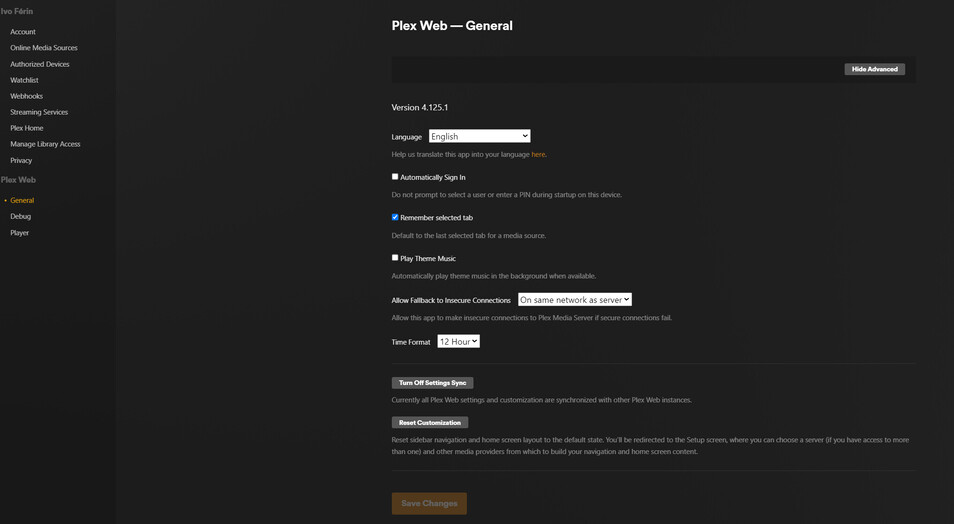
My settings are like this:
What gives??
thanks
Server Version#:latest
Player Version#:latest
somehow, the server got signed out from your account.
- Close all tabs
- Open an incognito window
- In that Window, open your NAS
- Now claim it again.
No good. It happens exactly the same. My admin is empty, my kids are fine.
@nznznznz
Your server hasn’t been seen by Plex.tv in 6 days. That’s where the problem lies.
DNS lookups? Something trivial.
Im sorry, I make a DND lookup on the PMS PC or NAS?
Check your network settings on the QNAP.
Make certain they point to the IP address of your modem router.
I changed DNS server and PMS showed up on admin profile, as all settings options. What seems to be wrong is that its again pointing to a PMS server on my local PC and I want to use the PMS on the NAS (which is not showing up on settings this time, even when launched from NAS PMS).
I ask you for advice going a few steps back. currently on my PC I have a PMS installed and Plex app. Should I delete the local PMS? How do I reconnect my original PMS and its database to my account?
They are both pointing to my media located on the NAS.
Thanks!
I think we need to backup here and sort through this:
You left out some important details which are only now becoming obvious.
Please tell me where I’m incorrect, and, what you want to do.
-
You have two servers
– One on PC
– One on QNAP
-
It seems you have a PC server which your children are currently using?
-
Your account is not using / not able to interact with that PC server ?
-
You want to move everything, Yourself and Children, to the QNAP server
– AND –
-
You want to ensure you retain all the play history / currently on the PC server ?
Secondary to this, You are using a Plex Desktop (Windows) app ?
Or are you using the normal Plex/web browser app ?
- You have two servers
– One on PC Correct, when I had that other issue you helped me sort out a few days ago with the libraries having disappeared only to find out I had installed PMS local pc and was rebuilding libraries on that one. I removed PMS local server and everything was fine until yesterday and I installed it (again) unwittingly trying to figure out this latest issue.
– One on QNAP Correct
- It seems you have a PC server which your children are currently using? No, all profiles were on the QNAP PMS
- Your account is not using / not able to interact with that PC server ? No, Its not interacting with the QNAP PMS
- You want to move everything, Yourself and Children, to the QNAP server. Yes
– AND –
- You want to ensure you retain all the play history / currently on the PC server ? Ideally. but its not a deal breaker
Secondary to this, You are using a Plex Desktop (Windows) app ? Yes although its the same with PMS PC, and I dont (want) use it…
Or are you using the normal Plex/web browser app ? Thats what I normally used.
Interestingly the new PMS local pc has all the play history from the QNAP PMS.
I dont understand why QNAP PMS, when launched pulls up the local PC PMS.
Another thing, how can I confirm what database (where is it stored) is it really being used? Could I getting all this wrong and its actually the QNAP PMS being used?
The only 2 tips I have to be using “another” database is that a couple of libraries are missing 2 of 5, (they were present in my original QNAP PMS) and the server name on settings.
Here’s what I find: ( I’m being cryptic for your privacy )
-
Server “IVO”
– Exists on the QNAP
– Has 5 library sections
– Shared to 2 user accounts ( S***, and R*** )
– LAST SEEN by Plex.tv 6 days ago
-
Server “VNT”
– Exists on Windows
– Has 5 library sections
– Is not sharing to anyone
– LAST SEEN by Plex.tv 2 hours ago
(as I write this)
To figure out what’s happening,
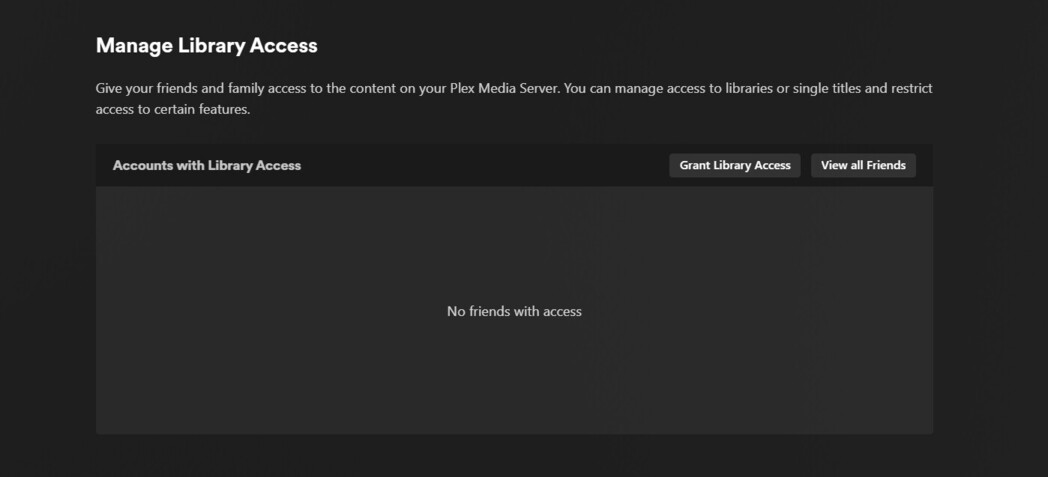
Plex/web → Settings → (left corner) Manage Library Access
Now you can see who has access to what.
Yes Ive added the remaining libraries last night.
Triggering a plex web it shows this:
And zero friends.
How do I get back to QNAP version? Why is QNAP PMS launch using the local VNT?
Are you signed into the right Plex account??
I can see that two other accounts are shared with the server but you show none?
I’m getting the same thing can’t see my files and can’t add any files, even deleted the server and now cant even create a new one!
Yes Im signed in on plex.tv, it also triggers the VNT server.
What accounts? The kids profiles?

Another fun detail, when I open one of the kids profiles it shows my original QNAP library name, like “Soundz”
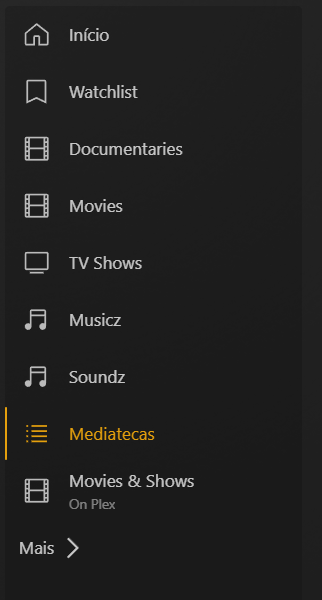
The other kid profile is the same, including another “Musicz” library from the original QNAP PMS.
The kids profiles are showing the correct server…

WTF? lol
It seems like you somehow took your access away from the QNAP?
Do you have a Plex Home ? Did you accidentally leave it or join something else sharing with you?
I think thats a yes. I actually just made 2 age limited profiles for my kids. My admin has a pin security. But all this was made like 2y ago.
How do I get out of this mess?
You have both a 192.168.x.x and a 10.x.x.x network.
The QNAP checked in using 10.x.x.x to Plex.tv
Your PC is running on a 192.168.x.x network.
Which one should the QNAP be using?
(PMS does not split well across multiple networks)
Can the QNAP get updates from the internet ?
I think so. All downloads I trigger within plex app, even on the screen of “install a PMS”.
But surprise surprise, Ive launched Plex from system tray icon and today it shows both servers.

WTF?
I wont touch it until you give instructions how to proceed. How do I solve this? I want IVO PARTY only.
thank you!