Server Version#: latest beta
Player Version#: latest beta Nvidia Shield
Tuner Make/Model: hdhomerun connects, Primes
Guide/Lineup name: Frontier FIOS Tampa
For the past couple days I’ve noticed the server has magically added channels to the live TV Guide that don’t exist in my source. These channels are blocked out in the hdhomerun and don’t show up in the scan as shown in the pictures but yet they’re showing up in the live TV Guide. When you try to select a channel they will error out. @cire12 don’t know if you’re still running point on this?
Just got home from work and so I checked my backup server, which is an Nvidia Shield and it has an hdhomerun on it as well. It doesn’t have that issue so I’m slowly deleting tuners from the primary server to see if it clears up and doing a guide refresh each time (as that automatically happens). I’ll report back!
It’s going to require a full DVR live TV delete and redo. But I’d like to send logs to someone before doing that so it gets fixed, who wants to take this on?
Found the issue, all the channels on the HD homerun Primes lost there epg data for Frontier FIOS Tampa. If I delete each tuner and re-add them it gets back its EPG Data. That’s probably what’s causing the server to be wonky. … testing
So it turned out to just be one tuner that lost its EPG information. This must be a glitch in the Plex coding or something. It’s tuner ending an IP address 37 which was the top tuner. If you take a look at the first image at the top of the first post you can see tuner 37 has no epg information but then when I re-added the tuner now take a look at the new image it now says Frontier FIOS Tampa.
So I figured out the problem. And it’s not fixable on my end it something Plex has to fix. When going under the EPG Channel section the channel numbers are missing which has already been stated by multiple users. What’s happening is in my case the system is not mapping them correctly because of this. Example Disney Channel in Spanish is channel 1729 but yet the system does not know how to map this because it’s missing the channel numbers so it’s mapping it to Channel 120 which is a standard definition version of it. When I go and try to manually change this it does not let me, it automatically switches it back to where Channel 120 would be. Since I no longer pay for these channels they don’t load. The solution would be to re-implement the channel numbers on the E P G mapping information which I’m not sure why it’s missing to begin with. So now I have to guess what 75 channels are causing this issue out of my 400. This is going to be a fun night with six tuners to fix.
Rolled back to 1.22.3.4392 as I needed channel numbers for mapping. After rolling back I did a guide refresh and it instantly corrected itself. Just had to map the connects to the cable channel numbers 8-13.
This is actually an old bug that has resurfaced. If your cable system has multiple mapped duplicate channels, it shows the wrong ones and wont play them.
Hi @KeanenW you can follow it here, but they just acknowledged it so the fix is unlikely for a while. I’m testing a “fix” now of just removing all standard definition channels from the hdhomerun.
Hello yeah I just took off all the standard definition channels and it’s been pretty stable. Also had to remove Spanish channels, example CNN in Spanish was Channel 1551 and English was was Channel 71 so I just removed Channel 1551 for now. I still have one or two stragglers that don’t make any sense and won’t tune. For the most part though it works pretty well. They already fixed the web portion(plex.tv) of it and brought back Channel numbers when setting up tuners. Now they just need to update the server to do the same and I think we’ll be good. I’m thinking another week or two and they should have it ready.
I tried removing all SD and even DRM channels and while I can see the guide, it will not ‘tune’ in channels. Going back and hoping it’s resolved in a couple of weeks. thanks.
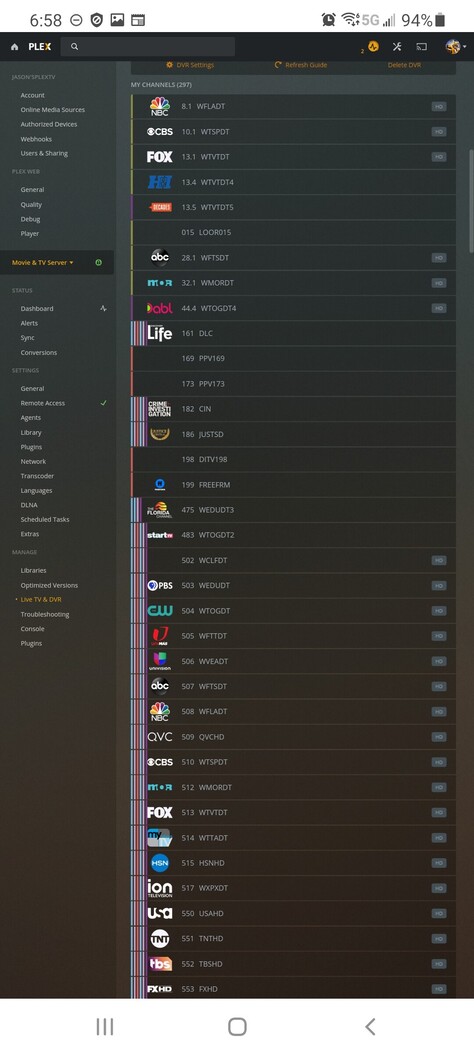
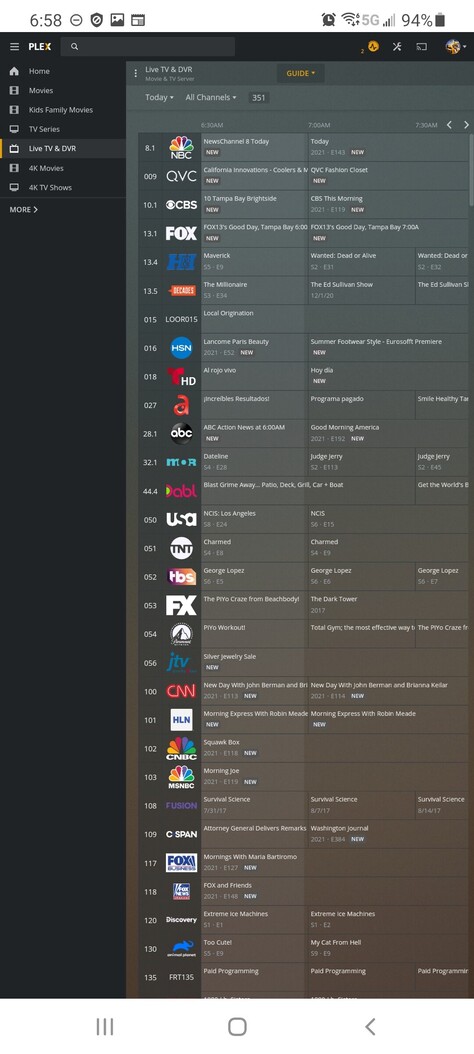


 Waiting for this to be resolved.