Server Version#: 1.18.9.2571-e106a8a91
Tuner Make/Model: TVButler 100TC
I have a TV tuner TVButler 100TC that is connected to a NAS Synology DS214play. On the NAS is running PLEX Server vers. 1.18.9.2571-e106a8a91.
On the Plex.tv website, TVButler 100TC is mentioned as a compatible device that can be used for live TV service (Europe - DVB-C/DVB-T/DVB-T2) connected to a NAS.
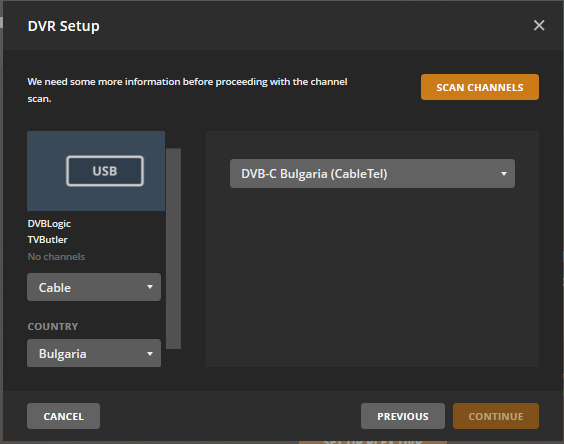
I live in Romania and my TVButler 100TC is connected to my cable service provider Digi. In order to install the Plex Live Tv service, I access the DVR setup section of Plex Server. It shows that it detects 1 device USB - DVBLogic TVButler. I select Cable, country: Romania and then Scan Channels. It shows that it tries to find channels but no TV channel is found.
I tried to select another country, Antenna instead of Cable but still no channel is found.
I mention that the TVButler is working in the same configuration, TVButler connected to Synology DS214play, with TVMosaic app installed on the NAS.
I received answer from TVButler’s technical support: " Seems Plex has wrong transponder list, you will need to ask Plex support how to change the transponder list, or scan full range."
Hello ? Plex Team? At least an “It is not working” answer just to know will do.
So it is possible to change the transponder list or to give the possibility for a full range scan fro Romania?
My cable provider is not NextGen. It is RCS RDS Digi. This is why my tuner does not detects any channels. Is there any possibility to have acces to a full scan range?
I am not interested in scanning OTA Terrestrial channels, but I tried all three options from DVR setup but not channel is found.
I have a xmltv file for local channels, I checked the section FAQ related to DVR-live-tv, but I can not get to that step in the setup with “Have an XMLTV program guide on your server? Click here to use that instead”. I tried scanning for channels for Cable-Romania, for Antenna-Romania but the message I get is “No channels found. Make sure your device has a signal …”. The button Continue is not activated.
Any other workaround to make it work? It would be nice to have only one software (Plex server) for watching movies, live tv and DVR, of course with a Plex Pass subscription
Does the tuner find the OTA Terrestrial channels when using other software on the Synology NAS to scan channels and antenna option selected for the tuner ?
My goal is to to use TV Butler tuner with my cable subscription from my present provider Digi RcS RDS. I use TVMosaic and when I perform a full range scan, the software finds the cable channels. What I want to do is to perform the same full range scan for cable with Plex Server
I did not use TV Mosaic for scanning OTA Terrestrial channels.
My goal is to establish if the Plex interface to the tuner on the Synology is working. If OTA channels do get scanned ok, then we know the issue is just being the cable provider frequencies not being covered
I wrote in the message from yesterday that I followed the steps from your XMLTV guide (the link you mentioned) and I get to step 4. “Select your tuner and Continue on”. The problem is that the “Continue” button is inactive, I can not proceed to the next step.
And I am in Romania (not Bulgaria) and i do not know if the scanning process is the same for Romania and Bulgaria
Need to get scan channels to work with the tuner - at the moment you say it is finding no channels. You need to click Scan Channels. Then select Scan All channels in Europe (full range) from the 3 in the drop down and then click on Scan Channels again.
When this finishes and it should take a number of minutes to go through each frequency - if no channels are found on terrestrial then we need to establish if the tuner does actually work with antenna
So I want a test with the antenna option on the synology to scan channels using software other than Plex - to show that it is only Plex that is failing and there is not a general issue with the tuner and the Synology NAS
select “Cable” - country: “Romania” => no channels found
select “Antenna” - country “Romania” - “DVB-T/T2 Europe Full Frequency range” => no channels found
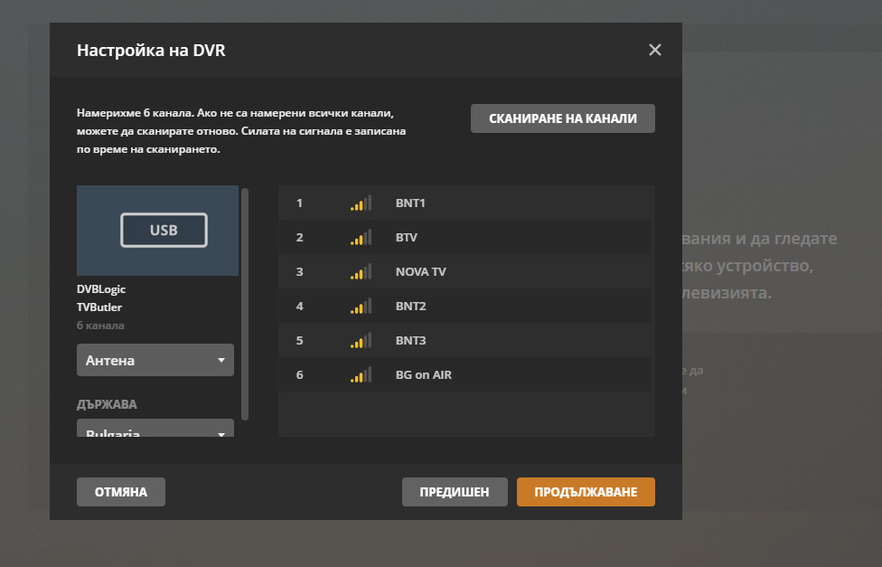
Interesting thing is that I select “Cable” - country “Bulgaria” or “Ukraine”, Plex is showing that it finds some of my channels. Not all my channels, but a part of them (each time other channels), I recognize them after their names.
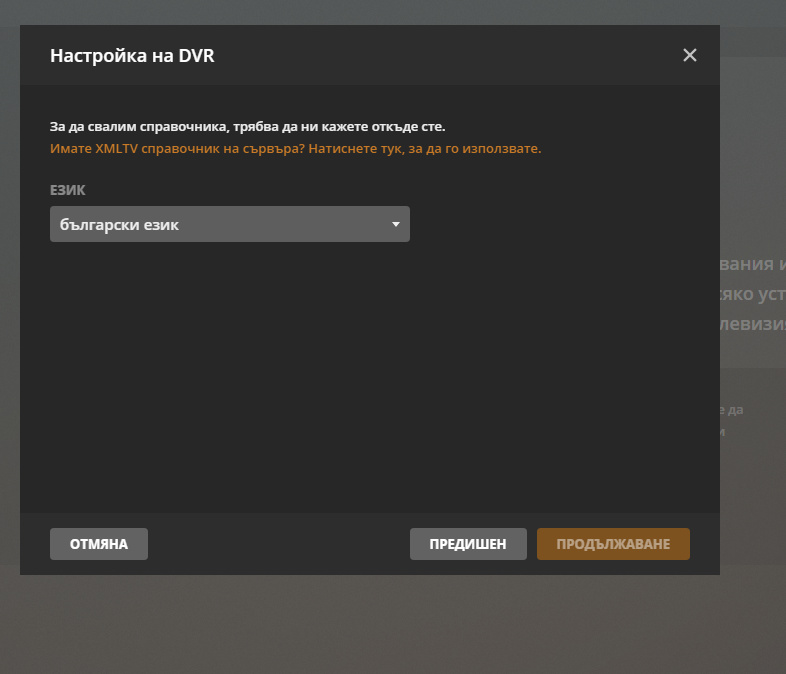
At this point “Continue” is activated. I click continue and in the following screen I click “Have an XMLTV guide on your server? click here to use that instead”.
It appear 3 fields to fill-in:
Language - I select Romanian (I tried also with English)
Guide Title - anything can be filled-in
XMLTV Guide - here it shows that I must fill the path to the XMLTV guide.
I fill in the path from Plex server installed on Synology NAS : “/volume2/Plex/Library/Application Support/Plex Media Server/cinemagia.ro.E.channels.xml”
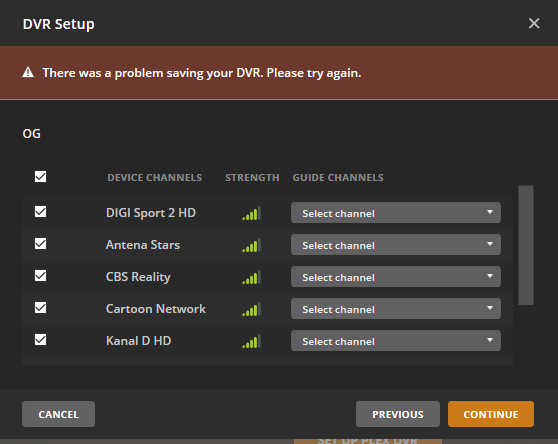
I click Continue, it appears for few seconds “Loading channel mapping” and after that it appears DVR Setup screen with three columns: Device Channels, Strenght, Guide Channels.
I select all found channels, I try to select for each of them a value from Gude Channels but the drop-down list for each channel shows only “Select channel”.
I press Continue and I get the message “There was a problem saving your DVR. Please try again”.
What gets displayed when click on the dropdown for “Select channel” - do you not see channels from the xmltv guide to select and map to the channel from the tuner that is on the left side ?
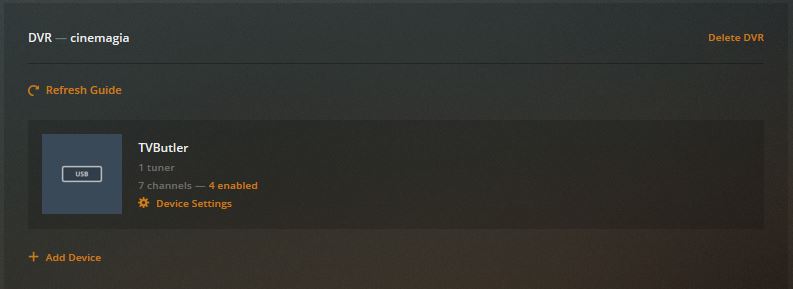
I repeated the procedure and now, for the set of channels the scanning for Bulagria find, I was able to associate their names and to click the Continue button.