Server Version#: 9
Player Version#: 8.29.0.30433
Everything was fine yesterday, however PLEX is now only showing 89 shows out of 1,196 located on my NAS (Unraid) I’ve re scanned the library files, restarted, remounted the NAS with no luck. what can I do to fix as I don’t want to loose my data?
I did, no duplicates. Everything was fine and all my shows were showing up yesterday. I didn’t make any changes to anything (files included) and suddenly most of them are not listed in Plex (but the files are there)
Okay. Thx.
Can you give us info on which folder(s) are scanned base folders of your library plus an example of how folders of a single missing show look like?
If that doesn’t give away any hints, then only logs with a Plex ninja looking at them can help.
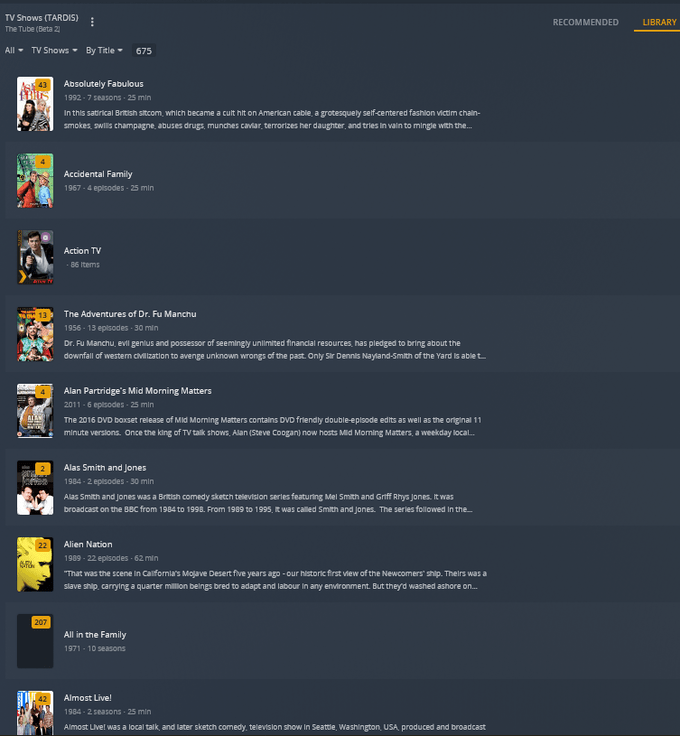
Here’s 2 screen shots of my folder structure and my Plex inventory. As you can see SEVERAL shows have been missing since Thursday (It didn’t even recognize All in the Family) Again I have made NO changes what so ever to any of the files, folder structure, etc. It just all of a sudden removed listing with no explanation (and the media is still intact)I have re-scanned countless times with nothing new getting picked up. I put over a year of work on this metadata and don’t want to loose my effort.
While “Action TV” looks like a smart collection, “All in the family” isn’t either matched or does not look like it’s a regular TV show of yours.
Cannot say for sure because your data folder image doesn’t show that.
Have a look at random episodes’ file names and paths - if this is some other TV show (or a “collection” of different falsely mapped TV shows.
One other thought… each library and each smart collection has a feature to hide the TV show if it is part of a collection. Check all smart and classic collections and check the library setting.