Madagascar 3. I have seen this posted numerous times in the forums dating back 5 years. I see a lot of speculation that the file is incomplete, whatever. All the threads are locked, and there were no solutions posted that I have found.
I have been running PLEX for about 4 or 5 years now. I have had Madagascar 3 in every file library, and ever library folder (I have 9 categories for movies) has at least one copy. As I delete them they invariably re-appear. I have found incomplete files (3 in the past year) all were correctly labeled. Madagascar is the wild card.
Meanwhile I don’t like the direction PLEX is going, following int he footsteps of Obamaflix…: I mean… Netflix with TV and channels. I just want to stream my movies to my TV without outside interventions. I also turned off auto updates on the server, because I liked it better before so disabled that before it gets any worse. Any suggestions to alternatives to PLEX? I am not an Apple man, so no appleTV for me please.
Another problem I have is outside this topic is foreigh films and niche films not being added to the library, the latest was Hypnotisören, a Norwegian film. I have created an “other” folder that works, where I put any internet videos, and the mini-series Rellik which is not recognized by plex.
So starting a new thread for Madagascar III, here we go, maybe there will be answers after 5 years.
Server Version#: 4.12.3
Player Version#: 6.6.8.6594…
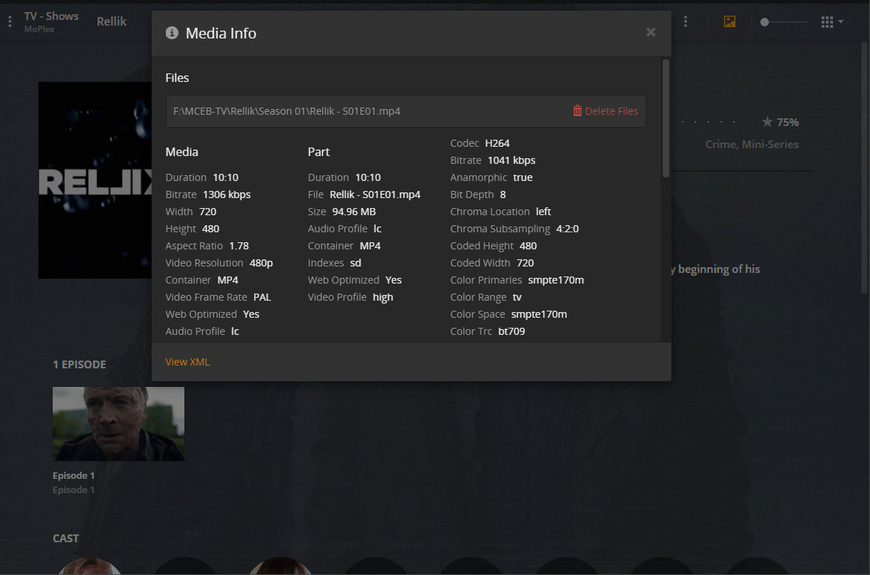
Look at the Plex media info.
It shows the actual path and file name which has been recognized as “Madagascar”.
AFAIR it always has to do with the habit of downloading/ripping directly into a folder which has been added to a Plex library.
Avoid doing that.
Prepare the files first in a separate folder location which cannot be “seen” by Plex.
Only when the file is complete, has been renamed according to the naming guides and is formatted as desired, copy it into the destination folder.
You will have to explain what AFAIR is, I am not familiar with that. I rip to one folder, then encode to my library folder with (preferred) handbrake. I realize that PLEX recognizes it as Madagascar, I will try encoding to completion to a folder completely away from PLEX and then copying it to Plex library.
However, I will point out also that I cannot see how this will help since it is seemingly random. I can have a perfectly intact library (this morning I now have once again, no instances of Madagascar 3) but given time it will invariably appear even though all the files are correctly labeled right now. I have not seen any particlar pattern, no rhyme nor reason to it so far.
The length of the movie doesn’t seem to matter, that is one attribute.
I do this every week, clean up my libraries and trash automatically. Sometimes I go in and do a more thorough or manual job… I have also seen this across three new windows installations, which I would imagine starts off with a clean slate.
Also I have rebuilt my library from scratch more times than I care to count. I lost my server about 3 months ago, and had to reinstall from scratch. I have seen Madagascar 3 pop up with each iteration. The instance of madagascar 3 is sometimes a video file, sometimes it is nothing at all. I had for quite a while an instance of Madagascar 3 in my library, but no video file connected to it. I can’t verify that now, since I have rebuilt the library since. It’s a nuisance, but mostly a harmless one.
This doesn’t seem a workable solution.
Having purused blogs, forums, and technical supports for years on both sides, I was curious if there was an actual solution.
My jab at wanting a Plex alternative is also explainable. There is a lot of effort to update and add to Plex, but little to fix these little problems, not unique in the software business. ROKU has that purple screen that tells me I am “not authorised” to watch this video, from time to time. That has persisted since 2011.
It goes beyond my issues with plex, but you sound like one of the lucky ones. It’s an old issue
I have had Roku 2 and 3, and read many threads on this, no answers
Thanks for the non-answer. Like I said earlier on, I posted to see what would happen. It may even be possible I have purused technical support since before you were born.
“you have big problems you haven’t found or cured the issue”
The ‘unlucky’ aren’t doing something right and they don’t number in the millions… or millions of the unlucky would be here burning this forum and Roku INC to the ground.
Yes, do everything Otto says… of course, I never would have suspected to follow usual troubleshooting. what a novel idea. Did you see what I wrote? Where I said “yeah I did that” but in long form?
So helpful.
Meanwhile Huvudjägarner (1 hour 52 minutes) is now labeled “Madagascar 3” (1 hour 36 minutes). I have been free from Madagascar three for abou 6 hours. The last film (corrupted) was “Hypnotisären” 1 hour 56 minutes
I have changed the title, but I am not able to MANUALLY change anything else. I guess this will have to do for now.