Hey, I know the naming convention and folder structure all too well, and am used to it.
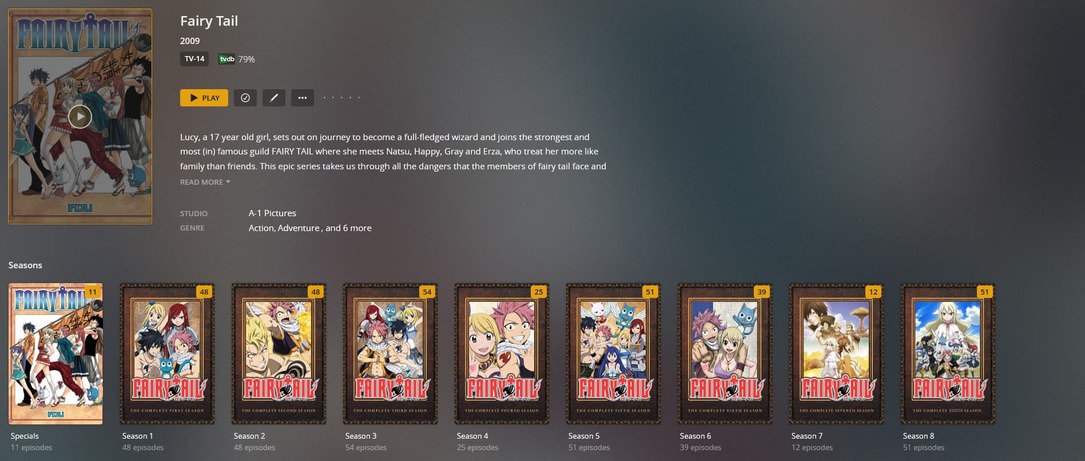
I am however bumping into an issue. For a tv show called “Fairy Tail”, i have all the Specials and seasons properly named and linked with TVDB. That’s all good and well, shows up just fine.
But i also have some DVD Extra’s, a folder with 28 shorts, folders named “Extra’s (2009)” and “Extra’s (2014)”, the episodes are just names as “Fairy Tail (2009) - NCED - 01” or “Fairy Tail (2014) - NCED - 01”.
I can’t get these folder’s to show up in any way in the TV Show, no matter where i place them.
I realize these don’t follow any naming convention, and cannot be linked to TVDB as they are not listed there. But i would like to be able to just like… Add a folder to a TV show manually or something ? Being able to play them on my TV would be nice …
Is there any way i can have these 2 folders with shorts show up somehow ?
PS: I also just noticed that if in plex i play S01E01, it actually starts playing the file “Fairy Tail (2009) - NCED - 01” instead :x (temporarely removed the Extra’s folders from the TVShow folder)
Thanks for the info, that’s not one i had seen before however..
When putting all the files under the folder " Fairty Tail\Featurettes" it made no difference.
They are still not detected or shown by Plex:
Alass, it has made no differerence in the Plex view, they still do not show up.
After some experimenting i could get them to show up by putting the 2009 Exta’s as S00E100+ and the 2014 Extra’s as S00E200+…
But this totally messes up the specials view, i don’t get why a a seperate folder such as Featurettes doesn’t show up.
The Plex view for this TV Show remains the same :x
Had those files previously been associated with an episode? IIRC you had mentioned something like this.
Try the following:
Move the Featurettes folder outside your library’s scope
Scan the library files for updates, empty trash and clean bundles for this library
Return the Featurettes folder to its designated place
Refresh the show’s metadata.
Bonus question: what agent are you using for your library? Only the Plex TV Series agent will detect those extras and treat them as such – the legacy agents don’t have that capability.
I am by default doing the “Plex Shuflle”, by moving the suggested files outside the “TV Shows” folder, and then pasting them back in the correct position. Alas without a positive result
“Featurettes” will still not show up in the Plex view, it remains unchanged.
The only “fix” i found so far is dropping them in an off the charts Specials S00Exxxxxx form.
But i would much prefer not to have to apply such an approach…
That post is 6 years old and hasn’t been correct in years.
Is there anything to the left of your file names? Your Screenshots seem to be cutting some part of the name away.
Would you mind sharing your server logs to see if those are showing what the issue might be?
Good idea ! I just did the “Plex Dance” for the whole TVShow.
Moved it out of the library, waited for plex to update and remove if from the view.
Then moved it back to the TVShows folder, again waiting for the server to finish scanning.
Alas, although the featurettes sequence is applied as suggested, the Plex View still only shows the Specials & the Seasons themselves.
Could it actually be so that extra stuff is only applied should you have a Plex Pass ?
Thanks already in advance for your help and advice, it is much appreciated !
Maybe Plex Web doesn’t show some of the “extras.” I think I only have trailers as extras and they show up in Plex Web. Perhaps you need an android or apple device to actually see the extras.
I’ll try to add a “featurette” to an existing series when I get a chance to see if I get the same results.
Added the Logs as requested, so far none of the above suggested solutions have had any effect :x @leelynds , I just checked on my Android TV, but it shows the exact same display as the Browser does.
Only shows Specials and Seasons :x
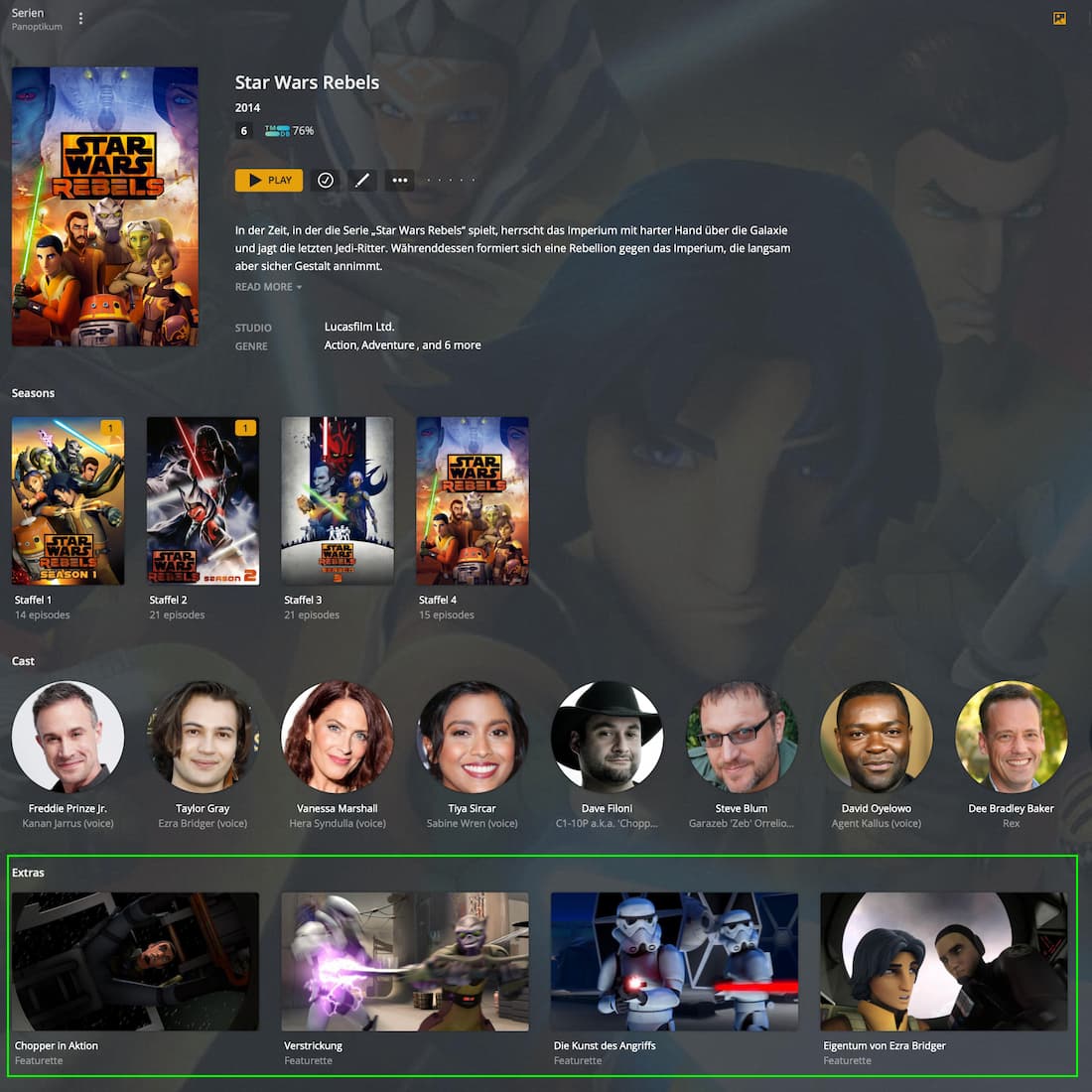
Nope, Featurettes are working fine.
I have some using the folder and some with inline naming which show alright in Plex Web (see example below; sorry… those are named in German)
So the extras are showing up alright for you?
The only issue I know of is that extras aren’t currently sorted alphabetically (or naturally) – which can be a bit annoying if you have a long list of extras…
Well, it picked up the Extra’s on the first go once i knew what to look for, but then after trying to add all the files to “Featurettes” it wouldn’t show up at all.
After a few Plex Dances and renames of the Featurettes folder content, they finally showed where they supposed to.
They now all show up on the Extra’s part of the Plex View !