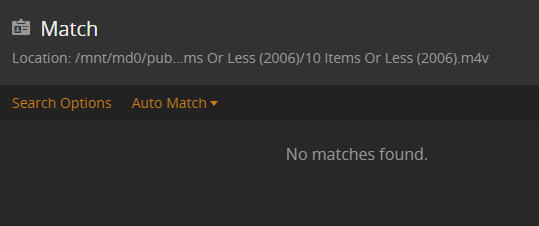
We are renovating our house and finally got to the room where my TNAS server lives. It was shut down and has been sitting on the table for the last month or so. However, I plugged it back in and booted it back up… and launched Plex. I had to log in again and it had removed all of my libraries and disconnected from my server. I’ve connected it back up and added my libraries back in, but it refuses to fetch new metadata.
I just started using Plex on a home server with Windows and am running in to the same problem.
I’ve done everything mentioned in any of the FAQs, and there are still “no results”, even when using the IMDb code for the title.
Is this a system wide issue they’re working on? It doesn’t look like they’ve recognized the problem, but at this point it doesn’t seem to be a user error on my part.
The newer “Plex Movie” agent [without “(Legacy)”] is contacting a new subdomain of *.plex.tv.
If your home network or your server is using a filter with explicitly allowed domain names, this new subdomain may not be on this filter list.
Thus lookup of metadata is failing.
The same happens if your server has a static hosts file with plex-related domain names on it. Make sure to clear that out.
Some “VPN helper” software is creating these automatically. Make sure to disable this software.
I changed the DNS servers in my router to Googles (8.8.8.8 and 8.8.4.4) and it started working…so might be that the DNS servers my ISP is using were not updated…