Server Version#:1.21.1.3876
Player Version#:4.50.1
forgive my utter lack of knowledge. I have a tv series where the titles do not match the content. I have seen references to fix match, but that function does not seem to exist anywhere on my plex app. I looked into thetvdb and saw there were several versions of my series listed. One is aired order and another is DVD order The plex app has them sorted in aired order and I have files titled in DVD order. Would it work for me to just rename the files to align episode with title?
Plex is picky with TV shows. Make sure you organize and name the files according to Plex recommendations. Otherwise, you’re fighting an uphill battle.
TV Show Files (Naming and Organizing)
Edit: TV Show matching is not working well right now due to changes at TheTVDB.com.
If the show fails to match, perform a Fix Match from the main show page (choose the three dots, then choose Fix Match from the menu.
When searching, use TheTVDB show ID instead of the show name, and leave the date blank. It is a PITA work-around, but it will get you a correct match.
Here’s an example.
DVD order or Aired order is up to you. Whichever you like best.
Use Plex Web, https://app.plex.tv/desktop.
To choose DVD order vs Aired order, edit the show.
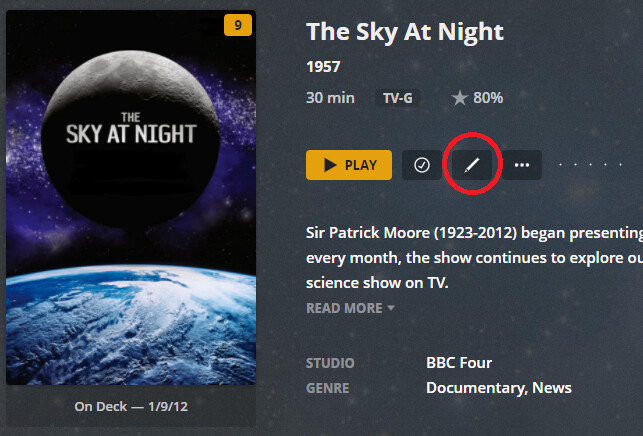
From the library home page, choose the pencil in the lower left corner of the show icon. You can also do this on the main show page.
Select Advanced. Scroll down to Episode Ordering. Choose Airing/DVD/Absolute.

This happens because there are several different “orders” that some TV shows can be in. “DVD order” “broadcast order” “actual continuity order” and several others.
To add to that there are some shows that have combined shows that are not actually combined in the various lists or the other way around.
There are multiple ways to “fix” the problem but most are less than easy. The only easy fix is using/not using DVD ordering.
Personally I usually just ignore the descriptions when they go wrong but I am better at ignoring some irritations than others are.
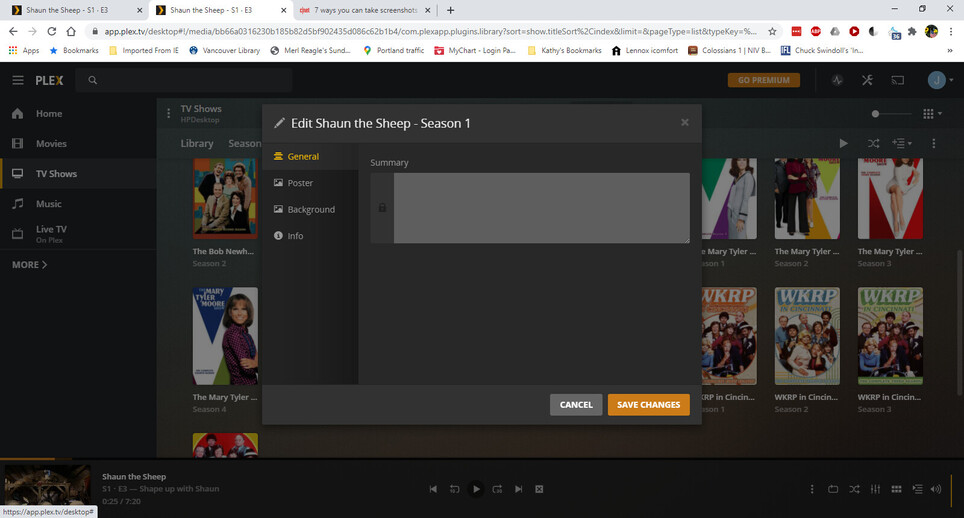
My edit screen only has General, Poster, Background and Info. Like I said in my original post, I can’t find Fix Titles anywhere, nor an advanced option in the edit window
Look at your screen shot. It says “Season 1”.
Which means you are trying to fix the match of a single season, and not the whole show.
Fix Match can only be done on the whole show.
Like I said in all my previous posts, I see no fix match option anywhere. Do I have to have something like an administrator level to have that option available? Also, I clicked on season one because that is the level available when I select TV shows. All of the TV show I have are separated in that fashion
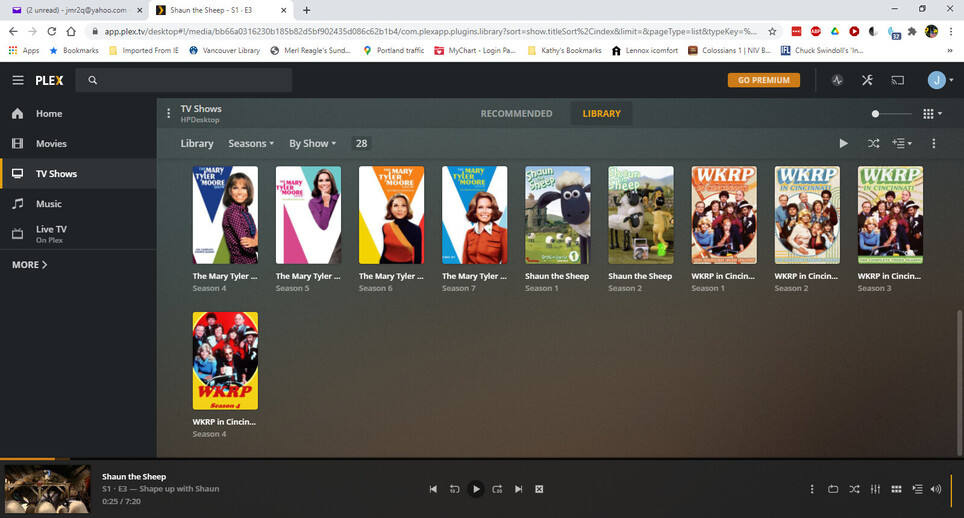
Please make your screenshot again, but this time please without the “Edit” window open.
I think I can see something, which causes confusion for you.
You have told Plex to only show you seasons:
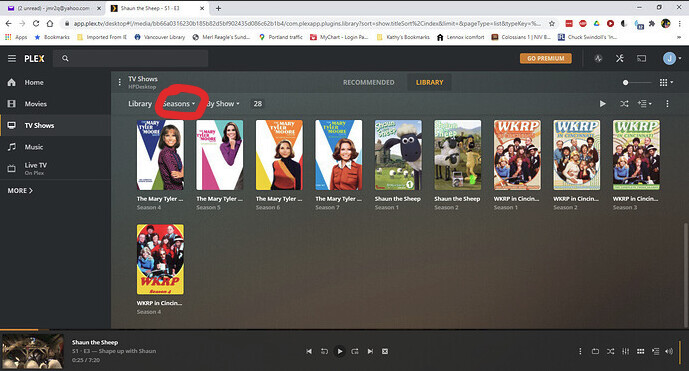
Either
- click on the title of the tv show, which appears under every season poster
- switch the marked drop-down selector to “Shows”
That did it! Thank you for your help