Missing Cable provider; and or possibility to manual setup settings

Server Version#: 1.19.1.2589
Player Version#: n/a
Tuner Make/Model: haupauge WinTV-dualHD
Guide/Lineup name: missing
Using XMLTV?: not that i am aware off
Channel number/Name: n/a

I live in Denmark.

So my local cable provider kicked out a larger provider and now i am unable to search for channels.

First i tried to scan with my old provider “yousee” but that yielded an incorrect list and the guides did not match up, or i am missing a lot of channels.

My new provider is called “Ringsted AntenneForening” and provides something called “Canal Digital”

There is allready a “Canal Digital Gorlev” (gorlev is the name of a small town, i live in Ringsted one of the larger cities.) This does not yield any result.

I have all the settings that should be nessery to find the channels but for some reacon i cannot just put the into plex but have to use a preset the settings required are as follows:

Operatør: Andet (operator: other)
Netværk-id: 100 (network-id:100)
Frekvens kHz: 450000 (frequency kHz: 450000
Symbol rate: 6875

Any and all help would be much appreciated. ( my tuner has worked perfectly for the last year with my old provider )

There are two aspects to providing support for a cable provider.
One is the tuning frequencies - for DVRs like the Hauppauge WinTV set.
The other is the lineup for the channels for EPG data

With regards to the first, does Hauppauge own app - WinTV work and have the frequencies to scan on for your cable provider?

For the 2nd - when you enter your post code - do you see any guide lineups that cover your cable provider?

Thank you for your reply
While i am still testing haupauge own app (as this is running on a linux machine)
I can say that when entering my postcode i cannot see my cable subscription or tough i can find another which cover a lot of the channels tough in the setup many of them of incorrect names, i have attached a picture of how it should be setup to work correctly, tough i am still missing channles and it is very difficult to find out excatly which i will get back to you when i have double checked how many channels i have as well as trying haupauge own app on a windows machine ( it states on one of your dvr tutorials that i should not have original app installed if used for plex)
image

Hope my wording makes sense and again thank you for your continued help.

It would seem that the channel list i have found works with all the necessary channels, while i still do not understand why my 12 year old TV can find this automatically(including guide) and plex cannot.
The windows app is very buggy and cannot find the tuner i think my cable in this room(not the one the server is in) is broken so that may be why.

I read that there is an option to edit or create your own channel list for Plex Live TV and DVR.
I am running Plex on a Synology NAS. Can anybody tell where the channel lists are stored or how to import your own list?

Would be cool if Plex could find all the available channels.

Thanks in advance!

XMLTV is the way to have your own EPG and channel list to map to your tuner channels
https://support.plex.tv/articles/using-an-xmltv-guide/

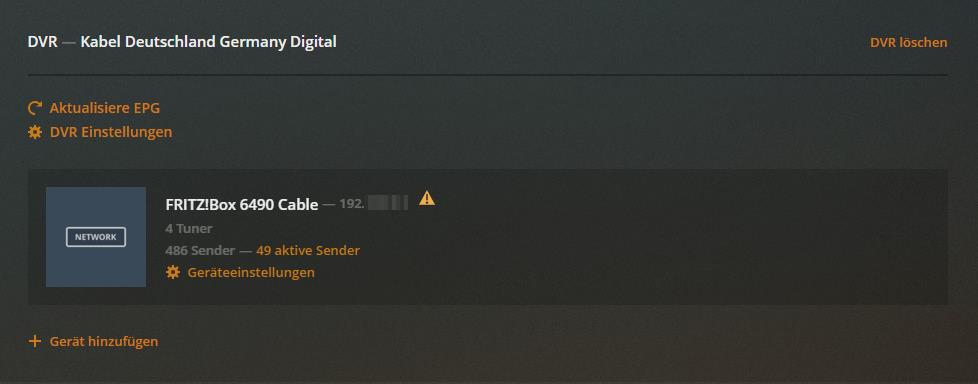
For those who truggle with the same issue with Plex DVR on a Synology NAS - this is how I made it work.

  1. Stop your PMS

  2. Log in with SSH and go tocd /volume1/@appstore/Plex Media Server/Resources/Tuner/Shared/scanners/dvbc/transponders This is where the tuners for Plex DVR are stored as .ini Files.
    Be carefull - deleting or editing may lead to disfunction

    The file 5234.ini contains the channel frequencies for Kabel Deutschland, Hannover

  3. Copy this file to an other location and edit it like this. 5234.zip (406 Bytes)

[SATTYPE]
1=5234
2=DVB-C Germany (Kabel Deutschland, Hannover)
3=DE

[DVB]
0=33
1=122000,V,6900,,QAM64
2=330000,V,6900,,QAM256
3=338000,V,6900,,QAM256
4=346000,V,6900,,QAM256
5=354000,V,6900,,QAM256
6=362000,V,6900,,QAM256
7=370000,V,6900,,QAM256
8=378000,V,6900,,QAM256
9=386000,V,6900,,QAM256
10=394000,V,6900,,QAM256
11=402000,V,6900,,QAM256
12=410000,V,6900,,QAM256
13=418000,V,6900,,QAM256
14=426000,V,6900,,QAM256
15=434000,V,6900,,QAM256
16=442000,V,6900,,QAM256
17=450000,V,6900,,QAM256
18=458000,V,6900,,QAM256
19=466000,V,6900,,QAM256
20=474000,V,6900,,QAM256
21=482000,V,6900,,QAM256
22=490000,V,6900,,QAM256
23=498000,V,6900,,QAM256
24=522000,V,6900,,QAM256
25=530000,V,6900,,QAM256
26=538000,V,6900,,QAM256
27=546000,V,6900,,QAM256
28=554000,V,6900,,QAM256
29=562000,V,6900,,QAM256
30=570000,V,6900,,QAM256
31=578000,V,6900,,QAM256
32=586000,V,6900,,QAM256
33=610000,V,6900,,QAM64
  1. Replace the old 5234.ini with the new file from above.

  2. Make sure that the permissions are set to 644, otherwise Plex DVR won’t find Kabel Deutschland, Hannover anymore.

  3. Start your PMS again and search for TV channels with Kabel Deutschland, Hannover

I would not recommend any one making changes to these system files.

If there are errors in the set of frequencies, let me know what they are and together with a web link source where I could verify the information and then will get it looked into

That would be great! Maybe that’s the way to easily access all channels by simply selecting the right provider in the future.

Please just use the file I uploaded. I had to collected the frequencys myself through the .ini files and several related forums discussions. With these settings it worked just fine for me, no errors in channels or EPG or recordings.

If you could compare and maybe update the Kabel Komplett ini file with the file above so other users don’t have to struggle.

Thanks for taking forum discussion serious :heart:

This topic was automatically closed 90 days after the last reply. New replies are no longer allowed.