Missing Movies from Library

There are other applications running in the background on this box, that are probably significantly contributing to any load that may exist.

I just removed those (and other shows) that you’ve listed, as those are part of a TV Series, per the description. They’ve since been renamed, and moved to TV.

You did that while it was scanning?

Background stuff that’s not related to Plex; yes.

Moving the TV shows; no. That was done after all of the scans had completed.

Did you also move “Road (2002)” ?

2020-01-11 22:18:58,567 (7f980b159700) :  DEBUG (networking:143) - Requesting 'https://meta.plex.tv/movie/guid/c7/c7a9158d69ee25a6321515068c7daee40690f288.xml'
2020-01-11 22:18:58,789 (7f980b159700) :  INFO (__init__:169) - Scoring {'tt0315632': [0, u'Road', u'2002', 77, 244, 0], 'tt0898367': [0, u'Road', u'2002', 8, 28, 0], 'tt0257044': [0, u'Road', u'2002', 13, 44, 0]}
2020-01-11 22:18:58,791 (7f980b159700) :  INFO (__init__:464) - ---- TITLE_YEAR RESULTS MAP ----
2020-01-11 22:18:58,792 (7f980b159700) :  INFO (__init__:465) - {'tt0315632': [0, u'Road', u'2002', 77, 244, 90], 'tt0898367': [0, u'Road', u'2002', 8, 28, 72], 'tt0257044': [0, u'Road', u'2002', 13, 44, 73]}
2020-01-11 22:18:58,793 (7f980b159700) :  INFO (__init__:478) - Skipping title/year match (doesn't meet percentage threshold): Road (2002) percentage=77
2020-01-11 22:18:58,794 (7f980b159700) :  INFO (__init__:478) - Skipping title/year match (doesn't meet percentage threshold): Road (2002) percentage=8
2020-01-11 22:18:58,795 (7f980b159700) :  INFO (__init__:478) - Skipping title/year match (doesn't meet percentage threshold): Road (2002) percentage=13
2020-01-11 22:18:58,796 (7f980b159700) :  INFO (__init__:487) - ---- TMDb RESULTS MAP ----
2020-01-11 22:18:58,820 (7f980b159700) :  DEBUG (networking:143) - Requesting 'http://127.0.0.1:32400/services/tmdb?uri=%2Fsearch%2Fmovie%3Fquery%3DRoad%26year%3D2002%26language%3Den%26include_adult%3Dfalse'
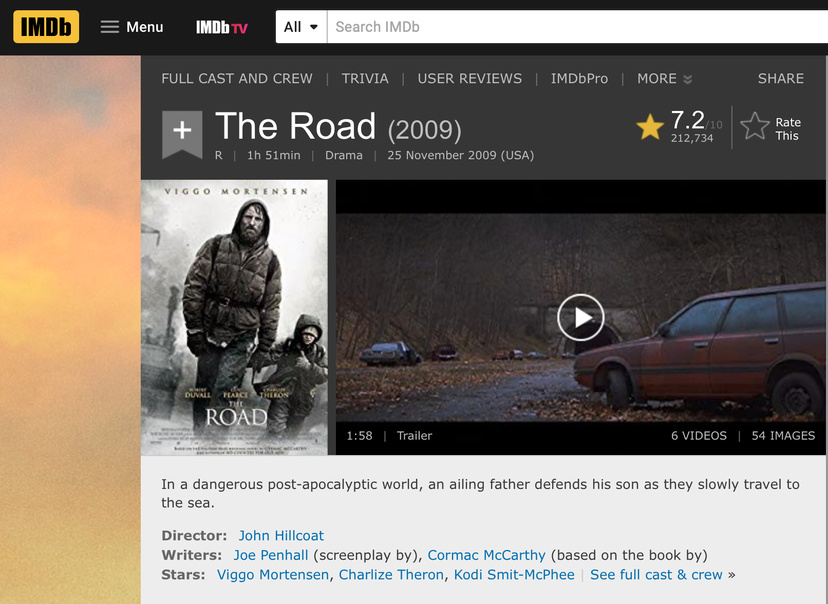
No. I haven’t touched that.

Notice the score. 77%. PMS needs an 85% match percentage to auto accept.

The TT number listed points to “The Road (2009)”
Might you have some missing or incorrect info in the naming?

IMDB comes up with

What’s the file name as you have it please?

If it’s a MP4 / M4V, what does the embedded metadata show (or the Plex XML)?

I suspect that’s going to be the root cause here.

It’s named “Road”, but it appears that it should be “The Road” and it’s an .m4v.

Let’s see if PMS is smart enough to rectify this on its own.

Using FileStation,

  1. move it to a share/folder which PMS doesn’t monitor.
  2. Do the renaming correction (name / year as appropriate) .
  3. Scan Files (in the movies library) – Don’t Refresh Metadata
  4. Empty Trash
  5. When that finishes
  6. Move it back into Movies
  7. Give it a moment to detect and scan on its own.
  8. If it doesn’t, “Scan Files”
  9. Observe the results & watch for it to pop in.

Sorry, that took a little doing, but it’s actually “Thunder Road”. I hadn’t watched it yet, so I had to scrub through it to find the name.

Let me know how it works out.
If it doesn’t pull in correctly, Please download the logs and attach.
I want to see why.

Re-scanned, but it hasn’t updated. Should I Analyze it, or something else?

Does the activity indicator (upper right dot) show activity?

If not, please download the logs and attach.

As FYI. It is 2:45a here. it’s time for me to sleep.

I will continue in the AM if not quick to fix.

It’s 11:45pm here in California … :slight_smile:

Plex Media Server Logs_2020-01-11_23-41-52.zip (7.1 MB)

It found it. The NAS must be really busy if not displayed yet.


2020-01-11 23:31:29,324 (7f980ab3d700) :  DEBUG (networking:143) - Requesting 'http://image.tmdb.org/t/p/w300/pWDsq2jpAzkJIPw6lUHY5vkLDWu.jpg'
2020-01-11 23:31:29,613 (7f9809636700) :  DEBUG (networking:175) - Not caching 'http://image.tmdb.org/t/p/w300/mnCQ1BhwEs6YfRt361udvAxByZJ.jpg' (content type 'image/jpeg' not cacheable in Agent plug-ins)
2020-01-11 23:31:29,705 (7f9809636700) :  DEBUG (networking:143) - Requesting 'http://image.tmdb.org/t/p/w300/76MwHeg6QekaeG1kOEQBqV66ndQ.jpg'
2020-01-11 23:31:29,828 (7f980b159700) :  INFO (__init__:473) - Adding title_year match: Thunder Road (2018) score=99, key=tt7738450
2020-01-11 23:31:29,845 (7f980b159700) :  INFO (__init__:481) - Found perfect match with title/year query.
2020-01-11 23:31:29,895 (7f980b159700) :  DEBUG (runtime:88) - Sending packed state data (604 bytes)
2020-01-11 23:31:29,896 (7f980b159700) :  DEBUG (runtime:924) - Response: [200] str, 640 bytes
2020-01-11 23:31:29,959 (7f980ab3d700) :  DEBUG (networking:175) - Not caching 'http://image.tmdb.org/t/p/w300/pWDsq2jpAzkJIPw6lUHY5vkLDWu.jpg' (content type 'image/jpeg' not cacheable in Agent plug-ins)
2020-01-11 23:31:30,099 (7f980ab3d700) :  DEBUG (networking:143) - Requesting 'http://image.tmdb.org/t/p/w300/w9o80RbPqyzFR4io7t1SxF7tHN3.jpg'
2020-01-11 23:31:30,202 (7f9809924700) :  DEBUG (networking:175) - Not caching 'http://image.tmdb.org/t/p/w300/kUm5B8JzpShODkAZ3qHy8vdPDcK.jpg' (content type 'image/jpeg' not cacheable in Agent plug-ins)
2020-01-11 23:31:30,203 (7f9809636700) :  DEBUG (networking:175) - Not caching 'http://image.tmdb.org/t/p/w300/76MwHeg6QekaeG1kOEQBqV66ndQ.jpg' (content type 'image/jpeg' not cacheable in Agent plug-ins)
2020-01-11 23:31:30,205 (7f980ab3d700) :  DEBUG (networking:175) - Not caching 'http://image.tmdb.org/t/p/w300/w9o80RbPqyzFR4io7t1SxF7tHN3.jpg' (content type 'image/jpeg' not cacheable in Agent plug-ins)
2020-01-11 23:31:30,367 (7f9809924700) :  DEBUG (networking:143) - Requesting 'http://image.tmdb.org/t/p/w300/8BPZO0Bf8TeAy8znF43z8soK3ys.jpg'

Refresh the Plex/web display and look for it .

I’m going to call it a night.

A parting thought - longer term.

Look to relocate the Plex server or up to a bigger Synology/QNAP.
The D2700 is a great NAS, which can still hold the media and serve it up just fine but it’s not idea for Plex use as a server.
Our efforts here show just how much it struggles.
ALso consider putting FileBot on the NAS itself or wherever you process the media. Dropping it in with known-good names upfront makes this FAR less painful.

@ChuckPa, everything now appears to be working correctly. Thanks for all of your help and insight. I appreciate it.

One of these days, I’ll upgrade my little Synology to something more robust. When I bought it, it was just to serve up my photography, but now I’m using it for a whole lot more.

Cheers!

Is it correct to summarize here:

  1. With unambiguous naming, PMS found everything easily.
  2. Allowing enough time for the Syno to complete all tasks.
